简介
FlatBuffers是针对C ++,C#,C,Go,Java,JavaScript,Lobster,Lua,TypeScript,PHP,Python和Rust的高效跨平台序列化库。它最初是由Google创建的,用于游戏开发和其他对性能至关重要的应用程序。
github地址 github.com/google/flat…
为什么不用JSON
Json是当今全服务平台的轻量级数据传输格式,Json量级轻,并且可读性强,使用友好却不过时,Json是语言独立的数据格式,但Json转换的时候却耗费较多的时间和内存。所以在游戏开发和其他对性能至关重要的应用程序中JSON是无法支撑的。
使用
1.生成flatc
官方文档介绍:google.github.io/flatbuffers… 我是没怎么看懂,我直接找的github上的版本管理里的包,下载使用即可。
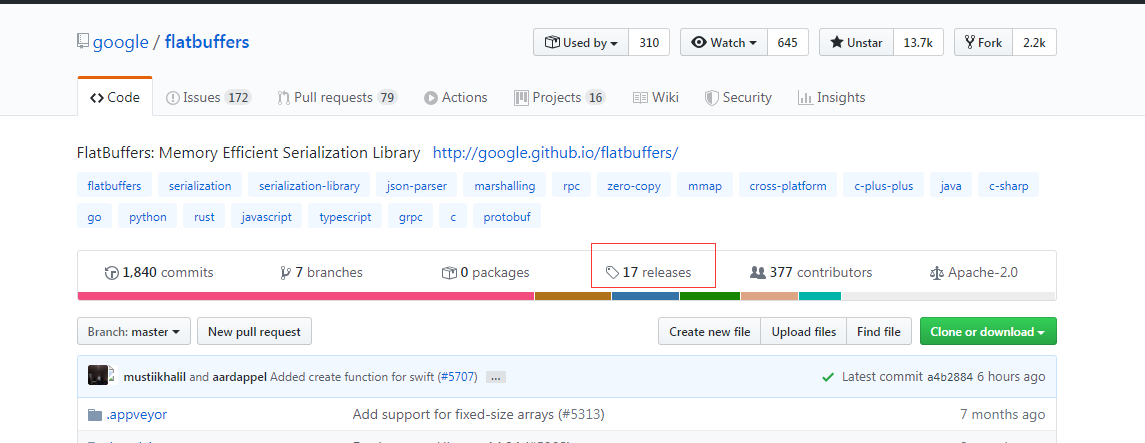
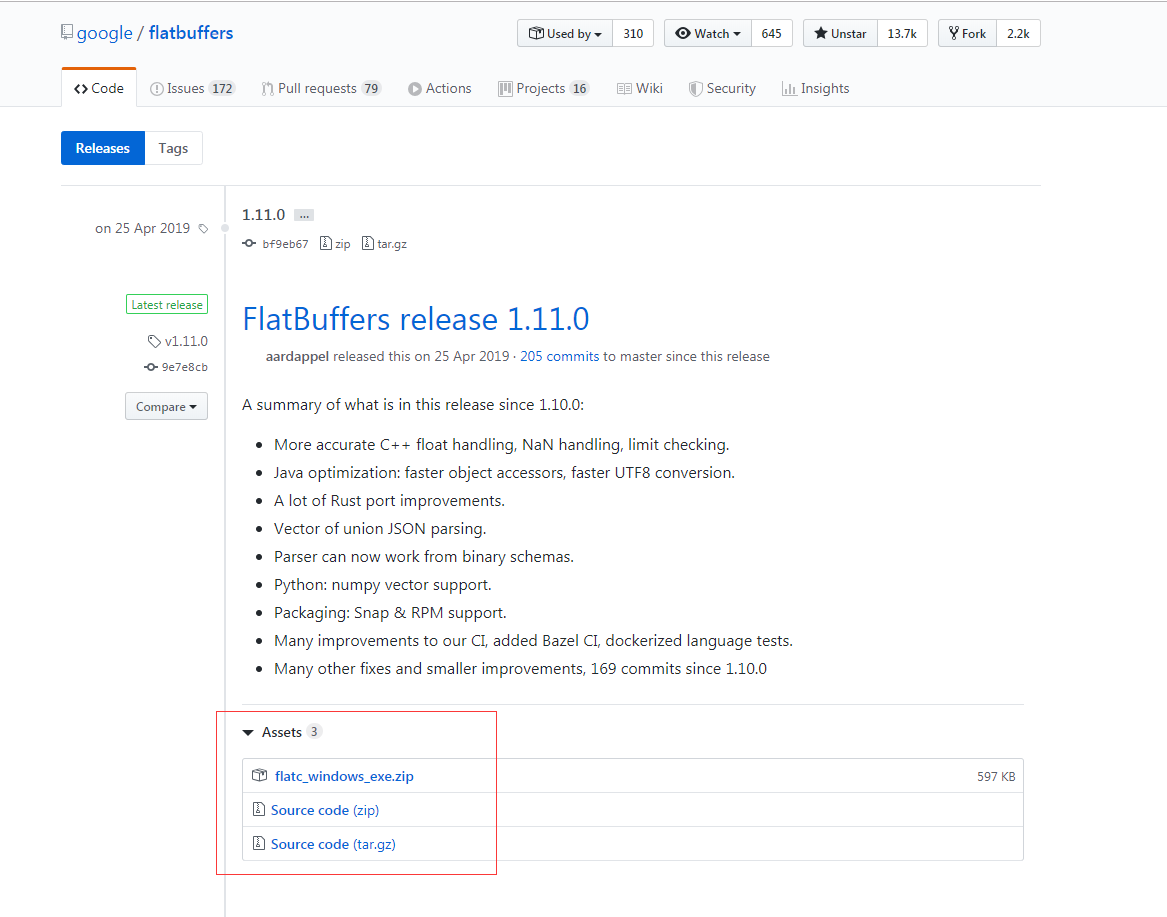
2.编写schema文件
schema 接口定义语言(IDL)的语法与C系列语言和其他IDL语言的语法相似。如何编写请详细查看官方文档。
这块是数据传输的关键部分,定义的数据结构展示在这里,所以这里的设计好坏在以后的开发中至关重要。
以下是我的一个简单示例
namespace cn.pinming.bimplatform.component.flatbuffer;

table HandleList{
     proGuid:string;
     projectId:string;
     mainMode:byte;
     kindId:int;
     pricingId:string;
     pricingname:string;
     itemFeature:string;
     floorId:int;
     handles:[Handle];
}

table Handle {
    handle:string;
    floor:int;
}

root_type  HandleList;
3.使用flatc编译schema文件
官方文档介绍了flatc使用语法,并可以编译成各种编程语言所需的文件。

以js为例
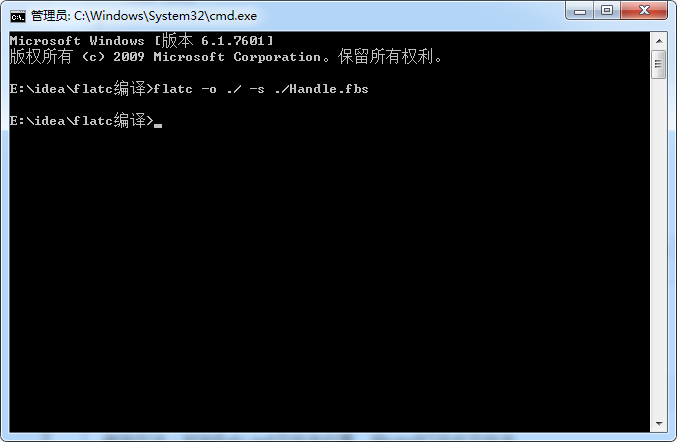
flatc -o ./ -s ./文件名.fbs
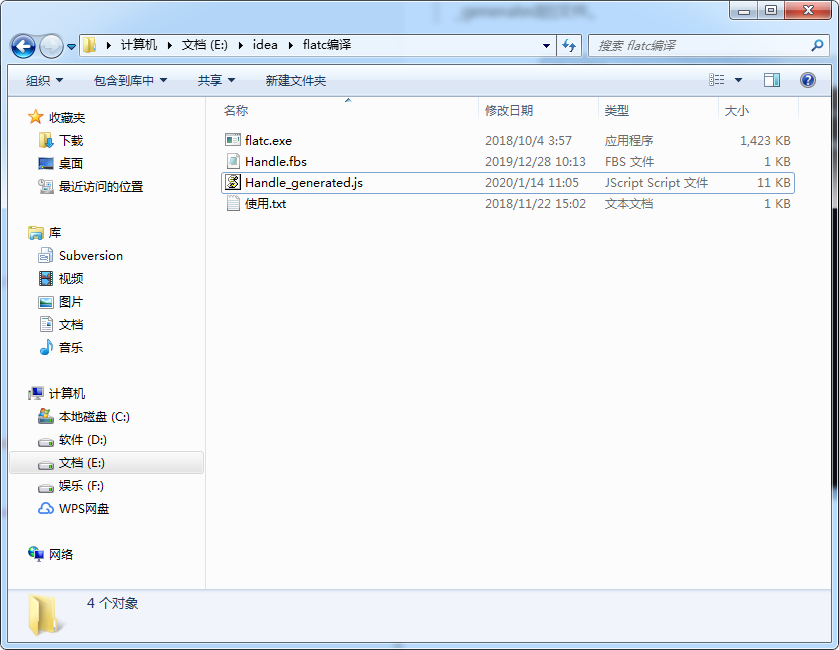
使用方法:找到flatc.ext文件夹位置,在文件夹中拷入要编译的文件,用cmd打开此文件夹,输入命令编译,会生成_generated的文件。
4.根据schema文件生成/解析数据
js使用需要官方的解析函数库,可以在github代码库可找到flatbuffers/js。

4.1 以下是生成flatBuffer数据的列子
根据schema文件封装的构造函数,传进所需的数据构造出flatBuffer数据。
// schema文件结构
namespace cn.pinming.bimplatform.component.flatbuffer;

table HandleList{
     proGuid:string;
     projectId:string;
     mainMode:byte;
     kindId:int;
     pricingId:string;
     pricingname:string;
     itemFeature:string;
     floorId:int;
     handles:[Handle];
}

table Handle {
    handle:string;
    floor:int;
}

root_type  HandleList;
import { flatbuffers } from "@/flatBuf/flatbuffers"
import { cn } from '@/flatBuf/Handle_generated'

const handleNameSpace = cn.pinming.bimplatform.component.flatbuffer

function HandleInterface () {
  this.type = 'handleInterface'
}

HandleInterface.prototype = {
  constructor: HandleInterface,

  // 传进所需的数据构造出对应的flatBuffer数据
  setFlatBuffer: function (projectData, handlesArray) {
    // 创建 `FlatBufferBuilder` 实例, 用它来开始创建 FlatBuffers ,初始化大小 1024
    // buffer 的大小会根据需要自动增长,所以不必担心空间不够
    let builder = new flatbuffers.Builder(1024)

    // Create the `HandleArray`
    let HandleArray = []
    for (let i = 0; i < handlesArray.length; i++) {
      let handleString = builder.createString(handlesArray[i].handle)
      handleNameSpace.Handle.startHandle(builder)
      handleNameSpace.Handle.addHandle(builder, handleString)
      handleNameSpace.Handle.addFloor(builder, handlesArray[i].floor)
      let HandleArrayOffset = handleNameSpace.Handle.endHandle(builder)
      HandleArray.push(HandleArrayOffset)
    }

    // Create the `HandleList`
    let proGuidString = builder.createString(projectData.proGuid) // string类型的不可直接取值,必须createString,而且查看源码可知createString里调用了start和end,所以不能嵌套在下面的startHandleList里,不然会有两个start。
    let projectIdString = builder.createString(projectData.projectId)
    let pricingIdString = builder.createString(projectData.pricingId)
    let pricingNameString = builder.createString(projectData.pricingName)
    let itemFeatureString = builder.createString(projectData.itemFeature)
    let HandleArrayVec = handleNameSpace.HandleList.createHandlesVector(builder, HandleArray) // 对象需要create
    handleNameSpace.HandleList.startHandleList(builder)
    handleNameSpace.HandleList.addProGuid(builder, proGuidString)
    handleNameSpace.HandleList.addProjectId(builder, projectIdString)
    handleNameSpace.HandleList.addMainMode(builder, projectData.mainMode) // byte类型可以直接取值
    handleNameSpace.HandleList.addKindId(builder, projectData.kindId) // int类型可以直接取值
    handleNameSpace.HandleList.addPricingId(builder, pricingIdString)
    handleNameSpace.HandleList.addPricingName(builder, pricingNameString)
    handleNameSpace.HandleList.addItemFeature(builder, itemFeatureString)
    handleNameSpace.HandleList.addHandles(builder, HandleArrayVec)
    let HandleList = handleNameSpace.HandleList.endHandleList(builder) // 调用end生成HandleList对象

    builder.finish(HandleList) // Call `finish()` to instruct the builder that this monster is complete.
    return builder.asUint8Array() // Of type `Uint8Array`. This must be called after `finish()`
  },
}

export default HandleInterface
4.2 以下是解析flatBuffer数据的列子
namespace cn.pinming.bimplatform.component.flatbuffer;

table CompList{
    children:[Component];
}

table Component{
    name:string;
    unit:string;
    quantity:double;
}
root_type CompList;
import { flatbuffers } from "@/flatBuf/flatbuffers"
import { cn } from '@/flatBuf/ComponentQty_generated'

const ComponentQtyNameSpace = cn.pinming.bimplatform.component.flatbuffer

function ComponentQtyInterface () {
  this.type = 'ComponentQtyInterface'
}

ComponentQtyInterface.prototype = {
  constructor: ComponentQtyInterface,

    // 解析头文件
  createHeadDataFile: function (bytes) {
    let data = new Uint8Array(bytes) // 根据传输过来的数据new出Uint8Array对象
    let buf = new flatbuffers.ByteBuffer(data) // 根据Uint8Array生成ByteBuffer
    let head = ComponentQtyNameSpace.CompList.getRootAsCompList(buf) // Get an accessor to the root object inside the buffer.
    return head
  },

  getCompList: function (headDataFile) {
    let children = []
    for (let i = 0; i < headDataFile.childrenLength(); i++) {
      children.push(this.getComponent(headDataFile.children(i)))
    }

    return {
      children: children
    }
  },

  getComponent: function (data) {
    let obj = {}

    obj.name = data.name()
    obj.unit = data.unit()
    obj.quantity = data.quantity()

    return obj
  }
}

export default ComponentQtyInterface
ajax请求中要告知传输的数据类型
// 不同的ajax库中有不同的写法,最主要的是responseType: 'arrayBuffer',自己查询此用法
export async function entityQtyDetailByHandles(data) {
  return request(`${bimServer}/front/analysis/entityQtyDetailByHandles`, {
    method: 'POST',
    responseType: 'arrayBuffer',
    data
  });
}
entityQtyDetailByHandles(requestData).then((itemData: any) => {
  const head = entityQtyDetailInterface.createHeadDataFile(itemData)
  const etqDetail = entityQtyDetailInterface.getEntityQtyDetail(head)
})
总结
看了实际应用后可以发现flatBuffer使用起来还是有点麻烦的,不像JSON结构那样简洁明了,一目了然。所以不建议所有接口使用flatBuffer,只对那种数据结构超大,传输速度要求极高的场景下才使用。还是JSON结构友好,也便于看数据返回字段就能发现问题所在,而用了flatBuffer就必须打开本地开发环境调试代码查看数据内容(因为传输的是二进制的数据格式,不经过解析是看不懂的)。