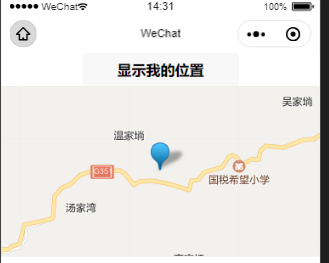
我们将位置显示在地图中,需要用到微信小程序map文档
直接上代码
<view >
  <button bindtap="show">显示我的位置</button>
  <map wx:if='{{can}}' latitude="{{latitude}}" longitude="{{longitude}}" show-location scale="13" markers="{{markers}}" style="width:100vw;height:400rpx;"></map>
</view>
// pages/mine/mine.js
import {
  getLocation,

} from '../../utils/fun.js'

Page({
  async show(){
//下面getLocation()得出的是{lat: 30.15838, lng:110.79237},用解构得到lat和lng的值
    let { lat: latitude,lng:longitude} = await getLocation()
    this.data.markers = [{
      id: +new Date,
      latitude,
      longitude,
      width: 50,
      height: 50
    }]
    this.setData({
      can:true,
      latitude,
      longitude,
      markers:this.data.markers
    })
  },
  /**
   * 页面的初始数据
   */
  data: {
    can:false,
    list:1,
    latitude:0,
    longitude:0,
    markers:[]
  }

})
成功