前言
Vue Router是单页应用的路径管理器,是Vue.js官方的路由插件,它和Vue.js是深度集成的。路由用于设定访问路径,并将路径和组件映射起来。单页面应用中,页面的切换时路径之间的切换。路由模块的本质就是建立起url和页面之间的映射关系。
效果图
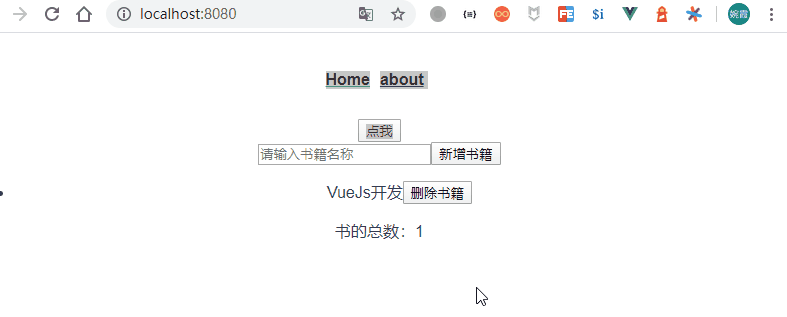
首页中引入路由
这里的<router-view/>是最顶层的出口,渲染最高级路由匹配到的组件
<template>
  <div id="app">
    <div id="nav">
      <router-link to="/">Home</router-link>
      <!-- <router-link to="/about">About</router-link> -->
      <router-link :to="{name:'about',params:{user:'xiaoming'}}">about</router-link>
    </div>
    <button @click="clickBtn">点我</button>
    <router-view/>
  </div>
</template>
<script>
export default {
  methods:{
    clickBtn(){
      this.$router.push('/about');
      setTimeout(()=>{
        this.$router.go(-1);
      },1000);
      setTimeout(()=>{
        this.$router.replace('/404');
      },2000);
    }
  }
}
</script>
<style>
#app {
  font-family: "Avenir", Helvetica, Arial, sans-serif;
  -webkit-font-smoothing: antialiased;
  -moz-osx-font-smoothing: grayscale;
  text-align: center;
  color: #2c3e50;
}

#nav {
  padding: 30px;
}

#nav a {
  font-weight: bold;
  color: #2c3e50;
  margin-right:10px;
}

#nav a.router-link-exact-active {
  color: #42b983;
}
</style>
路由匹配
import Vue from 'vue'
import VueRouter from 'vue-router'
import Home from '../views/Home.vue'

Vue.use(VueRouter)

const routes = [
  {
    path: '/',
    name: 'home',
    component: Home,
    //单独路由守卫
    beforeEach:(to,from,next)=>{
      console.log(to,from);
      next();
    }
  },
  {
    path: '/about/:user',
    name: 'about',
    //路由元信息
    meta:{
      isNeedLogin:true
    },
    // route level code-splitting
    // this generates a separate chunk (about.[hash].js) for this route
    // which is lazy-loaded when the route is visited.
    component: () => import(/* webpackChunkName: "about" */ '../views/About.vue'),
    //嵌套路由实现,(如果左侧菜单栏,右侧菜单栏的子页面)
    children:[
      {
        path:'detail',
        component:()=> import('../views/AboutDetail.vue')
      }
    ]
  },
  {
    path:'*',
    name:'404',
    component:()=>import('../views/404.vue')
  }
]

const router = new VueRouter({
  mode: 'history',
  base: process.env.BASE_URL,
  routes
})

export default router
需要掌握知识点
1、动态路由匹配方式;
2、路由元信息,用meta配置;
3、嵌套路由实现,用children配置;
{
    path: '/about/:user',
    name: 'about',
    //路由元信息
    meta:{
      isNeedLogin:true
    },
    // route level code-splitting
    // this generates a separate chunk (about.[hash].js) for this route
    // which is lazy-loaded when the route is visited.
    component: () => import(/* webpackChunkName: "about" */ '../views/About.vue'),
    //嵌套路由实现,(如果左侧菜单栏,右侧菜单栏的子页面)
    children:[
      {
        path:'detail',
        component:()=> import('../views/AboutDetail.vue')
      }
    ]
  },
4、路由参数传递,get用query传递,post用params传递;
5、路由守卫,前置钩子和后置钩子,结合meta怎么使用,比如meta中配置了是否需要登录信息,在全局路由守卫的前置钩子中就可以这样处理;一般在路由守卫的前置钩子中做一些验权处理;
//全局路由守卫
//前置钩子
router.beforeEach((to,from,next)=>{
  if(to.meta.isNeedLogin){
    next({
      path:'/login',
      query:{
        name:'aaa'
      }
    })
  }
  next();
});