姑且叫他彩色标签吧,俺是新来的,俺也不知道它叫啥,从网上搜集资料都不知道怎么去搜,当然也没搜出来,不知道是因为我搜的名字错了还是因为太简单没人写,但虽然很简单,但是对我一个github的新人确实是不知道该怎么在readme上添加上这些标签,所以就写下来送给跟我一样的小菜鸟吧~
先展示一下成果

Tmier
这里是简介~



代码先贴上:
<p align="center"><img src="http://md.hao2.top/img/logo.png"
        alt="Logo" width="158" height="82" style="max-width: 100%;"></p>
<h1 align="center">Tmier</h1>
<p align="center">这里是简介~</p>
<p align="center">
    <a href="https://github.com/1042970366/">
        <img src="https://img.shields.io/badge/license-MIT-green" alt="MIT License" />
    </a>
    <a href="https://vuejs.org/">
        <img src="https://img.shields.io/badge/vue.js-2.0-green" alt="Vue2.0">
    </a>
    <a href="https://github.com/1042970366/">
        <img src="https://img.shields.io/badge/author-Tmier-blueviolet" alt="Author">
    </a>
    <a href="https://github.com/1042970366/">
        <img src="https://img.shields.io/badge/🚀-open--in--browser-blueviolet" alt="Live Demo">
    </a>
</p>看代码就知道了,没什么难度,知道这个网站就可以了:shields.io,这个网站可以生成自己的地址
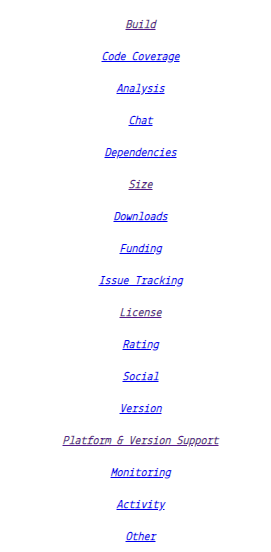
有很多选择:
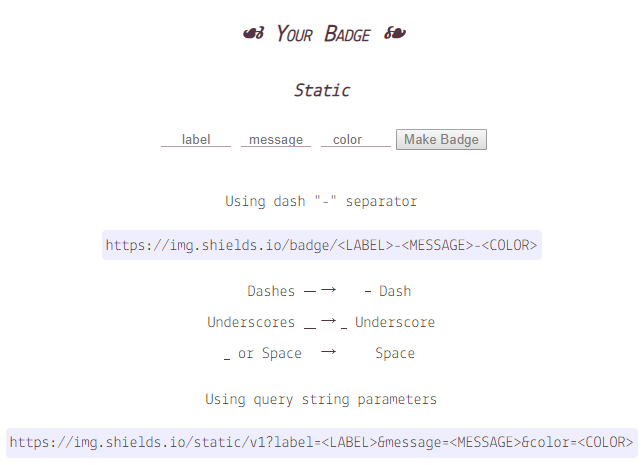
还可以自定义:
颜色也不少:

去试试吧!