写在前面
我是一个 Java 开发,看前端同事摸鱼摸得很爽的样子,我也要开始学习前端知识了,争取早日转前端...
windows10 下的前端环境搭建
node 安装: node下载地址
yarn 安装: yarn下载地址
IDE 的选择: 宇宙最强IDE vs code下载地址
使用 create-react-app 搭建 React 开发环境
create-react-app 是来自于 Facebook,通过该命令我们无需配置就能快速构建 React 开发环境,由 create-react-app 创建的项目是基于 Webpack + ES6
npm install -g create-react-app
创建项目eat-what
create-react-app eat-what
出现如下输出表示项目构建成功:
Installing packages. This might take a couple of minutes.
Installing react, react-dom, and react-scripts...

yarn add v1.17.3
[1/4] Resolving packages...
[2/4] Fetching packages...
info fsevents@1.2.9: The platform "win32" is incompatible with this module.
info "fsevents@1.2.9" is an optional dependency and failed compatibility check. Excluding it from i                                                                                                                                                                            nstallation.
info fsevents@2.0.7: The platform "win32" is incompatible with this module.
info "fsevents@2.0.7" is an optional dependency and failed compatibility check. Excluding it from i                                                                                                                                                                            nstallation.
[3/4] Linking dependencies...
warning "react-scripts > @typescript-eslint/eslint-plugin > tsutils@3.17.1" has unmet peer dependen                                                                                                                                                                            cy "typescript@>=2.8.0 || >= 3.2.0-dev || >= 3.3.0-dev || >= 3.4.0-dev || >= 3.5.0-dev || >= 3.6.0-                                                                                                                                                                            dev || >= 3.6.0-beta || >= 3.7.0-dev || >= 3.7.0-beta".
[4/4] Building fresh packages...
success Saved lockfile.
success Saved 17 new dependencies.
info Direct dependencies
├─ react-dom@16.9.0
├─ react-scripts@3.1.2
└─ react@16.9.0
info All dependencies
├─ @babel/plugin-proposal-decorators@7.6.0
├─ @babel/plugin-transform-runtime@7.6.0
├─ @babel/plugin-transform-typescript@7.6.0
├─ @babel/preset-typescript@7.6.0
├─ babel-plugin-named-asset-import@0.3.4
├─ babel-preset-react-app@9.0.2
├─ confusing-browser-globals@1.0.9
├─ core-js@3.2.1
├─ eslint-config-react-app@5.0.2
├─ react-app-polyfill@1.0.3
├─ react-dev-utils@9.0.4
├─ react-dom@16.9.0
├─ react-error-overlay@6.0.2
├─ react-scripts@3.1.2
├─ react@16.9.0
├─ scheduler@0.15.0
└─ shell-quote@1.7.2
Done in 71.02s.

Initialized a git repository.
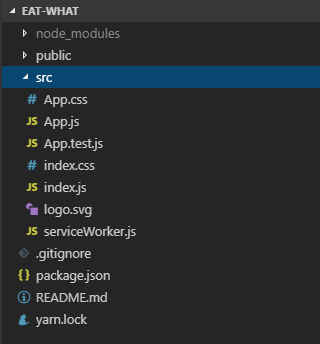
使用vs code打开文件夹,结构目录如下所示
启动项目
npm start
输出如下(项目端口默认3000)
Compiled successfully!

You can now view eat-what in the browser.

  Local:            http://localhost:3000/
  On Your Network:  http://10.0.75.1:3000/

Note that the development build is not optimized.
To create a production build, use yarn build.
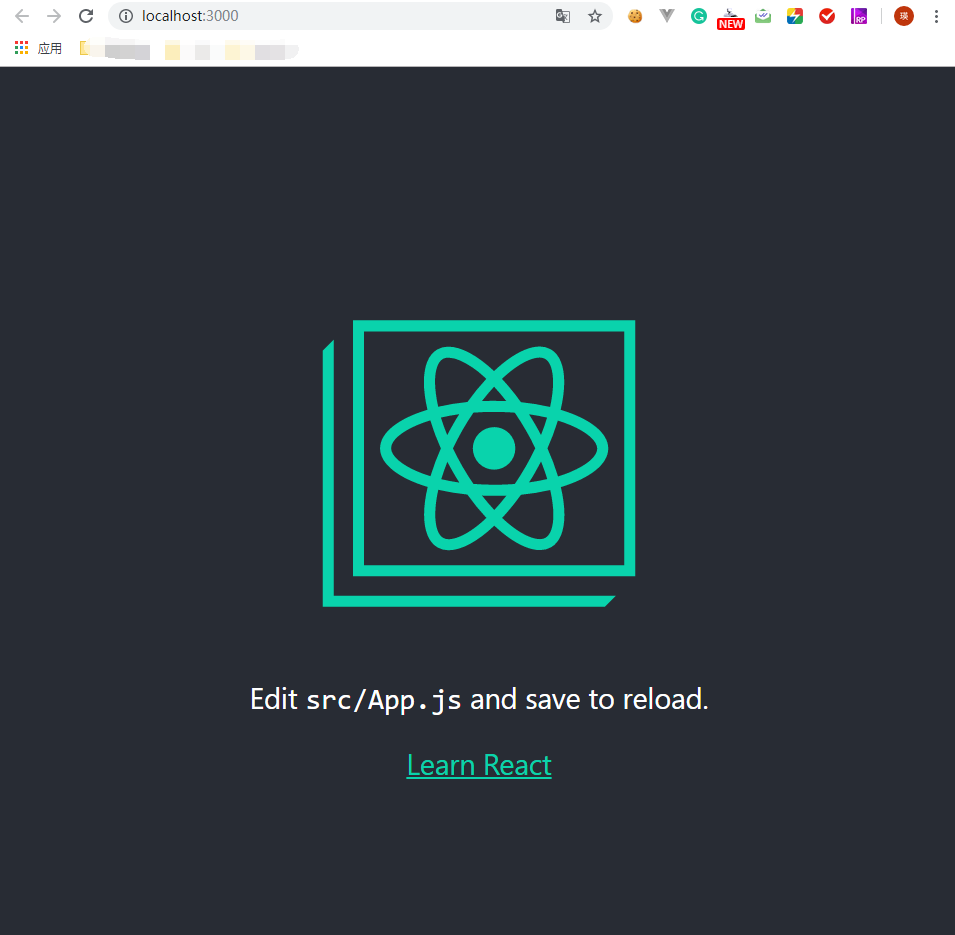
访问
http://localhost:3000/
看到 React 的 logo,即表示项目启动成功啦!