

需求
对于跨平台项目来说,应该匹配不同地区的行政区划
geojson下载:datav.aliyun.com/tools/atlas…
引入geojson,并进行改造(以浙江省为例)
引入geojson2(注意格式,省-市-区,下载的省里面的geojson是没有区信息的,需要自己在下载复制进去): raw.githubusercontent.com/SaltedFishH…
效果
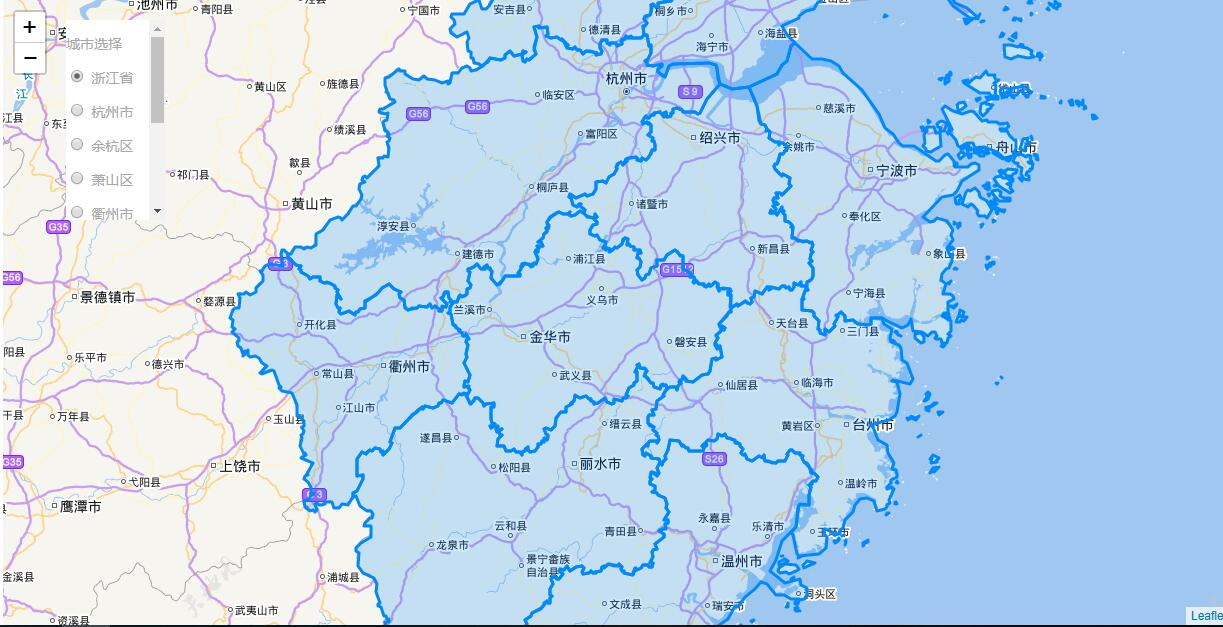
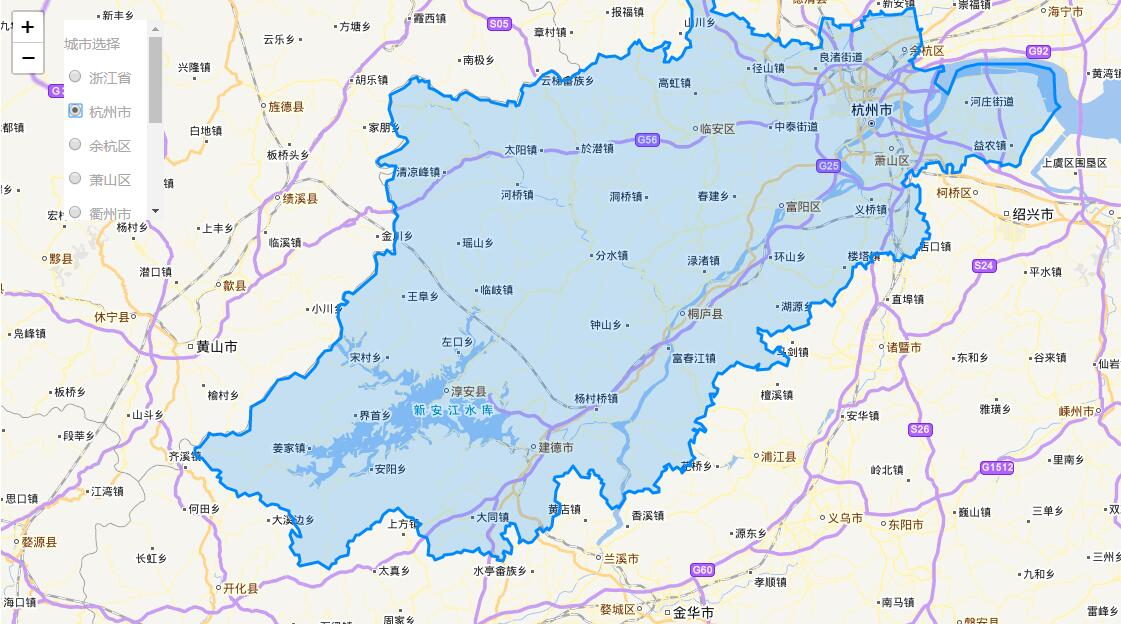
代码
<template>
  <div>
    <div class="city-container">
      <p>城市选择</p>
      <div>
        <p v-for="(item, index) in cityCheck" :key="index">
          <input
            name="City"
            type="radio"
            :value="item.name"
            :label="item.name"
            :checked="item.checked"
            :id="item.name"
            v-model="cityValue"
          />
          <label :for="item.name">{{item.name}}</label>
        </p>
      </div>
    </div>
    <div id="myMap" class="map-box"></div>
  </div>
</template>

<script>
import L from "leaflet";
import Provider from "./chinatmsproviders";
require("leaflet/dist/leaflet.css");
import geoJson from "./geojson2";

export default {
  data() {
    return {
      mapKey: "", //你的key
      cityCheck: [
        { name: "浙江省", checked: true },
        { name: "杭州市" },
        { name: "余杭区" },
        { name: "萧山区" },
        { name: "衢州市" },
        { name: "绍兴市" },
        { name: "常山县" },
        { name: "湖州市" },
        { name: "台州市" },
        { name: "义乌市" }
      ],
      cityValue: "浙江省",
      geoMap: {},
      map: null
    };
  },
  mounted() {
    Provider(L); // 挂载插件
    this.computedGeo([geoJson]); // 修改geojson的输出方式
    setTimeout(() => {
      // 因为地图信息有使用到geoJson里的信息,所以需要等待数据修改完后才能进行地图的加载
      this.getMap();
    }, 0);
  },
  watch: {
    cityValue(val) {
      let mapInfo = this.getGeo();
      this.map.eachLayer(layer => {
        if (!layer._container) {
          layer.remove();
        }
      }); // 去掉之前的图层
      this.map.setView(mapInfo.myCenter, mapInfo.zoom); // 更换中心点
      mapInfo.nowGeoJson = this.geoMap[this.cityValue]; //添加图层
      L.geoJson(mapInfo.nowGeoJson).addTo(this.map);
    }
  },
  methods: {
    computedGeo(features) {
      // 递归函数 将原本的geojson变为键值对的格式
      features.map(item => {
        this.geoMap[item.properties.name] = item;
        // 进行判断以防止递归出错
        if (Array.isArray(item.features) && item.features.length > 0) {
          this.computedGeo(item.features);
        }
      });
    },
    getGeo() {
      let mapInfo = {};
      mapInfo.nowGeoJson = this.geoMap[this.cityValue];
      if (this.cityValue == "浙江省") {
        // 因为省级显示不需要将区划分显示出来,因此要隐藏掉区级的features模块
        mapInfo.nowGeoJson.features.map(res => {
          res.features = null;
        });
      }
      mapInfo.myCenter = new L.LatLng(
        mapInfo.nowGeoJson.properties.center[1],
        mapInfo.nowGeoJson.properties.center[0]
      );
      mapInfo.zoom = mapInfo.nowGeoJson.properties.zoom
        ? mapInfo.nowGeoJson.properties.zoom
        : 9;
      return mapInfo;
    },
    getMap() {
      let mapInfo = this.getGeo();
      let map = L.map("myMap", {
        center: mapInfo.myCenter,
        zoom: mapInfo.zoom
      });
      L.tileLayer
        .chinaProvider("TianDiTu.Normal.Map", {
          maxZoom: 18,
          minZoom: 5,
          key: this.mapKey
        })
        .addTo(map);
      L.tileLayer
        .chinaProvider("TianDiTu.Normal.Annotion", {
          maxZoom: 18,
          minZoom: 5,
          key: this.mapKey
        })
        .addTo(map);
      this.map = map;
      L.geoJson(mapInfo.nowGeoJson).addTo(map);
    }
  }
};
</script>
<style scoped>
.city-container {
  position: absolute;
  z-index: 999;
  top: 20px;
  left: 200px;
  width: 100px;
  background: #fff;
  height: 200px;
  overflow: auto;
}
label {
  cursor: pointer;
}
</style>
