起因
跟着官方英雄指南敲代码,学到http章节,使用内存 Web API 创建模拟数据服务器后,直接404 ,http://localhost:4200/api/heroes,惊不惊喜! 我选择了跳过。
解决方案
1、本地使用node + express 创建模拟数据服务器,提供api
// index.js
const express = require("express");
const app = express();
const heroes = [
    { id: 11, name: 'Dr Nice' },
    { id: 12, name: 'Narco' },
    { id: 13, name: 'Bombasto' },
    { id: 14, name: 'Celeritas' },
    { id: 15, name: 'Magneta' },
    { id: 16, name: 'RubberMan' },
    { id: 17, name: 'Dynama' },
    { id: 18, name: 'Dr IQ' },
    { id: 19, name: 'Magma' },
    { id: 20, name: 'Tornado' }
];

app.get("/api/heroes", (req, res) => {
    // res.sendFile(__dirname + "/index.html")
    res.json(heroes)
})

app.use(express.static('assets'))

app.listen(8080, () => {

    console.log("8080")
})
2、启动接口服务
$ node index.js
> 8080
3、在ng项目根目录下添加代理配置文件
// proxy.conf.json
{
    "/api/": {
        "target": "http://localhost:8080/",
        "secure": false
    }
}
4、启动ng服务
$ npm run proxy
> ng serve --proxyConfig=proxy.conf.json --open
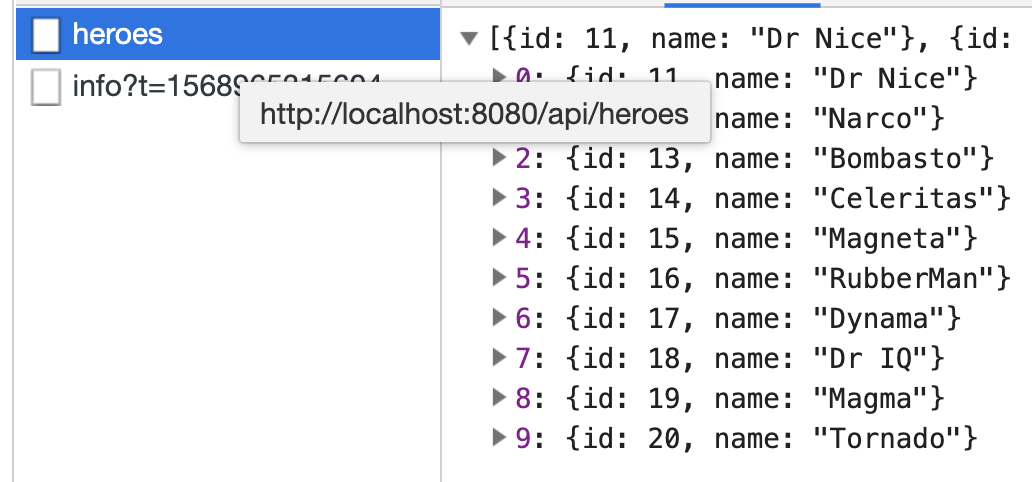
5、看效果
api正常返回.