一、go项目采用gox进行编译
先安装gox包
go get github.com/mitchellh/gox
安装完成后go -h查看是否安装成功,下图表示安装成功
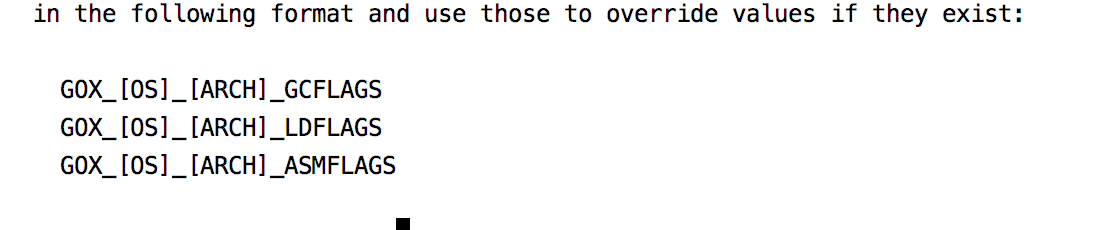
在你使用 Gox 之前,你必须先有一套交叉编译工具链。Gox 可以自动帮你完成这个。你需要做的只是运行(每次更新 Go 都要这样做这步):
gox -build-toolchain
下面即可进行交叉编译,如果你想编译所有平台,只需下面命令即可
$ gox

Number of parallel builds: 4

--> darwin/386: github.com/mitchellh/gox
--> darwin/amd64: github.com/mitchellh/gox
--> linux/386: github.com/mitchellh/gox
--> linux/amd64: github.com/mitchellh/gox
--> linux/arm: github.com/mitchellh/gox
--> freebsd/386: github.com/mitchellh/gox
--> freebsd/amd64: github.com/mitchellh/gox
--> openbsd/386: github.com/mitchellh/gox
--> openbsd/amd64: github.com/mitchellh/gox
--> windows/386: github.com/mitchellh/gox
--> windows/amd64: github.com/mitchellh/gox
--> freebsd/arm: github.com/mitchellh/gox
--> netbsd/386: github.com/mitchellh/gox
--> netbsd/amd64: github.com/mitchellh/gox
--> netbsd/arm: github.com/mitchellh/gox
--> plan9/386: github.com/mitchellh/gox
因为要在Linux上面运行,所以下面命令进行交叉编译 gox -osarch="linux/amd64"
二、后台运行,采用nohup(下面linux_amd64文件为上面编译好的文件)
nohup ./linux_amd64 > nohup.log 2>&1 &
执行上面命令,项目已经在后台进行运行,同时在相同目录生成nohup.log的日志文件,日志目录可以指定,...> /var/log/nohup.log >...即可,上面最后&符是后台运行的意思,必须加上。
到这里,go项目就完整的部署运行了,但是nohup.log日志文件是一个,长时间的话文件内容会很大,不好管理和查看,下面介绍怎么分割日志文件。
三、用系统自带Logrotate,按日期分割日志文件 Logrotate可以自定义分割日志的方式,进入下面目录,创建nohup.log
cd /etc/logrotate.d
vim test.log
进入文件进行配置添加即可 看一下主配置文件/etc/logrotate.conf的参数解释:
/var/log/nohup.log  #定义/var/log/nohup.log这个日志文件;
/home/nohup/nohup.log
{
        missingok
        daily
        create 0664 root utmp
        notifempty
        compress
        delaycompress
        copytruncate
        rotate 2
}
logrotate常用参数介绍
daily                     #指定转储周期为每天
weekly                    #指定转储周期为每周;
monthly                   #指定转储周期为每月;
rotate count              #指定日志文件删除之前转储的次数,0指没有备份,5指保留5个备份;
compress                  #通过gzip压缩转储以后的日志;
nocompress                #不需要压缩时,用这个参数;
delaycompress             #延迟压缩,和compress一起使用时,转储的日志文件到下一次转储时才压缩;
nodelaycompress           #覆盖delaycompress选项,转储同时压缩;
copytruncate              #用于还在打开中的日志文件,把当前日志备份并截断;
nocopytruncate            #备份日志文件但是不截断;
create mode owner group   #转储文件,使用指定的文件模式创建新的日志文件;
nocreate                  #不建立新的日志文件;
errors address            #专储时的错误信息发送到指定的Email地址;
ifempty                   #即使是空文件也转储,这个是logrotate的缺省选项;
notifempty                #如果是空文件的话,不转储;
mail address              #把转储的日志文件发送到指定的E-mail地;
nomail                    #转储时不发送日志文件;
olddir directory          #转储后的日志文件放入指定的目录,必须和当前日志文件在同一个文件系统;
noolddir                  #转储后的日志文件和当前日志文件放在同一个目录下;
prerotate/endscript       #在转储以前需要执行的命令可以放入这个对,这两个关键字必须单独成行;
postrotate/endscript      #在转储以后需要执行的命令可以放入这个对,这两个关键字必须单独成行;
tabootext [+] list        #让logrotate不转储指定扩展名的文件,缺省的扩展名是:.rpm-orig, .rpmsave,v,和~ ;
size size                 #当日志文件到达指定的大小时才转储,Size可以指定bytes(缺省)以及KB(sizek)或者MB(sizem);
postrotate                #日志轮换过后指定指定的脚本,endscript参数表示结束脚本;
sharedscripts             #共享脚本,下面的postrotate中的脚本只执行一次即可;

以上参数都可以已定义在全局配置,或者指定为某个日志文件对的配置,但注意使用时参数之间不要冲突。
更详细的可以看这篇文章
配置完毕,可以手动以下命令测试一下
/usr/sbin/logrotate -f /etc/logrotate.conf
如果看到相同目录下