

这篇总结一下前段时间页面中使用CSS解决问题的方法
嗯....今天终于有时间写总结了,没有什么难易顺序,就是偶尔正经一点的学习笔记吧
还没写就感觉好乱啊~~~
1、滚动条样式修改
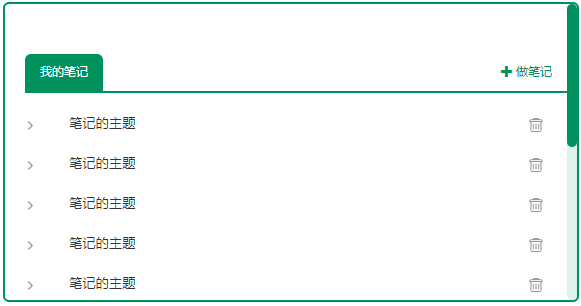
.ctime-list {
	overflow: auto;
	height: 570px;
	padding-left: 30px;
}
.ctime-list::-webkit-scrollbar {
	/* 滚动条整体样式 */
	width: 10px;
}

.ctime-list::-webkit-scrollbar-thumb {
	/* 滚动条里面小方块 */
	border-radius: 10px;
	background-color: #00925D;
}

.ctime-list::-webkit-scrollbar-track {
	/* 滚动条里面轨道 */
	background-color: #DEF1EA;
	border-radius: 10px;
}
2、定位使子元素在页面居中

.mybig {
    position: relative;
    background-color: #BBBBBB;
    height: 200px;
    width: 300px;
    margin: 300px auto;
}

.mycontent {
    background-color: #F0F0F0;
    width: 100px;
    height: 100px;
    position: absolute;
    left: 0;
    right: 0;
    top: 45px;
    margin-left: auto;
    margin-right: auto;
}
3、文本超出部分用省略号表示
- 单行文本超出隐藏
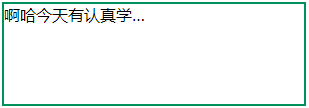
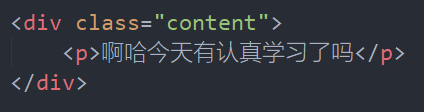
.content {
    width: 300px;
    height: 100px;
    border: 2px solid #00925D;
    margin: 200px auto;
}
.content p {
    /* 设置文本区域的宽度 */
    width: 50%;
    /* 超出部分隐藏 */
    overflow: hidden;
    /* 禁止文本自动换行 */
    white-space: nowrap;
    /* 超出部分用省略号替代 */
    text-overflow: ellipsis;
}
- 多行文本超出隐藏
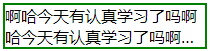

.content {
    border: 2px solid green;
    margin: 200px auto;
    display: -webkit-box;
    /* 设置元素的垂直对齐方式 */
    -webkit-box-orient: vertical;
    /* 设置文本区域的宽度 */
    width: 200px;
    /* 设置文本显示的行数 */
    -webkit-line-clamp: 2;
    /* 超出部分隐藏 */
    overflow: hidden;
    /* 超出部分用省略号替代 */
    text-overflow: ellipsis;
}
(关于display: -webkit-box;的具体用法,还没有来得及学习!!!)
