

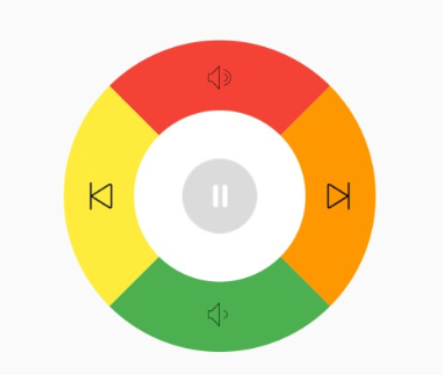
简单的遥控器 控制界面,精确的点击边界。实现思路
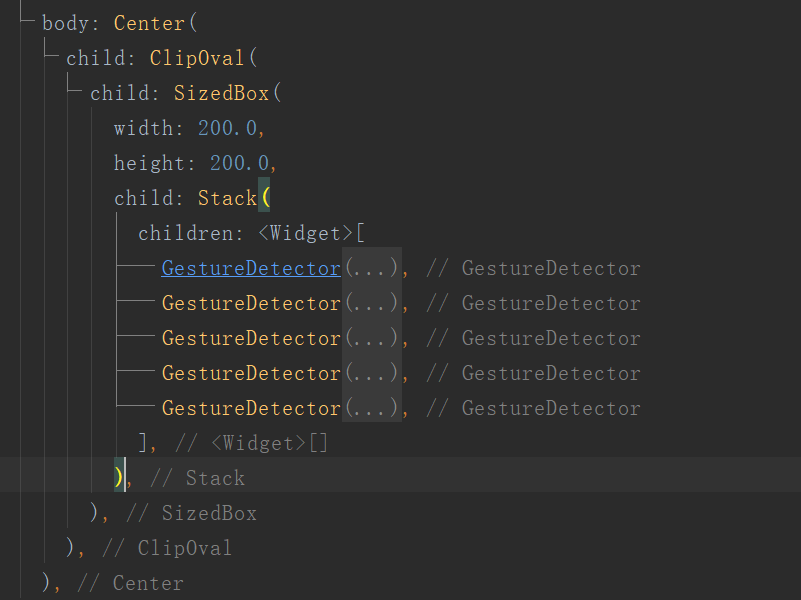
- 正方形区域裁剪成圆形。
- Stack层叠布局,确定上下左右中5个按钮
- 对这5个组件进行裁剪。
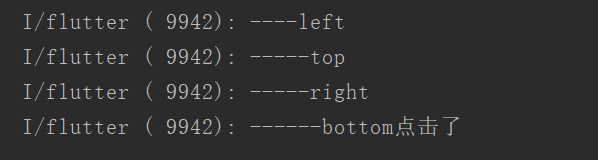
下面时点击事件
实现代码
ClipOval(
          child: SizedBox(
            width: 200.0,
            height: 200.0,
            child: Stack(
              children: <Widget>[
                GestureDetector(
                  onTap: () {
                    print("-----top");
                  },
                  child: ClipPath(
                    child: Align(
                      alignment: Alignment(-1, -1),
                      child: Container(
                        width: 200,
                        height: 100,
                        color: Colors.red,
                        child: Align(
                          alignment: Alignment(0, -0.65),
                          child: Image.asset(
                            "assets/images/yinliangda.png",
                            height: 20,
                          ),
                        ),
                      ),
                    ),
                    clipper: TopPath(),
                  ),
                ),
                GestureDetector(
                  onTap: () {
                    print("-----right");
                  },
                  child: ClipPath(
                    child: Align(
                      alignment: Alignment(1, -1),
                      child: Container(
                        width: 100,
                        height: 200,
                        color: Colors.orange,
                        child: Align(
                          alignment: Alignment(0.65, 0),
                          child: Image.asset(
                            "assets/images/xiayiqu.png",
                            width: 20,
                          ),
                        ),
                      ),
                    ),
                    clipper: RightPath(),
                  ),
                ),
                GestureDetector(
                  onTap: () {
                    print("----left");
                  },
                  child: ClipPath(
                    child: Align(
                      alignment: Alignment(-1, 1),
                      child: Container(
                        width: 100,
                        height: 200,
                        color: Colors.yellow,
                        child: Align(
                          alignment: Alignment(-0.65, 0),
                          child: Image.asset(
                            "assets/images/shangyiqu.png",
                            width: 20,
                          ),
                        ),
                      ),
                    ),
                    clipper: LeftPath(),
                  ),
                ),
                GestureDetector(
                  onTap: () {
                    print("------bottom点击了");
                  },
                  child: ClipPath(
                    child: Align(
                      alignment: Alignment(1, 1),
                      child: Container(
                        width: 200,
                        height: 100,
                        color: Colors.green,
                        child: Align(
                          alignment: Alignment(0, 0.65),
                          child: Image.asset(
                            "assets/images/yinliangxiao.png",
                            height: 20,
                          ),
                        ),
                      ),
                    ),
                    clipper: BottomPath(),
                  ),
                ),
                GestureDetector(
                  onTap: () {
                    print("---- 中间区域");
                  },
                  child: Center(
                    child: ClipOval(
                      child: SizedBox(
                        width: 110,
                        height: 110,
                        child: Align(
                          alignment: Alignment(0, 0),
                          child: Container(
                            color: Colors.white,
                            width: 110,
                            height: 110,
                            child: Image.asset("assets/images/playing.png"),
                          ),
                        ),
                      ),
                    ),
                  ),
                ),
              ],
            ),
          ),
        )

