

一、环境准备
WampServer:集成环境整合Apache+PHP+Mysql
Composer:1.9.0
数据库版本:MySQL5.7.26
Apache版本:2.4.39
PHP:7.2.18
编辑器:phpstorm
二、项目准备
1、创建一个测试项目
默认已经安装Composer,通过设置阿里云Composer镜像,避免下载过慢
composer config -g repo.packagist composer https://packagist.phpcomposer.com通过Composer安装测试项目,进入到WampServer安装目录下的www文件夹路径下
composer create-project topthink/think=5.0.* demo --prefer-distdemo为项目文件夹名称,可自行更改。
2、打开测试项目
1、通过输入url
http://localhost/demo/public/2、通过WampServer
点击WampServer工具的localhost,进入到页面
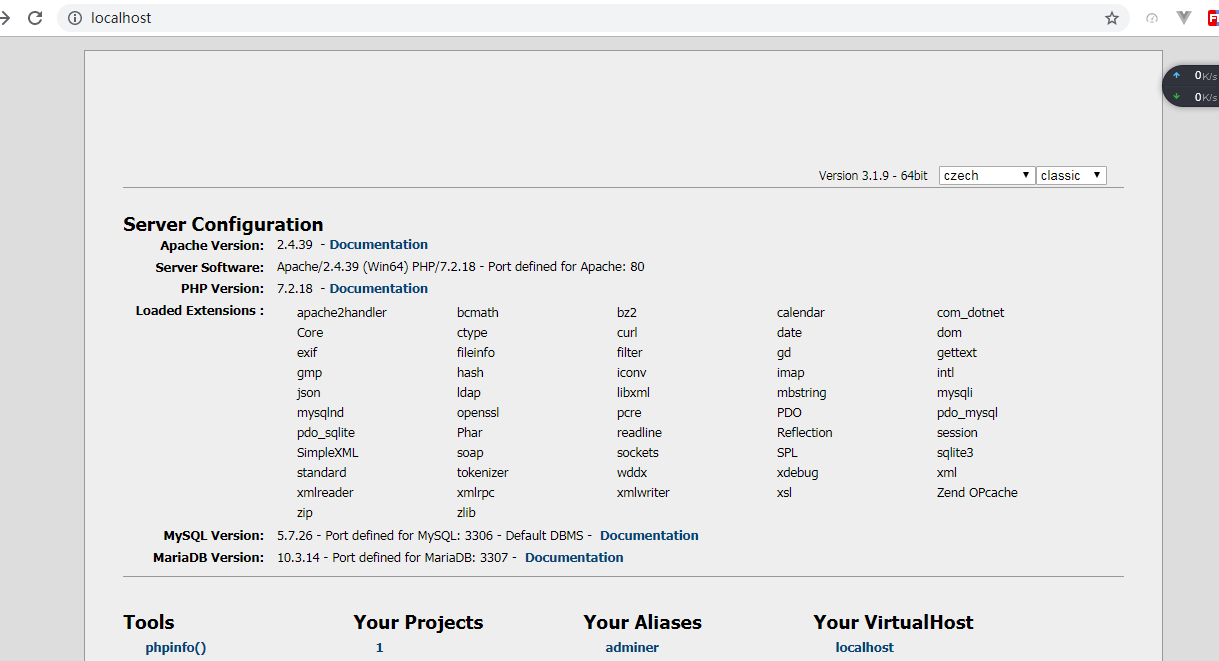
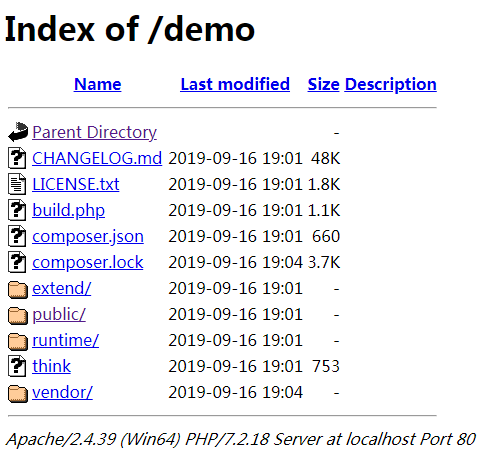
在Your Projects里点击项目名称,点击public就可以看到

项目部署完成。
三、连接数据库
1、修改配置
使用编辑器打开项目,找到application目录中的database.php
return [
// 数据库类型
'type'            => 'mysql',
// 服务器地址
'hostname'        => '127.0.0.1',
// 数据库名
'database'        => '',
// 用户名
'username'        => 'root',
// 密码
'password'        => '',
// 端口
'hostport'        => '',
// 连接dsn
'dsn'             => '',
// 数据库连接参数
'params'          => [],
// 数据库编码默认采用utf8
'charset'         => 'utf8',
// 数据库表前缀
'prefix'          => '',
// 数据库调试模式
'debug'           => true,
// 数据库部署方式:0 集中式(单一服务器),1 分布式(主从服务器)
'deploy'          => 0,
// 数据库读写是否分离 主从式有效
'rw_separate'     => false,
// 读写分离后 主服务器数量
'master_num'      => 1,
// 指定从服务器序号
'slave_no'        => '',
// 自动读取主库数据
'read_master'     => false,
// 是否严格检查字段是否存在
'fields_strict'   => true,
// 数据集返回类型
'resultset_type'  => 'array',
// 自动写入时间戳字段
'auto_timestamp'  => false,
// 时间字段取出后的默认时间格式
'datetime_format' => 'Y-m-d H:i:s',
// 是否需要进行SQL性能分析
'sql_explain'     => false,
];修改成自己的'database','username','password','hostport'
我的相关配置
// 数据库类型
'type'            => 'mysql',
// 服务器地址
'hostname'        => '127.0.0.1',
// 数据库名
'database'        => 'demo',
// 用户名
'username'        => 'root',
// 密码
'password'        => '',
// 端口
'hostport'        => '3306',
// 连接dsn
'dsn'             => '',
密码没有设置就为空。
2、创建表
sql语句:
CREATE TABLE IF NOT EXISTS `think_data`(
`id` int(8) unsigned NOT NULL AUTO_INCREMENT,
`name` varchar(255) NOT NULL COMMENT '名称',
`status` tinyint(2) NOT NULL DEFAULT '0' COMMENT '状态',
PRIMARY KEY (`id`)
) ENGINE=MyISAM DEFAULT CHARSET=utf8 ;
INSERT INTO `think_data`(`id`,`name`,`status`) VALUES
(1,'thinkphp',1),
(2,'onethink',1),
(3,'topthink',1);
3、操作数据库
打开application/index/controller/index.php文件
引入use think\Db;
添加方法test()
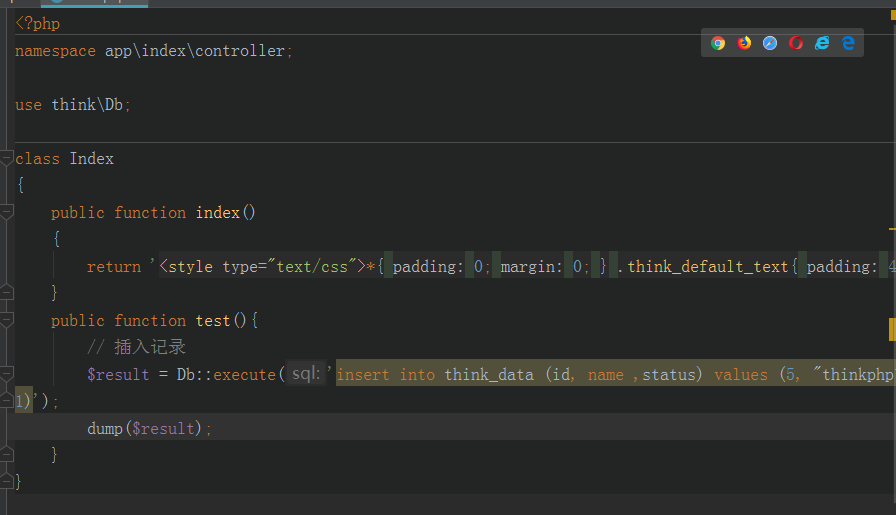
调用相应操作,可以对数据进行增删改查。
// 插入记录
$result = Db::execute('insert into think_data (id, name ,status) values (5, "thinkphp",
1)');
dump($result);
// 更新记录
$result = Db::execute('update think_data set name = "framework" where id = 5 ');
dump($result);
// 查询数据
$result = Db::query('select * from think_data where id = 5');
dump($result);
// 删除数据
$result = Db::execute('delete from think_data where id = 5 ');
dump($result);
// 显示数据库列表
$result = Db::query('show tables from demo');
dump($result);
可以通过url 查看结果
http://localhost/demo/public/index/index/test四、总结
thinkphp对数据库方法支持原生查询,查询构造器,链式操作。
1. 数据库原生查询(SQL查询);
2. 数据库链式查询(查询构造器);
3. 模型的对象化查询;
数据库操作在一个项目里还是相当重要的。

