作为一个Android开发,经常碰到项目周期紧张,而后台来不及写接口的情况。为了节约时间,本人特意向我们公司的后台工程师请教了一下如何搭建一个简易的本地接口调试环境(SpringBoot)。废话不多说,掏出神器!

新建项目
File -> New -> Project...
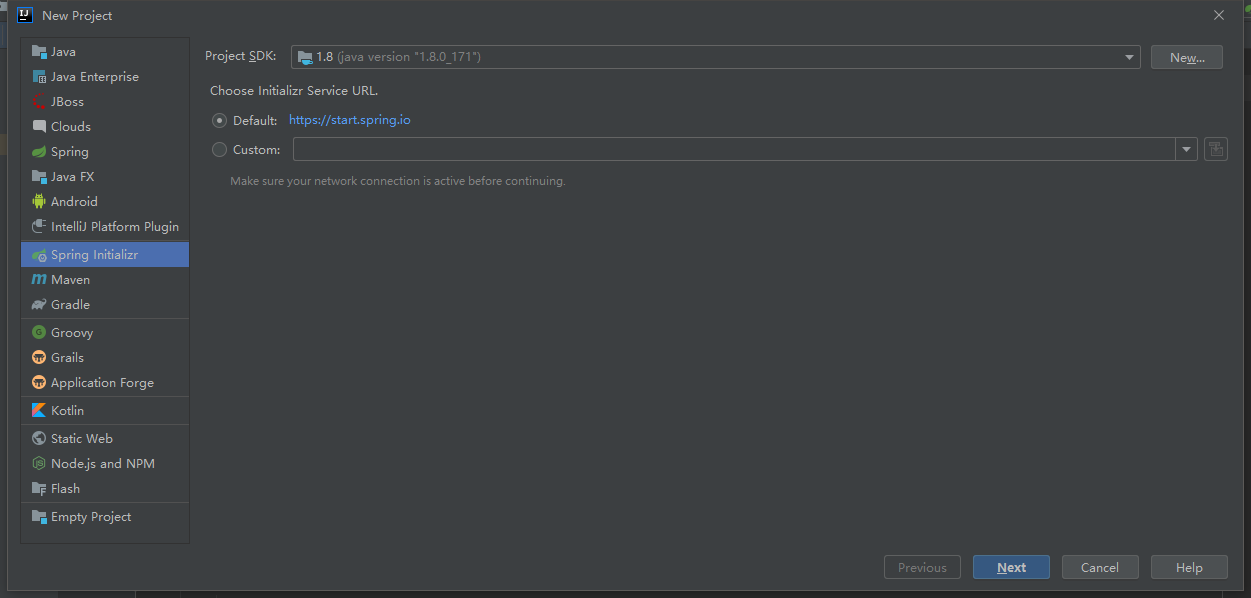
选择左侧Spring Initializr,选择jdk版本,点击Next
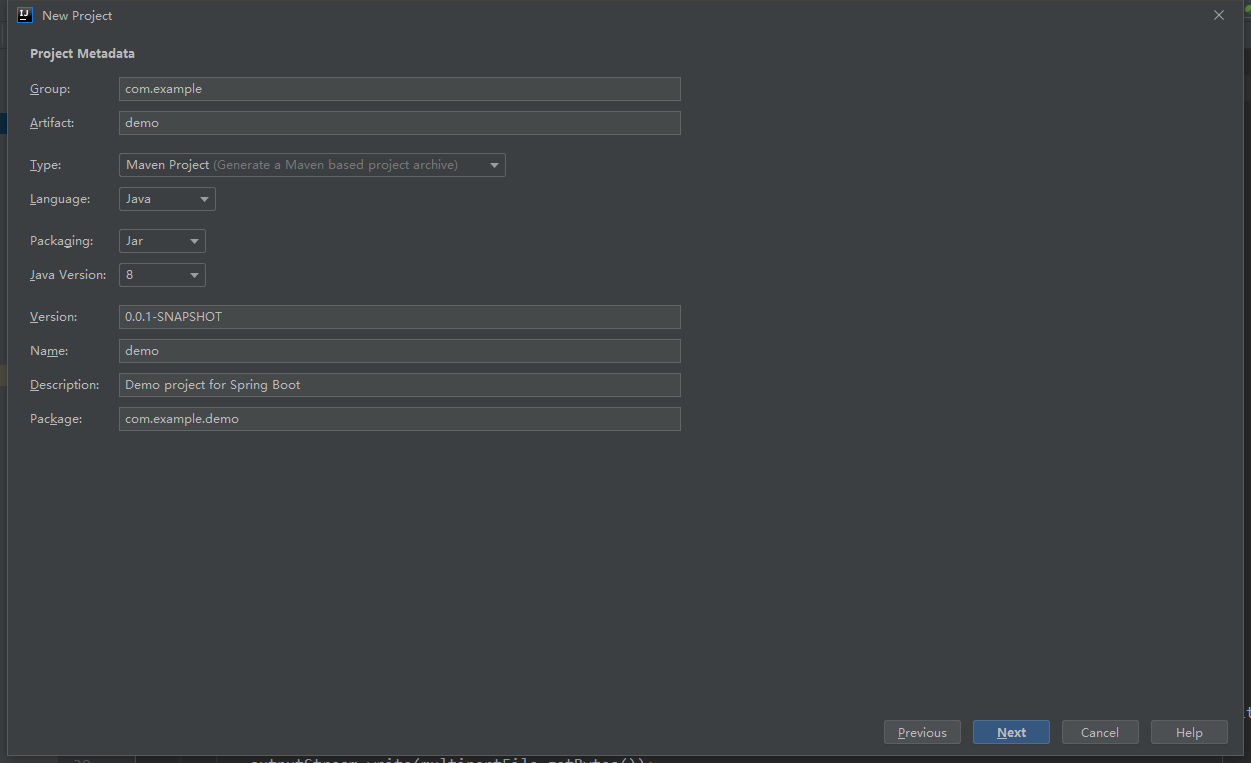
填写包名等相关信息,然后Next
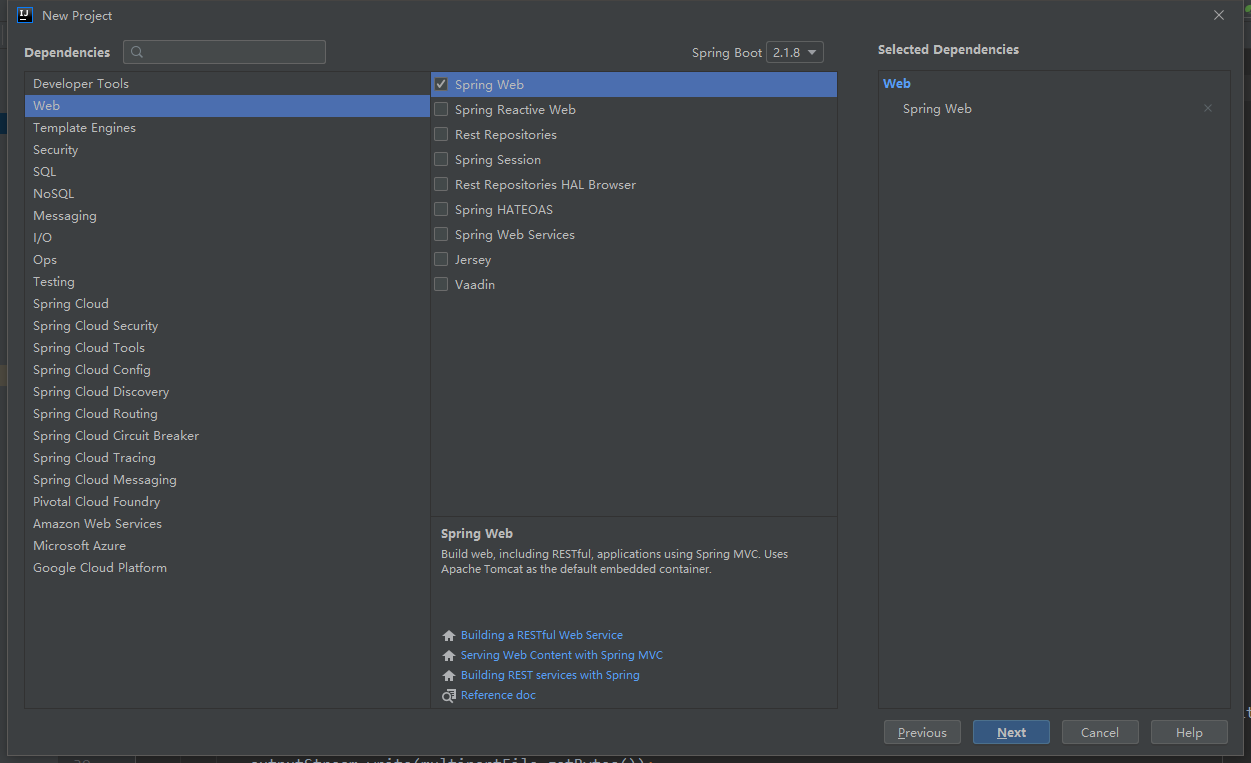
选择Spring Web,继续Next
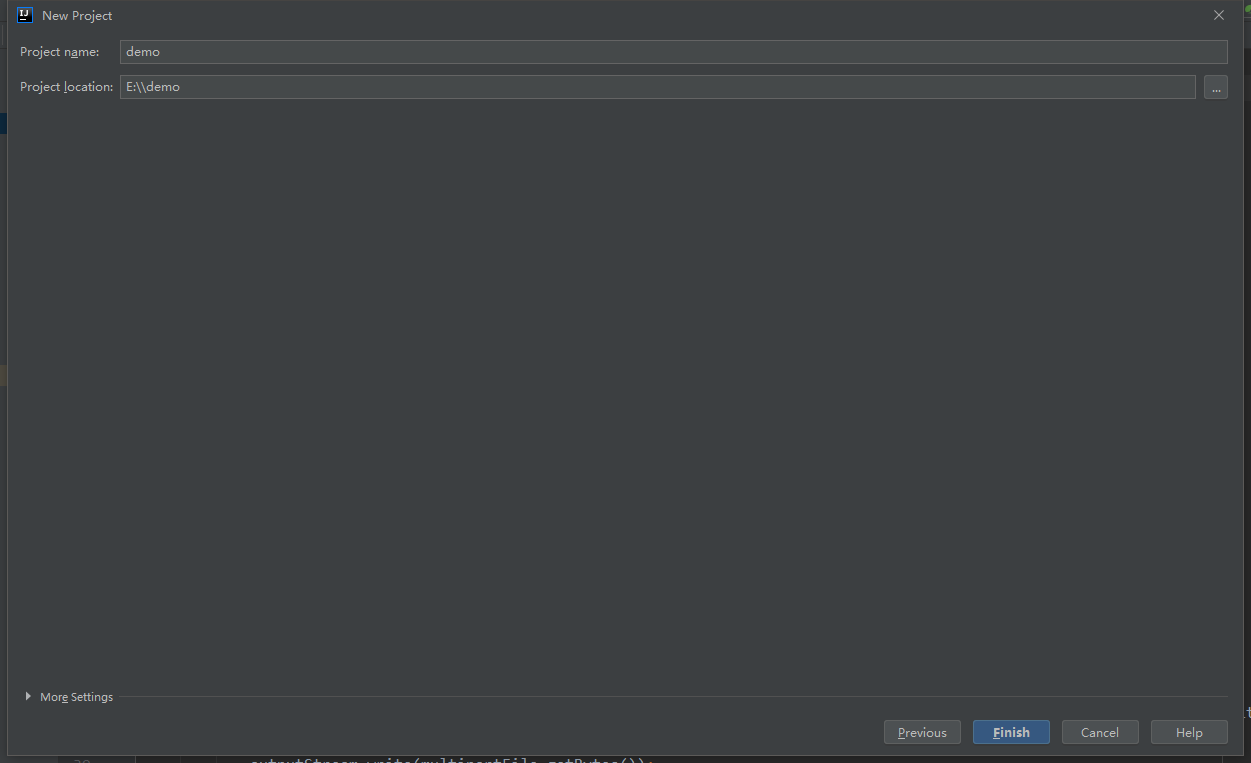
填写工程Name及路径,最后点击Finish
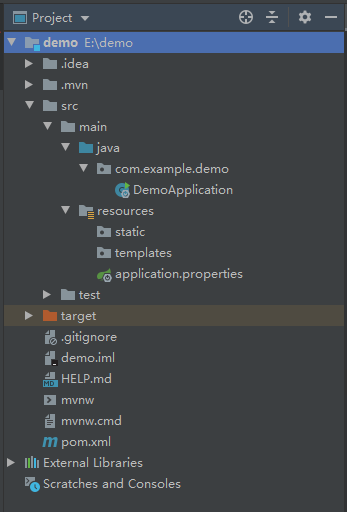
项目结构
整体的项目结构很类似AndroidStudio的项目目录,DemoApplication即是整个Web应用的入口,application.properties中可以配置应用的相关属性设置
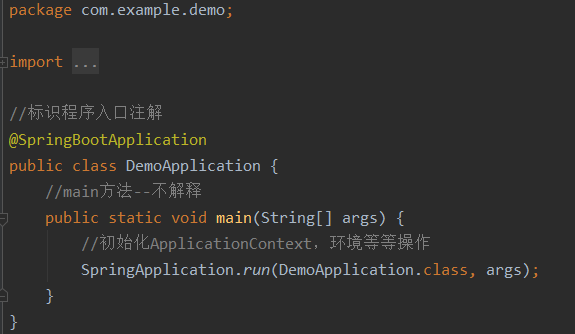
这里看一下DemoApplication中的方法
新建接口
我们最终需要实现的接口地址参考如下(端口号默认为8080):
http://localhost:8080/test/printMap
若需要指定端口号,则配置如下:
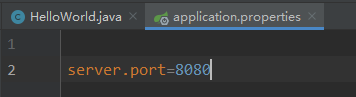
本机地址,在本机上利用Chrome或者Postman等工具调试是直接使用localhost即可,在app中进行调试则需要指定该localhost(可以在cmd中ipconfig确认本机IP)
创建test路径
在 com.example.demo 包下新建一 个HelloWorld 类(存放接口方法)以及一个bean目录(存放接收的数据)
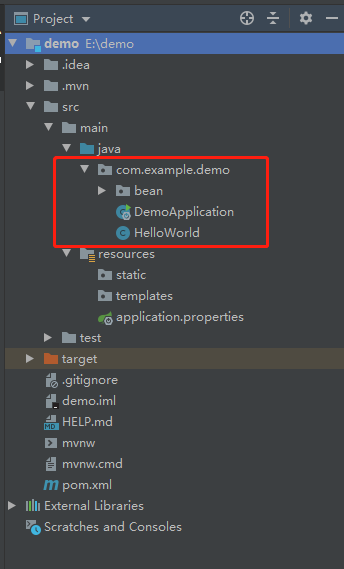
在HelloWorld.java中标注路径

创建目标接口
- 接收单个参数
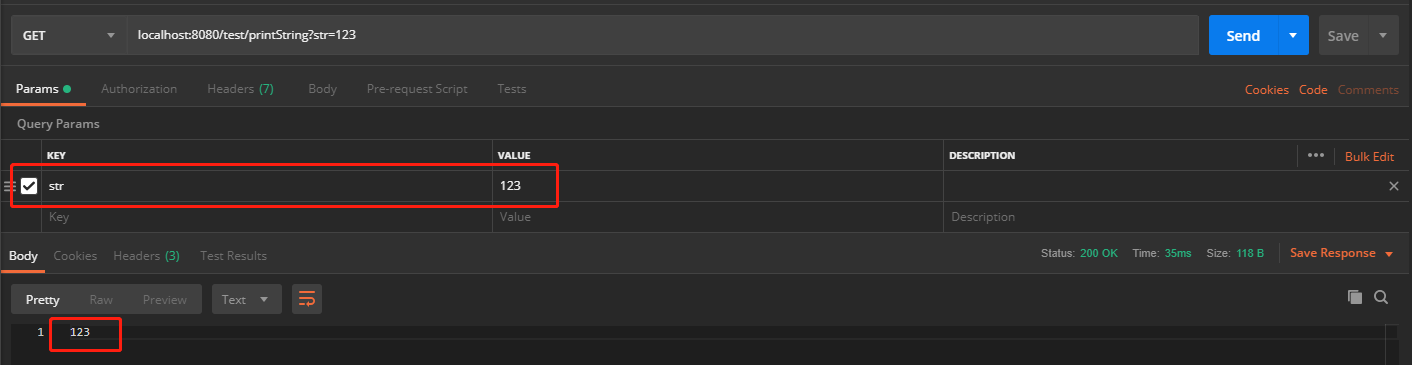
接口地址:http://localhost:8080/test/printString
在HelloWorld.java内创建接口方法:
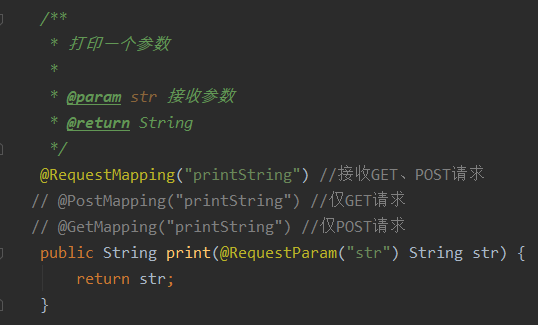
测试:
- 接收多个参数
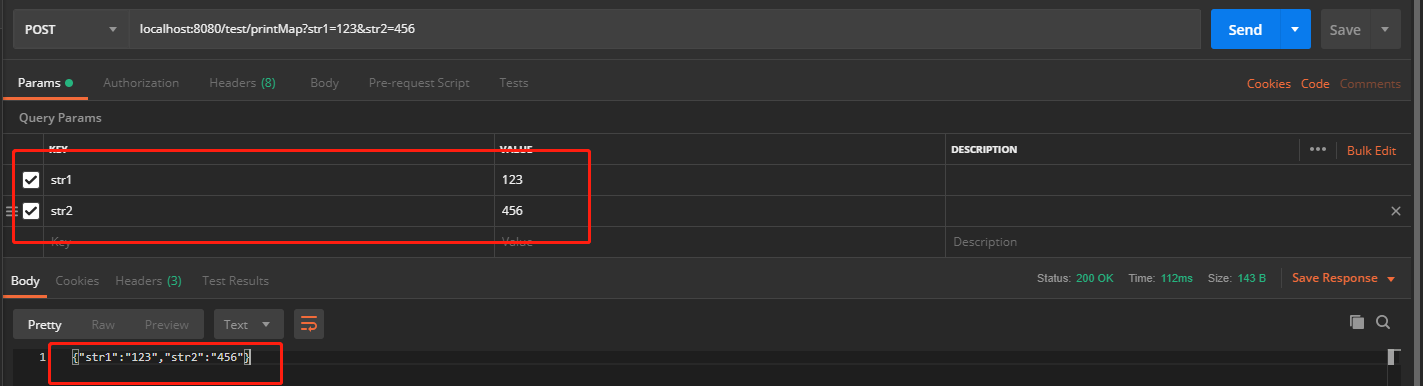
接口地址:http://localhost:8080/test/printMap
在bean目录下新建MultiParamTest.java来接收参数
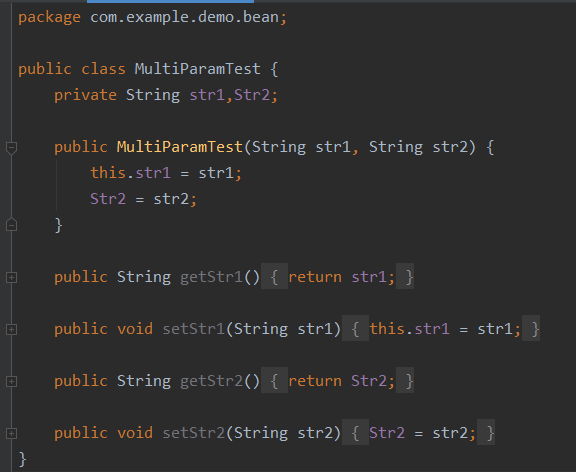
在HelloWorld.java内创建接口方法:
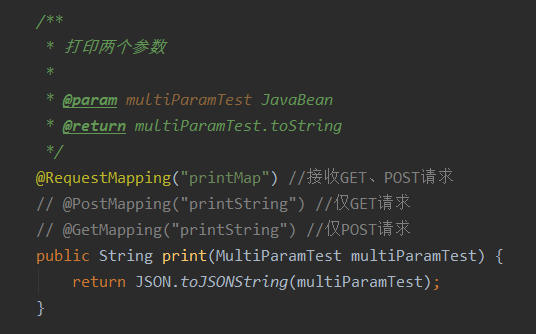
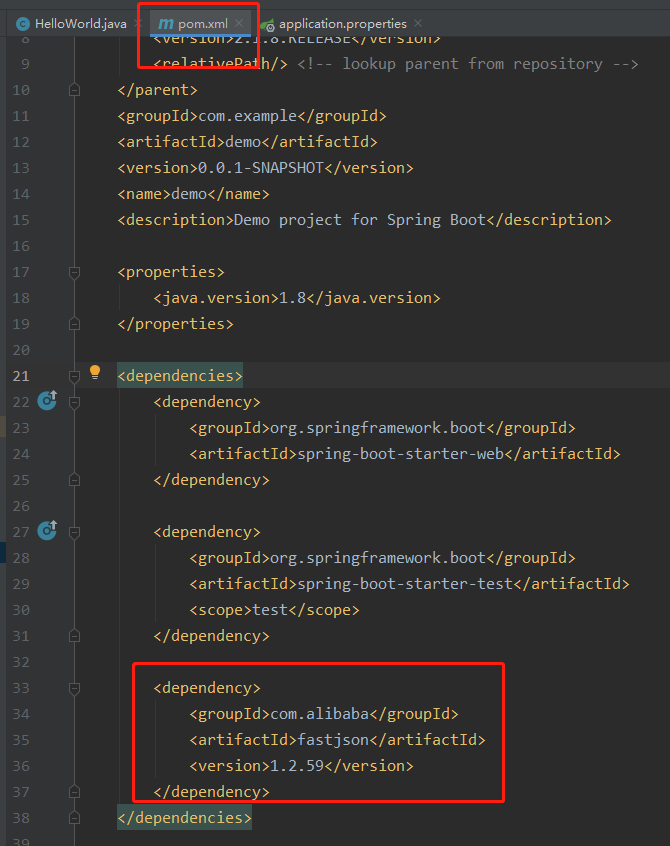
注:这里将multiParamTest对象转为Json对象用的是FastJson,添加方法如下(maven)
测试:
- 上传单个文件
接口地址:http://192.168.1.172:8080/test/uploadFile
在bean目录下新建UploadFile.java用于存放文件接收结果
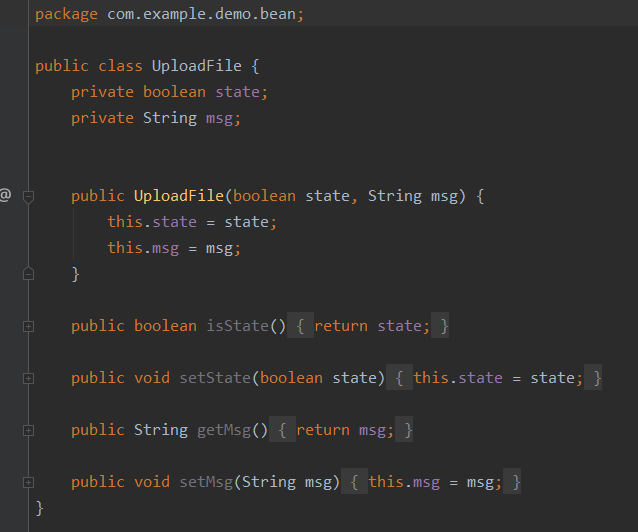
在HelloWorld.java内创建接口方法:
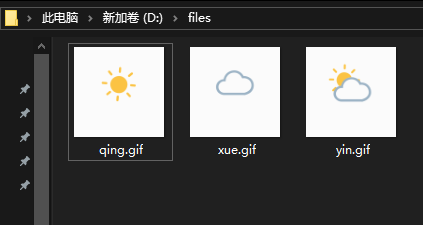
    private File file = new File("d:"+File.separator+"files");
    /**
     * 上传文件
     *
     * @param multipartFile 文件
     * @return bean of UploadFile instance
     */
    @RequestMapping("uploadFile")
    public String uploadFile(@RequestParam("file") MultipartFile multipartFile) {
        if (multipartFile.isEmpty()) {//若接收的文件为空,则返回false
            return JSON.toJSONString(new UploadFile(false, "accept none"));
        }
        if (!file.exists()) {//若用来存放文件的本地文件路径不存在则创建路径中的所有文件夹
            file.mkdirs();
        }
        BufferedOutputStream outputStream = null;//缓存输出流
        try {
            FileOutputStream fileOutputStream = new FileOutputStream(new File(file.getAbsolutePath() + "/" + multipartFile.getOriginalFilename()));
            outputStream = new BufferedOutputStream(fileOutputStream);
            outputStream.write(multipartFile.getBytes());
            outputStream.flush();
            return JSON.toJSONString(new UploadFile(true, "success"));//返回结果true,文件保存成功
        } catch (IOException e) {
            return JSON.toJSONString(new UploadFile(false, "error:" + e.getMessage()));//保存文件失败,返回结果false,返回失败原因
        } finally {
            try {
                if (outputStream != null) {
                    outputStream.close();//关闭输出流
                }
            } catch (IOException e) {
                e.printStackTrace();
            }
        }
    }
测试:
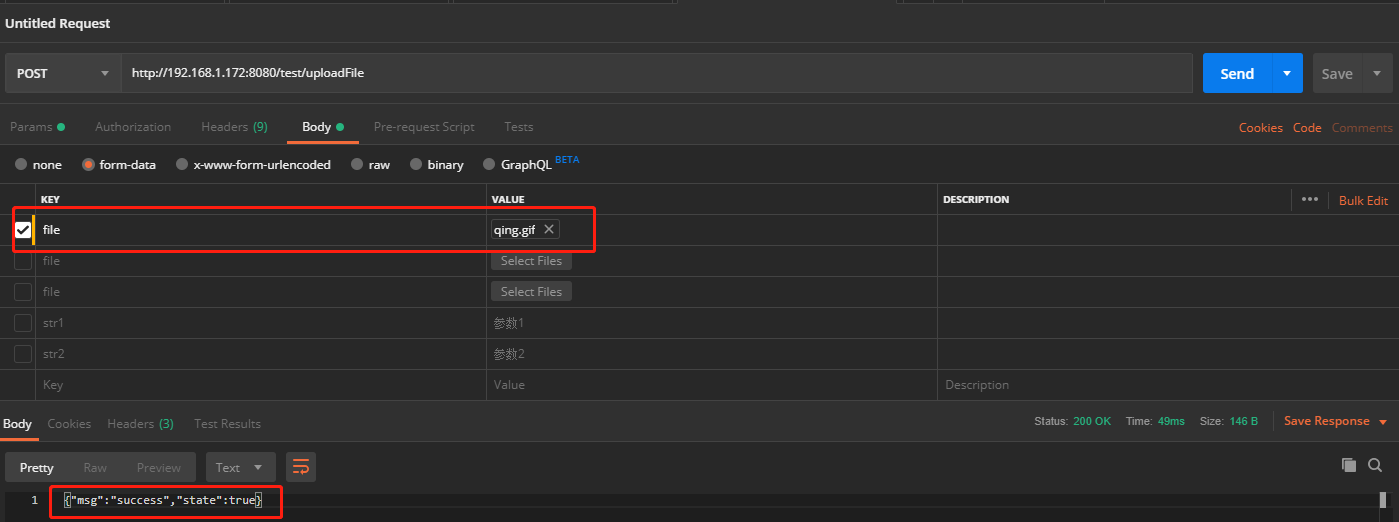
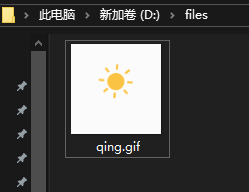
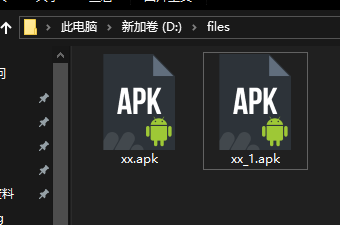
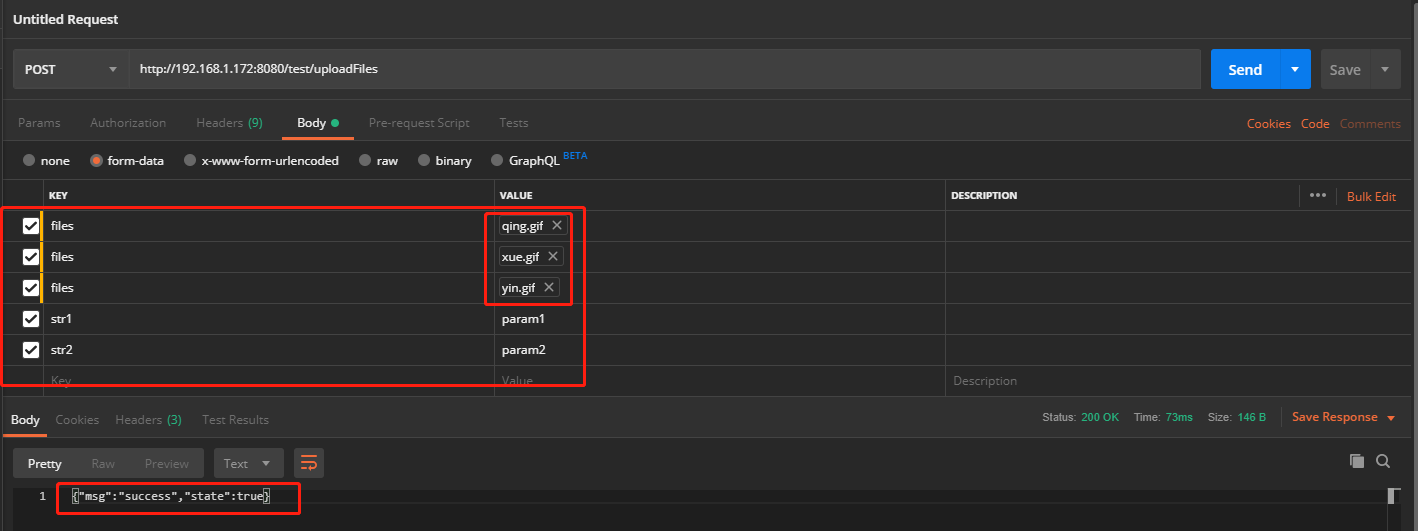
- 上传多个文件及参数
接口地址:http://192.168.1.172:8080/test/uploadFiles
在HelloWorld.java内创建接口方法:
    /**
     * 接收多个文件及参数
     * @param multipartFiles 文件数组
     * @param multiParamTest 其他参数
     * @return 上传结果
     */
    @RequestMapping("uploadFiles")
    public String uploadFiles(@RequestParam("files") MultipartFile[] multipartFiles, MultiParamTest multiParamTest) {
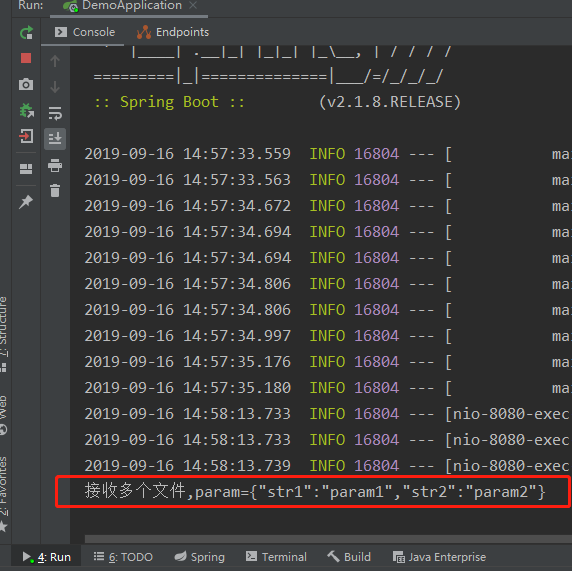
        System.out.println("接收多个文件,param=" + JSON.toJSONString(multiParamTest));
        if (multipartFiles.length == 0) {
            return JSON.toJSONString(new UploadFile(false, "Detect No Files"));
        }
        if (!file.exists()) {
            file.mkdirs();
        }
        String result = null;
        for (MultipartFile multipartFile : multipartFiles) {
            if (multipartFile == null) {
                result = JSON.toJSONString(new UploadFile(false, "accept none"));
                continue;
            }
            BufferedOutputStream outputStream = null;
            try {
                FileOutputStream fileOutputStream = new FileOutputStream(new File(file.getAbsolutePath() + "/" + multipartFile.getOriginalFilename()));
                outputStream = new BufferedOutputStream(fileOutputStream);
                outputStream.write(multipartFile.getBytes());
                outputStream.flush();
                result = JSON.toJSONString(new UploadFile(true, "success"));
            } catch (IOException e) {
                result = JSON.toJSONString(new UploadFile(false, "error:" + e.getMessage()));
                break;
            } finally {
                try {
                    if (outputStream != null) {
                        outputStream.close();
                    }
                } catch (IOException e) {
                    e.printStackTrace();
                }
            }
        }
        return result;
    }
配置接收文件大小限制(-1为不限制大小,或者eg:50MB):
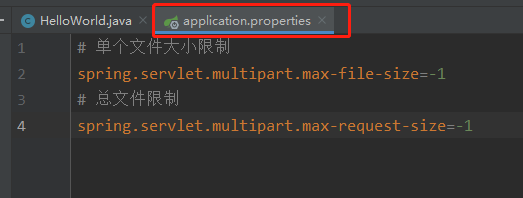
app上测试
新建一个JavaWebDemo工程用来测试(RxJava+Retrofit):
public class MainActivity extends AppCompatActivity {

    @Override
    protected void onCreate(Bundle savedInstanceState) {
        super.onCreate(savedInstanceState);
        setContentView(R.layout.activity_main);

        Retrofit retrofit = new Retrofit.Builder()
                .addCallAdapterFactory(RxJava2CallAdapterFactory.create())
                .addConverterFactory(GsonConverterFactory.create())
                .baseUrl("http://192.168.1.172:8080/test/")
                .build();

        Map<String, String> param = new HashMap<>();
        param.put("str1", "123");
        param.put("str2", "w234");

        String filePath1 = "storage"+File.separator+"emulated/0/bluetooth/xx.apk";
        String filePath2="storage/emulated/0/DingTalk/xx_1.apk";
        Observable<BeanUpLoadFile> upLoadFileObservable = retrofit.create(Api.class)
                .uploadFile(createReportParam("files", filePath1,filePath2),param);
        upLoadFileObservable.subscribeOn(Schedulers.io())
                .observeOn(AndroidSchedulers.mainThread())
                .subscribe(new Observer<BeanUpLoadFile>() {
                    @Override
                    public void onSubscribe(Disposable d) {

                    }

                    @Override
                    public void onNext(BeanUpLoadFile beanUpLoadFile) {
                        Log.i(MainActivity.class.getSimpleName(), beanUpLoadFile.toString());
                    }

                    @Override
                    public void onError(Throwable e) {
                        Log.e(MainActivity.class.getSimpleName(),e.toString());
                    }

                    @Override
                    public void onComplete() {

                    }
                });
    }

    /**
     * 生成上传文件的参数
     */
    public MultipartBody.Part[] createReportParam(String paramName, String... filePath) {
        MultipartBody.Part[] parts = new MultipartBody.Part[filePath.length];
        for (int i=0;i<filePath.length; i++) {
            File uploadFile = new File(filePath[i]);
            RequestBody requestBody = RequestBody.create(MediaType.parse("multipart/form-data;charset=UTF-8"), uploadFile);
            parts[i]=MultipartBody.Part.createFormData(paramName, uploadFile.getName(), requestBody);
        }

        return parts;
    }
}
app打印接收接口结果日志:

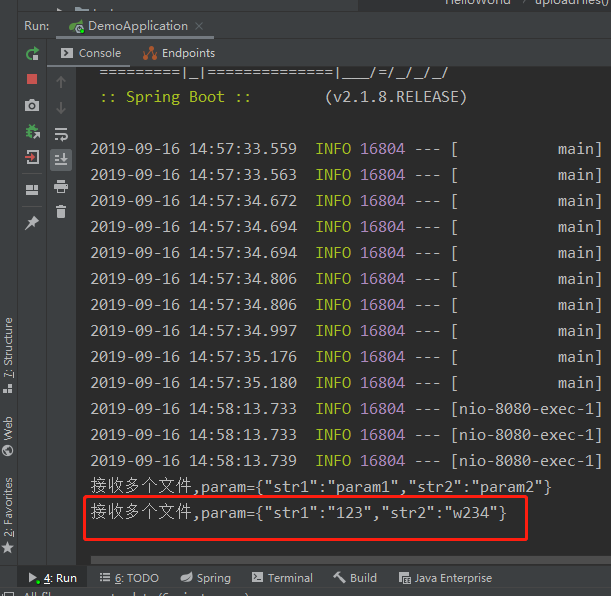
接口后台接收到的数据: