问题1:子元素margin影响父元素(margin塌陷)
<style>
    *{
        padding:0;
        margin:0;
    }
    body{
       background:pink;
    }
    .container{
       background:blue;
       margin:0 auto;//写不写都会导致问题
    }
    .block-1{
       background:red;
       margin-top:20px;
    }
 </style>
 <body>
    <div class='container'>
        <div class='block-1'>1111</div>
    </div>
</body>
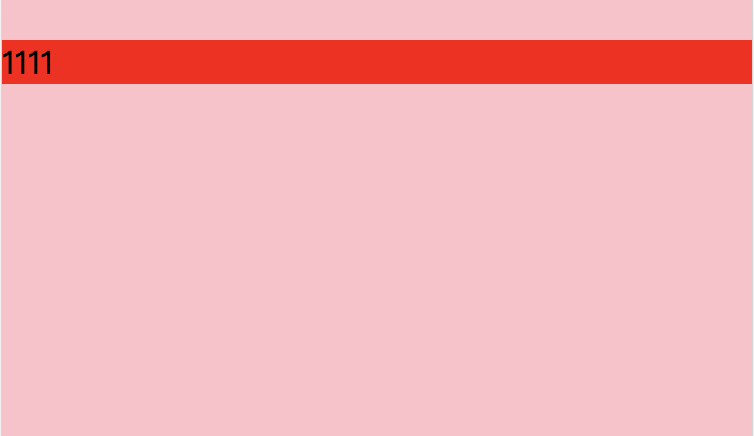
css2.1盒模型中规定的内容:
In this specification, the expression collapsing margins means that adjoining margins (no non-empty content, padding or border areas or clearance separate them) of two or more boxes (which may be next to one another or nested) combine to form a single margin. 所有毗邻的两个或更多盒元素的margin将会合并为一个margin共享之。毗邻的定义为:同级或者嵌套的盒元素,并且它们之间没有非空内容、Padding或Border分隔。
那如何解决这个问题?
margin塌陷解决方法
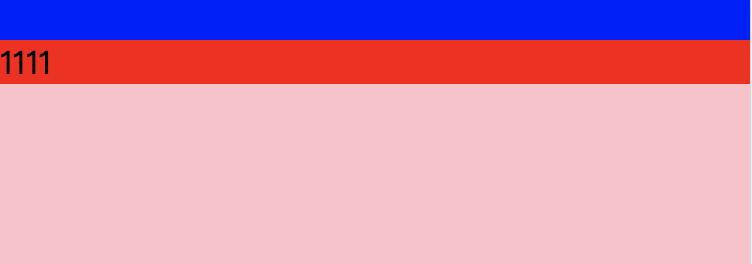
1.给父级设置边框或内边距
.container{
   background:blue;
   margin:0 auto;
   border-top:1px solid;//第一种方式
   padding-top:1px;//第二种方式
}
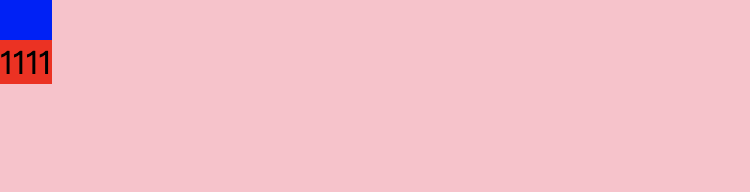
2.触发bfc(块级格式上下文),改变父级的渲染规则
方法:
改变父级的渲染规则有以下四种方法,给父级盒子添加
(1)position:absolute/fixed
(2)display:inline-block;
(3)float:left/right
(4)overflow:hidden
overflow值不为visible(overflow:scroll、overflow:hidden、overflow:auto都可以)
.container{
   float:left;  //或者float:right,除了不是float:none都会产生bfc
}
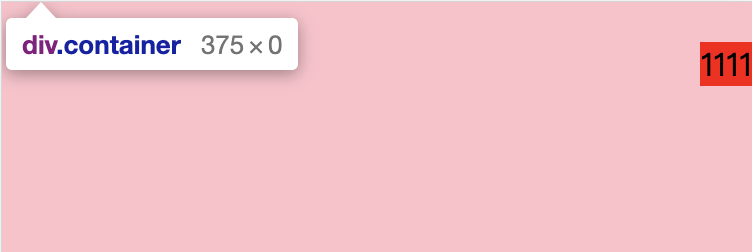
(1)子元素使用浮动或者绝对定位(父级或子元素使用浮动或者绝对定位,CSS2.1规定浮动元素和绝对定位元素不参与Margin折叠。)
(2)display:inline-block;
.block-1{
    float:right; //或者float:left;除了不是float:none都会产生bfc
}
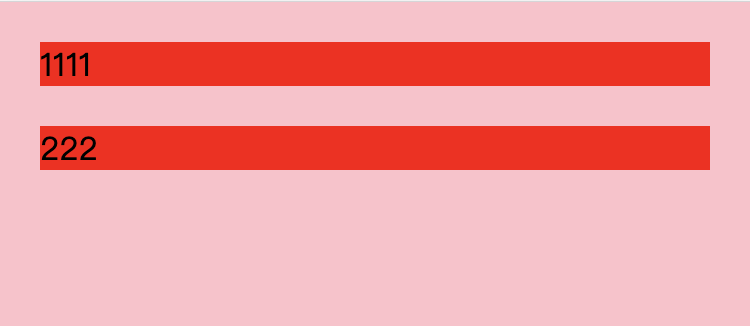
问题2:margin合并(两个兄弟结构的元素在垂直方向上的margin是合并的)
外边距合并只出现在块级元素上;
浮动元素不会和相邻的元素产生外边距合并;
绝对定位元素不会和相邻的元素产生外边距合并;
内联块级元素间不会产生外边距合并;
根元素间不会产生外边距合并(如html与body间);
p{
    margin:20px;
    background:red;
}
<body>
  <p>1111</p>
  <p>222</p>
</body>
如何解决?
给最后一个元素加上display:inline-block;但是IE6和IE7下要加上*display:inline;zoom:1;给最后一个元素加上浮动(left/right)
//子元素
p:last-child{
display:inline-block;
float:left;    //两者都可以
}