

本文使用ImageLoader下载网络图片
- 首先获得下载到了loadedImage
- 设置到创建快捷方式的Intent.EXTRA_SHORTCUT_ICON 这个是用来展示图标的
- 快捷方式需要一个 Intent.EXTRA_SHORTCUT_INTENT,可以传递参数给目标intent
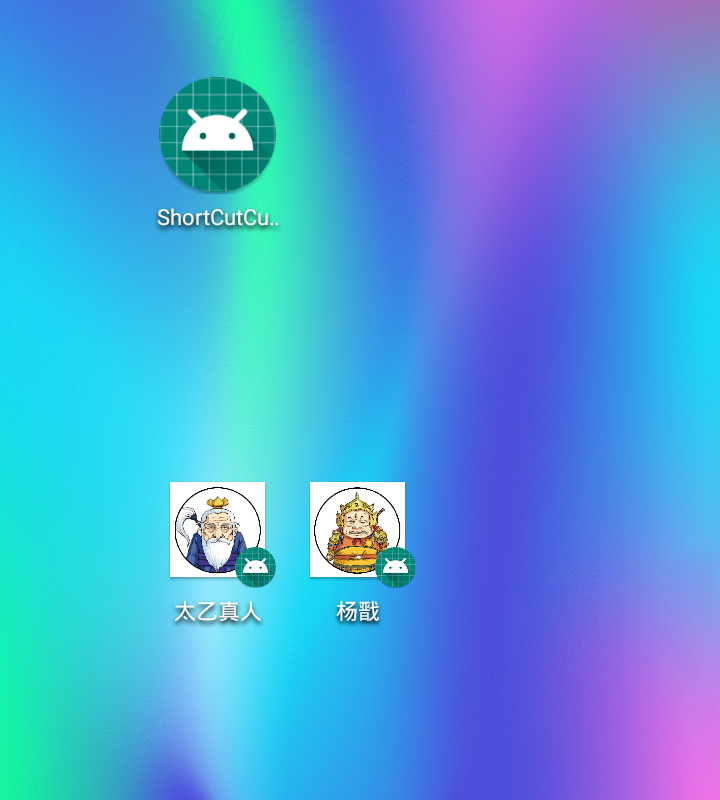
创建桌面快捷方式之后
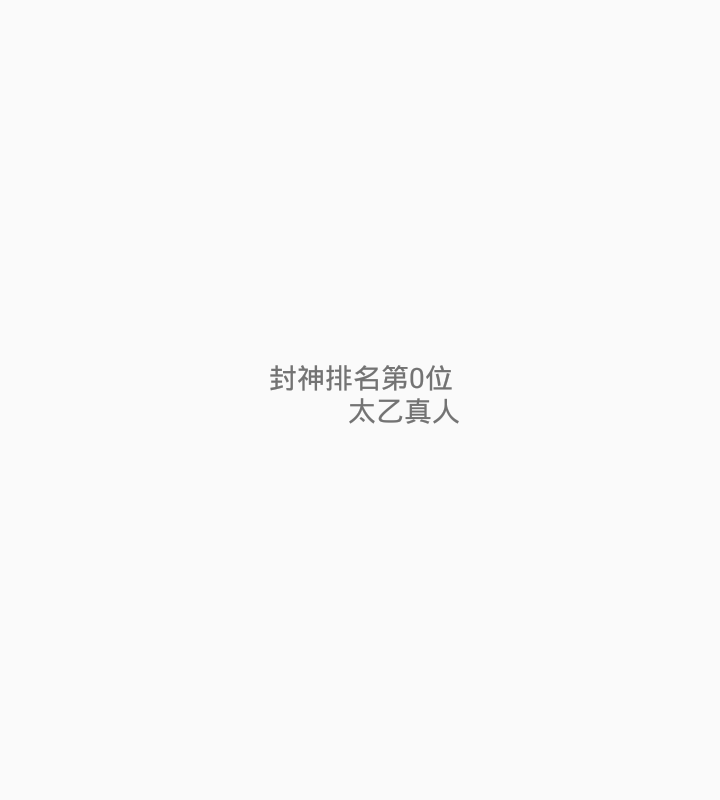
点击其中一个快捷方式后打开的界面
具体的代码实现方式
    /**
     * 创建团队快捷方式
     * @param nickname
     */
    public void createShortCut(final String nickname,final String imageUrl, final String id) {


        //读取缓存团队小图
        ImageLoader.getInstance().loadImage(imageUrl, new ImageLoadingListener() {

            @Override
            public void onLoadingCancelled(String arg0, View arg1) {
            }

            @Override
            public void onLoadingStarted(String s, View view) {
            }

            @Override
            public void onLoadingFailed(String s, View view, FailReason failReason) {
            }

            @Override
            public void onLoadingComplete(String imageUri, View view, Bitmap loadedImage) {

                if(hasShortcut(mContext, nickname)) {
                    Toast.makeText(mContext, "团队\""+nickname + "\"已存在桌面快捷方式", Toast.LENGTH_SHORT).show();

                } else {

                    Intent shortcutIntent = new Intent();
                    shortcutIntent.setAction("android.intent.action.gotogroup");
                    shortcutIntent.addCategory("android.intent.category.DEFAULT");
                    shortcutIntent.setFlags(Intent.FLAG_ACTIVITY_NEW_DOCUMENT);
                    shortcutIntent.setFlags(Intent.FLAG_ACTIVITY_MULTIPLE_TASK);
//                shortcutIntent.setFlags(Intent.FLAG_ACTIVITY_NO_HISTORY);
                    shortcutIntent.putExtra("groupidstr", id);
                    shortcutIntent.putExtra("groupnamestr", nickname);
                    shortcutIntent.putExtra("category", "grouphomepage");
                    shortcutIntent.putExtra("isfromshortcut", true);

                    if(Build.VERSION.SDK_INT >=Build.VERSION_CODES.O){
                        Bitmap resBit = null;
                        if (TextUtils.isEmpty(imageUrl)) {
                            // 快捷方式的图标
//                            resBit = createBitmap(
//                                    BitmapFactory.decodeResource(getResources(), R.mipmap.group_head),
//                                    BitmapFactory.decodeResource(getResources(), R.mipmap.ic_group_avar));
                            resBit = BitmapFactory.decodeResource(mContext.getResources(), R.mipmap.group_head);
                        } else {
                            //添加水印
//                            resBit = createBitmap(loadedImage,BitmapFactory.decodeResource(getResources(), R.mipmap.ic_group_avar));
                            resBit = loadedImage;
                        }
                        addShortCut(mContext,  resBit, nickname, shortcutIntent, id);
                    } else {
                        Intent shortcut = new Intent("com.android.launcher.action.INSTALL_SHORTCUT");
                        shortcut.putExtra(Intent.EXTRA_SHORTCUT_INTENT, shortcutIntent);
                        // 快捷方式名称
                        shortcut.putExtra(Intent.EXTRA_SHORTCUT_NAME, nickname);
                        // 不允许重复创建(不一定有效)
                        shortcut.putExtra("duplicate", false);
                        if (TextUtils.isEmpty(imageUrl)) {
                            // 快捷方式的图标
//                        Parcelable iconResource = Intent.ShortcutIconResource.fromContext(mContext,
//                                R.mipmap.group_head);
//                        shortcut.putExtra(Intent.EXTRA_SHORTCUT_ICON_RESOURCE, iconResource);
                            shortcut.putExtra(Intent.EXTRA_SHORTCUT_ICON, createBitmap(
                                    BitmapFactory.decodeResource(mContext.getResources(), R.mipmap.group_head),
                                    BitmapFactory.decodeResource(mContext.getResources(), R.mipmap.ic_group_avar)));
                        } else {

//                        shortcut.putExtra(Intent.EXTRA_SHORTCUT_ICON, loadedImage);
                            //添加水印
                            Bitmap resBit = BitmapFactory.decodeResource(mContext.getResources(), R.mipmap.ic_group_avar);
                            shortcut.putExtra(Intent.EXTRA_SHORTCUT_ICON, createBitmap(loadedImage, resBit));
                        }

                        mContext.sendBroadcast(shortcut);
                        Toast.makeText(mContext, "已将团队\"" + nickname + "\"添加至桌面", Toast.LENGTH_SHORT).show();
                    }

                }
            }
        });
    }
8.0以后的版本创建快捷方式发生变化
@RequiresApi(api = Build.VERSION_CODES.O)
    public void addShortCut(Context context, Bitmap bitmap, String name, Intent shortcutIntent, String id) {
        ShortcutManager shortcutManager = (ShortcutManager) context.getSystemService(Context.SHORTCUT_SERVICE);

        if (shortcutManager.isRequestPinShortcutSupported()) {
            //startActivity(shortcutIntent);
            ShortcutInfo info = new ShortcutInfo.Builder(context, id)
                    .setIcon(Icon.createWithBitmap(bitmap))
                    .setShortLabel(name)
                    .setIntent(shortcutIntent)
                    .build();
            //当添加快捷方式的确认弹框弹出来时,将被回调
            PendingIntent shortcutCallbackIntent = PendingIntent.getBroadcast(context, 0, new Intent(context, MyBootReceiver.class), PendingIntent.FLAG_UPDATE_CURRENT);

            shortcutManager.requestPinShortcut(info, shortcutCallbackIntent.getIntentSender());
        }

    }
图片合成
/**
     * 图片合成
     * @param
     * @return
     */
    private Bitmap createBitmap( Bitmap src, Bitmap watermark ) {
        if( src == null ) {
            return null;
        }
        int w = src.getWidth();
        int h = src.getHeight();
        int ww = watermark.getWidth();
        int wh = watermark.getHeight();

        //新建矩形r1
        RectF r1 = new RectF();
        r1.left = 0;
        r1.right = w;
        r1.top = 0 ;
        r1.bottom = h - 2;

        Paint paint = new Paint();
        paint.setAntiAlias(true);

        //create the new blank bitmap
        Bitmap newb = Bitmap.createBitmap( w, h, Bitmap.Config.ARGB_8888 );//创建一个新的和SRC长度宽度一样的位图
        Canvas cv = new Canvas( newb );
        cv.drawRoundRect(r1, (float) h / 5, (float) h / 5, paint);//圆角1/5
        paint.setXfermode(new PorterDuffXfermode(PorterDuff.Mode.SRC_IN));
        //draw src into
        cv.drawBitmap( src, 0, 0, paint );//在 0,0坐标开始画入src
        //draw watermark into
        cv.drawBitmap( small(watermark, (float) h / (float)wh ), 0, 0, null );//在src的右下角画入水印
        //save all clip
        cv.save();//保存
//        cv.save( Canvas.ALL_SAVE_FLAG );//保存
        //store
        cv.restore();//存储
        return newb;
    }

    private static Bitmap small(Bitmap bitmap, float scale) {
        Matrix matrix = new Matrix();

        matrix.postScale(scale,scale); //长和宽放大缩小的比例
        Bitmap resizeBmp = Bitmap.createBitmap(bitmap,0,0,bitmap.getWidth(),bitmap.getHeight(),matrix,true);
        return resizeBmp;
    }
判断是否已经存在快捷方式,部分手机可能会失效
    public boolean hasShortcut(Activity activity, String shortcutName) {
        try{
            String url = "";
            url = "content://" + getAuthorityFromPermission(activity, "com.android.launcher.permission.READ_SETTINGS") + "/favorites?notify=true";
            ContentResolver resolver = activity.getContentResolver();
            Cursor cursor = resolver.query(Uri.parse(url), new String[]{"title"}, "title=?", new String[]{shortcutName}, null);
            if (cursor != null && cursor.moveToFirst()) {
                cursor.close();
                return true;
            }
//        return  false;
            return hasShortcut2(activity, shortcutName);
        }catch (Exception e){
            return false;
        }
    }

    //魅族手机权限
    public boolean hasShortcut2(Activity activity, String shortcutName) {
        String url = "";
        url = "content://" + getAuthorityFromPermission(activity, "com.meizu.flyme.launcher.permission.READ_SETTINGS") + "/favorites?notify=true";
        ContentResolver resolver = activity.getContentResolver();
        Cursor cursor = resolver.query(Uri.parse(url), new String[]{"title"}, "title=?", new String[]{shortcutName}, null);
        if (cursor != null && cursor.moveToFirst()) {
            cursor.close();
            return true;
        }
        return false;
    }

    private String getAuthorityFromPermission(Context context, String permission) {
        if (permission == null)
            return null;
        List<PackageInfo> packs = context.getPackageManager().getInstalledPackages(PackageManager.GET_PROVIDERS);
        if (packs != null) {
            for (PackageInfo pack : packs) {
//                if(pack.packageName.contains("launcher")) {
                ProviderInfo[] providers = pack.providers;
                if (providers != null) {
                    for (ProviderInfo provider : providers) {
                        //使用正则去匹配launcher 信息
                        if (provider.name.contains("LauncherProvider")){
                            String valse = ".*launcher.*settings$";
                            Pattern pat = Pattern.compile(valse);
                            Matcher mat = pat.matcher(provider.authority);
                            if (mat.find()) {
                                return provider.authority;
                            }
                        }

                        if (permission.equals(provider.readPermission))
                            return provider.authority;
                        if (permission.equals(provider.writePermission))
                            return provider.authority;
                    }
                }
//                }
            }
        }
        return null;
    }
注意:需要手动打开app的创建快捷方式的权限
项目地址 :github.com/sdzhking/Sh…
