##### ……此处省略一万字
###一、UI
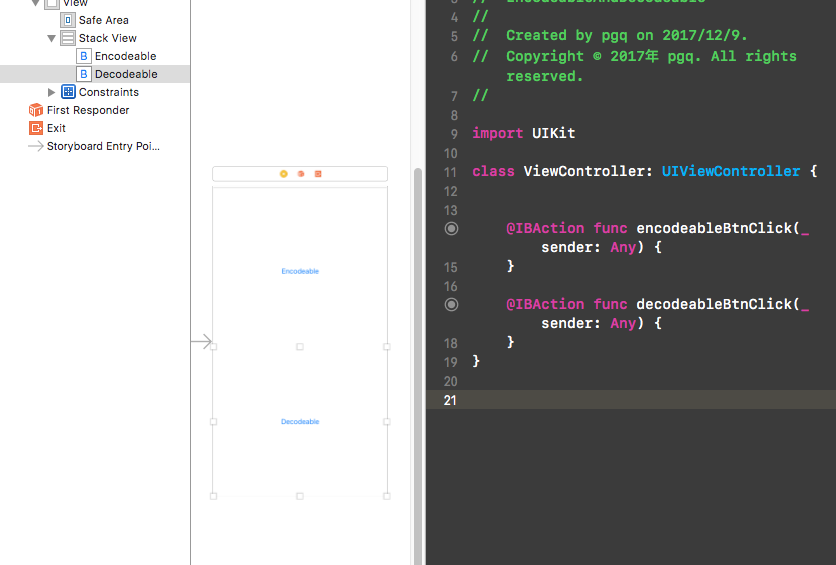
###二、Encodable 编码 一个最常见的http请求 ``` guard let url = URL(string: "https://jsonplaceholder.typicode.com/posts") else { return } var request = URLRequest(url: url) request.httpMethod = "POST" request.addValue("application/json", forHTTPHeaderField: "Content-Type") let postDictionary = ["userId":"87", "id":"787", "title":"你好啊,小明", "body":"给我滚出去"] do { let jsonBody = try JSONSerialization.data(withJSONObject: postDictionary, options: .prettyPrinted) request.httpBody = jsonBody } catch { }
    let session = URLSession.shared
    session.dataTask(with: request) { (data, response, error) in
        guard let data = data else { return }
        do{
            let json = try JSONSerialization.jsonObject(with: data, options: .mutableContainers)
            print(json)
        }catch{
            print(error)
        }
    }.resume()
<br>
#####下面我们在上面的例子中使用Encodable
- 1、创建一个结构体,并且继承Encodable
struct Post: Encodable { var body: String? var title: String? var id: Int var userId }
- 2、然后替换掉上面的HttoBody部分代码
... let post = Post(body: "给我滚出去", title: "你好啊,小明", id: 787, userId: 87) do { let jsonBody = try JSONEncoder().encode(user) request.httpBody = jsonBody } catch { } ...
瞬间解放了自己拼接字典的操作,是不是很舒服?


<br>
#####在上面的请求返回中,我们还是使用的最原始的方法,现在改为用Decodable去做
- 1、让User这个struct遵从Decodable这个协议
struct Post: Encodable, Decodable { var body: String? var title: String? var id: Int var userId: Int }
- 2、然后修改为如下代码:
let json = try JSONDecoder().decode(Post.self, from: data) print(json)

<br>
######OK,到了这里你就知道了Encodable、Decodable的基本用法了。
######在实际项目开发中,通常返回的数据不会这么简单,很有可能嵌套很多数据,这个时候如何使用Decodable去解析呢?
<br>
####二、Decodable
先看下我们要解析的数据:

根据上面的json数据,我们定义了如下的结构体
struct User: Decodable { var id: Int var name: String var username: String var email: String var phone: String var website: String var company: [String: String] }
我并没有定义address,因为这个里面还嵌套了一层,后面会写到的。

<br>
#####OK,开始请求数据
  guard let url = URL(string: "https://jsonplaceholder.typicode.com/users") else { return }

    let session = URLSession.shared
    session.dataTask(with: url) { (data, response, error) in
        guard let data = data else { return }
        do{
            //原始解析方法
// let json = try JSONSerialization.jsonObject(with: data, options: .mutableLeaves) // print(json)
            let users = try JSONDecoder().decode([User].self, from: data)
            print(users)
        }catch{
            print(error)
        }
    }.resume()
然后运行,然后……

- 意思就是,得到的数据是一个数组,解码失败啦!!!,如何搞定?
<br>
很简单
let users = try JSONDecoder().decode([User].self, from: data)
然后运行效果如下:

<br>
- 密密麻麻的数据不便于查看,接下来我们先只打印company
let users = try JSONDecoder().decode([User].self, from: data) for user in users{ print(user.company) }
["catchPhrase": "Multi-layered client-server neural-net", "name": "Romaguera-Crona", "bs": "harness real-time e-markets"] ["catchPhrase": "Proactive didactic contingency", "name": "Deckow-Crist", "bs": "synergize scalable supply-chains"] ["catchPhrase": "Face to face bifurcated interface", "name": "Romaguera-Jacobson", "bs": "e-enable strategic applications"] ["catchPhrase": "Multi-tiered zero tolerance productivity", "name": "Robel-Corkery", "bs": "transition cutting-edge web services"] ["catchPhrase": "User-centric fault-tolerant solution", "name": "Keebler LLC", "bs": "revolutionize end-to-end systems"] ["catchPhrase": "Synchronised bottom-line interface", "name": "Considine-Lockman", "bs": "e-enable innovative applications"] ["catchPhrase": "Configurable multimedia task-force", "name": "Johns Group", "bs": "generate enterprise e-tailers"] ["catchPhrase": "Implemented secondary concept", "name": "Abernathy Group", "bs": "e-enable extensible e-tailers"] ["catchPhrase": "Switchable contextually-based project", "name": "Yost and Sons", "bs": "aggregate real-time technologies"] ["catchPhrase": "Centralized empowering task-force", "name": "Hoeger LLC", "bs": "target end-to-end models"]
<br>
>这个时候我们发现,我们得到的还不是一个对象,然后我想一步到位把company也给解析出来如何做呢?

<br>
- #####很简单,定义一个结构体,然后遵从Decodable协议
struct Company: Decodable { var name: String var catchPhrase: String var bs: String }
把User的结构体的company重新赋值 var company: Company
//只打印公司名称 for user in users{ print(user.company.name) }
<br>
- 然后在运行一次,神奇的事情就发生了:
Romaguera-Crona Deckow-Crist Romaguera-Jacobson Robel-Corkery Keebler LLC Considine-Lockman Johns Group Abernathy Group Yost and Sons Hoeger LLC
>现在company也可以完成解析,就还剩下多重嵌套的Address还没写了。
通过上面的代码可以知道,可以嵌套解析,所以address就是`套娃`操作了

<br>
- 1、定义结构体
struct Address: Decodable { var street: String var suite: String var city: String var zipcode: String var geo: Geo }
struct Geo: Decodable { var lat: String var lng: String }
在User结构体中新增 var address: Address
然后?然后就写完啦,为了测试,我们打印`user.address.geo.lat`

OK,到这里基本上就阔以不使用第三方去解析数据啦!!!
<br>
>接着我们玩一波骚操作:
有的时候服务器的反馈数据中命名并不是你想要的:比如 "a"="dddd",
如果你有幸拿到这样子的反馈数据,心里应该已经万马奔腾了。
ok,我们把User里面的id改为ID,因为id在OC里面那是关键字
struct User: Decodable { var ID: Int var name: String var username: String var email: String var phone: String var website: String var company: Company var address: Address }

####[Demo 地址](https://github.com/codepgq/Encodable-Decodable)