知识点 事件绑定 this 指向
return (
    <div onClick={this.handleClick.bind(this)}>
        {this.props.content}
    </div>
);
(有言曰:构造函数中绑定性能会高一些,特别是在高级组件开发中,会有很大的作用)
class XiaojiejieItem  extends Component { //cc
   //--------------主要代码--------start
   constructor(props){
       super(props)
       this.handleClick=this.handleClick.bind(this)
   }
   //--------------主要代码--------end
      render() {         return (
            <div onClick={this.handleClick}>
                {this.props.content}
            </div>
        );
    }
}
React单项数据流
单向数据流说的是,数据从父节点传递到子节点(通过props,节点也可称之为组件)。如果顶层(父级)的某个props改变了,React会重渲染所有的子节点。但是不能直接在子节点中修改父节点的值。因为读取到的值是只读类型的,可以通过父节点向子节点传入操作函数,再由子节点内触发。
函数式编程
在面试React时,经常会问道的一个问题是:函数式编程的好处是什么?
- 函数式编程让我们的代码更清晰,每个功能都是一个函数。
- 函数式编程为我们的代码测试代理了极大的方便,更容易实现前端自动化测试。
React框架也是函数式编程,所以说优势在大型多人开发的项目中会更加明显,让配合和交流都得心应手。
调试工具
React developer tools(google商店下载,需要用到**,这里不方便教)
React developer tools 有三种颜色,三种颜色代表三种状态:
- 灰色: 这种就是不可以使用,说明页面不是又React编写的。
- 黑色: 说明页面是用React编写的,并且处于生成环境当中。
- 红色: 说明页面是用React编写的,并且处于调试环境当中。
PropTypes的简单应用
props 参数类型检验:
import PropTypes from 'prop-types'

class XiaojiejieItem  extends Component {
    render() {         return (  );    }}
XiaojiejieItem.propTypes={
    content:PropTypes.string,
    deleteItem:PropTypes.func,
    index:PropTypes.number
}
props 必传值检验(isRequired):
content:PropTypes.string.isRequiredprops 默认值(defaultProps):
XiaojiejieItem.defaultProps = {
    name:'松岛枫'}
Snippets
| Snippet | Renders |
|---|---|
imr | Import React |
imrc | Import React / Component |
impt | Import PropTypes |
impc | Import React / PureComponent |
cc | Class Component |
ccc | Class Component With Constructor |
sfc | Stateless Function Component |
cdm | componentDidMount |
cwm | componentWillMount |
cwrp | componentWillReceiveProps |
gds | getDerivedStateFromProps |
scu | shouldComponentUpdate |
cwu | componentWillUpdate |
cdu | componentDidUpdate |
cwu | componentWillUpdate |
cdc | componentDidCatch |
gsbu | getSnapshotBeforeUpdate |
ss | setState |
ssf | Functional setState |
ren | render |
rprop | Render Prop |
hoc | Higher Order Component |
Full Expansions
imr - Import React
import React from 'react';imrc - Import React, Component
import React, { Component } from 'react';impt - Import PropTypes
import PropTypes from 'prop-types';impc - Import PureComponent
import React, { PureComponent } from 'react';cc - Class Component
class | extends Component {
  state = { | },
  render() {
    return ( | );
  }
}

export default |;
ccc - Class Component With Constructor
class | extends Component {
  constructor(props) {
    super(props);
    this.state = { | };
  }
  render() {
    return ( | );
  }
}

export default |;
sfc - Stateless Function Component
const | = props => {
  return ( | );
};

export default |;
cdm - componentDidMount
componentDidMount() {
  |
}
cwm - componentWillMount
//WARNING! To be deprecated in React v17. Use componentDidMount instead.
componentWillMount() {
  |
}
cwrp - componentWillReceiveProps
//WARNING! To be deprecated in React v17. Use new lifecycle static getDerivedStateFromProps instead.
componentWillReceiveProps(nextProps) {
  |
}
gds - getDerivedStateFromProps
static getDerivedStateFromProps(nextProps, prevStat) {
  |
}
scu - shouldComponentUpdate
shouldComponentUpdate(nextProps, nextState) {
  |
}
cwu - componentWillUpdate
//WARNING! To be deprecated in React v17. Use componentDidUpdate instead.
componentWillUpdate(nextProps, nextState) {
  |
}
cdu - componentDidUpdate
componentDidUpdate(prevProps, prevState) {
  |
}
cwun - componentWillUnmount
componentWillUnmount() {
  |
}
cdc - componentDidCatch
componentDidCatch(error, info) {
  |
}
gsbu - getSnapshotBeforeUpdate
getSnapshotBeforeUpdate(prevProps, prevState) {
  |
}
ss - setState
this.setState({ | : | });ssf - Functional setState
this.setState(prevState => {
  return { | : prevState.| }
});
ren - render
render() {
  return (
    |
  );
}
rprop - Render Prop
class | extends Component {
  state = { | },
  render() {
    return this.props.render({
      |: this.state.|
    });
  }
}

export default |;
hoc - Higher Order Component
function | (|) {
  return class extends Component {
    constructor(props) {
      super(props);
    }

    render() {
      return < | {...this.props} />;
    }
  };
}
Commands
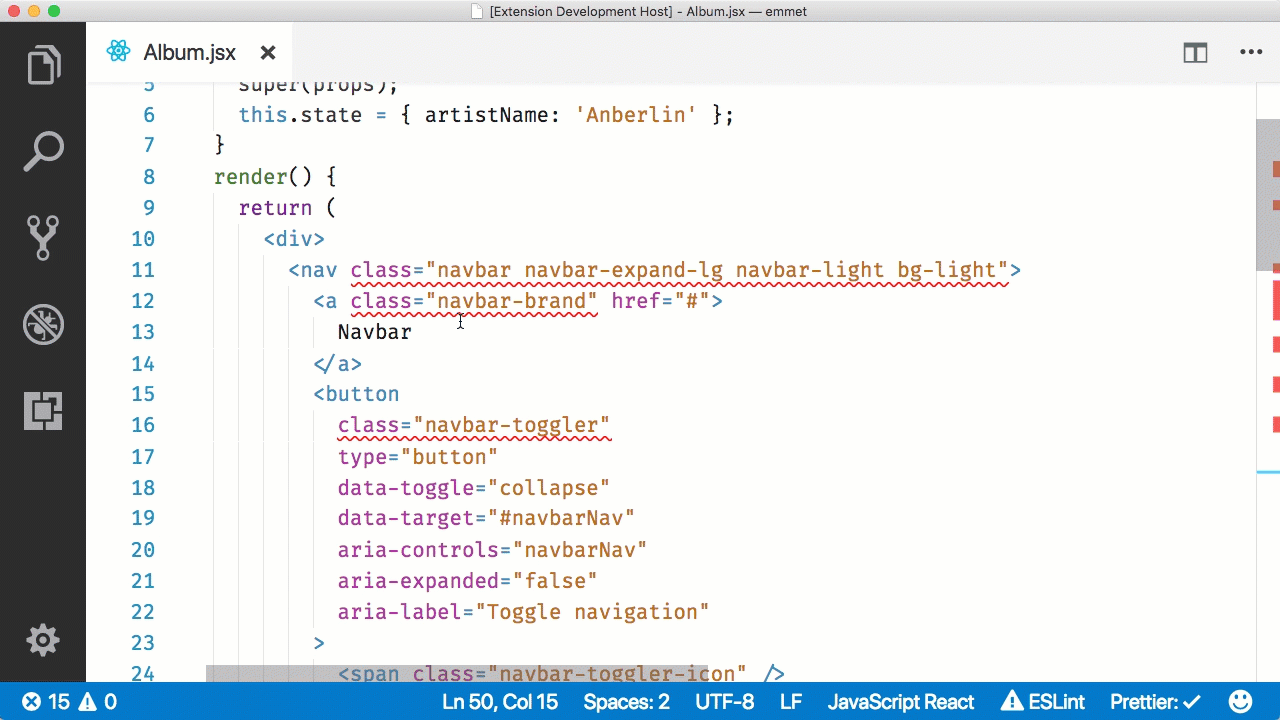
React: class to className
Changes all occurences of class in JSX to className. This transform is safe to run multiple times on any document. No text needs to be selected as the command is executed on the entire document.