假设现在有一个vue的项目,
首先安装echarts,npm install echarts -S,安装完成之后,引入我们需要的echarts。
引入的方式可以用 全局引入 或者 局部引入。
全局引用:
首先在main.js中引入,然后绑定在vue的原型上
import echarts from 'echarts'Vue.prototype.$echarts = echarts接下来,我们就可以在任意组件使用echarts了
局部引用:
很多时候我们没有必要在全局引入echarts,那么就只在单个组件内引入就可以了
const echarts = require('echarts')接下来,我们也就可以在当前组件使用echarts了,这种方法跟全局引入的区别,如果你想在其他的组件使用echarts,就必须重新引入了。
如果你不想一次引入所有的echarts,也可以只引入自己需要的组件,此处以全局引用为例:
在main.js里引入,然后绑定在原型上
// 引入eChartsconst echarts = require('echarts/lib/echarts')// 引入所需eCharts组件require('echarts/lib/component/title')…… require('echarts/lib/component/tooltip')Vue.prototype.$echarts = echarts使用
chart.vue
<template>
 <div id="chart-wrap" style="width 500px; height: 500px;" ref="chart"></div>
</template>
<script>
export default {
 data() {
  return {}
 },
 mounted() {
  this.chart = this.$echarts.init(this.$refs.chart)
  window.addEventListener('resize', this.chart.resize)
  this.initChart()
 },
 destroyed() {
  window.removeEventListener('resize', this.chart.resize)
  this.chart.dispose()
 },
 methods: {
  initChart() {
   const option = {    legend: {
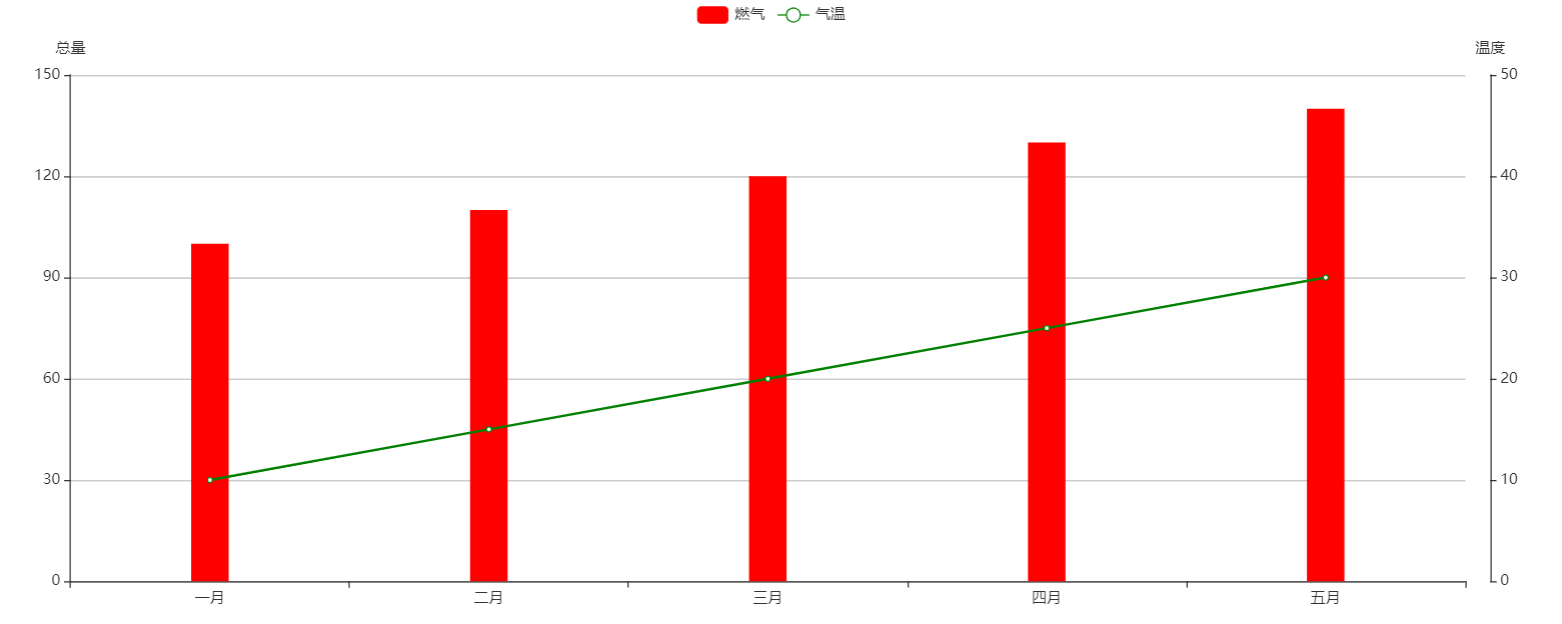
     data: ['燃气', '气温']
    },
    color: ['red', 'green'],
    // 横轴
    xAxis: {
     data: ['一月', '二月', '三月', '四月', '五月']
    },
    yAxis: [
     {
      name: '总量',
      type: 'value'
     }, {
      name: '温度',
      type: 'value',
      offset: 20,
      min: 0,
      max: 50
     }
    ],
    // series中的数据与xAxis里的数据一一对应
    series: [
     {
      name: '燃气',
      type: 'bar',
      stack: '总量',
      barWidth: 30,
      data: [100, 110, 120, 130, 140]
     }, {
      name: '气温',
      type: 'line',
      yAxisIndex: 1,
      data: [10, 15, 20, 25, 30]
     }
    ],
    // 控制图表摆放位置
    grid: {
     left: '3%',
     right: '4%',
     bottom: '3%',
     containLabel: true
    },
    // 提示框
    tooltip: {
     trigger: 'axis',  // 触发类型 默认数据触发 可选项:item|axis
     // 坐标轴指示器 坐标轴触发有效
     axisPointer: {
      type: 'line'  // 默认为直线,可选项:line|shadow
     }
    }
   }
   this.chart.setOption(option, true)
  }
 }}
</script>
效果图: