配置环境
确定电脑中已经安装了node
安装typescript(新建项目的时候会自动安装,此时也可以不进行安装):
npm install -g typescript
安装angular cli :
npm install -g @angular/cli
安装angular时可能会报错,此时使用cnpm安装就可以了。 验证:
ng version
出现版本信息即安装成功。
新建项目
ng new my-app
运行项目
ng serve
注意:此处是serve不是server
新建组件
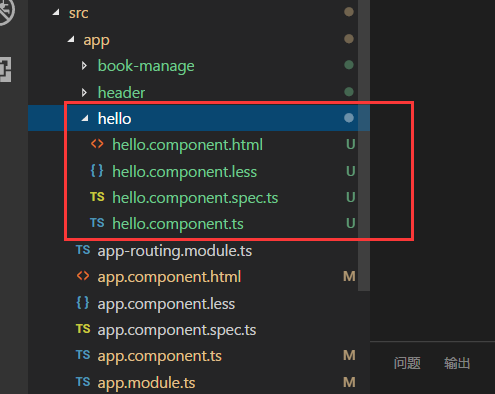
ng g c hello
自动创建组件:ng generate component xx
会新建出hello组件文件夹及对应的部分。
// hello.component.html
<div>
    <p>hello works!</p>
    <img src="../../assets/img/cat.jpg" alt="" class="cat">
</div>
引用组件
在app.component.html中引入hello组件
//app.component.html
<app-hello></app-hello>
会在页面上出现