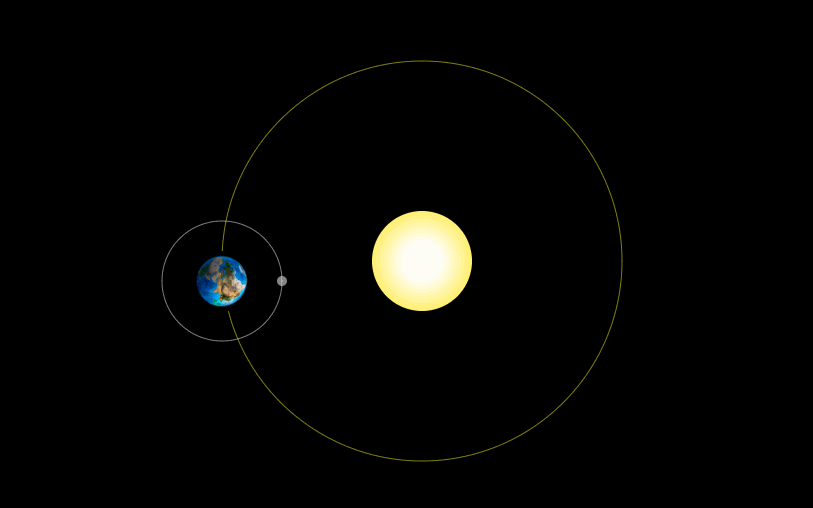
最近在学习canvas,自己手撸了一个地月轨道效果,有不对的还多指教。直接上代码
生成canvas标签
<canvas id="myCanvas" width="1200" height="600" style="border:1px solid #d3d3d3;background: black"> 您的浏览器不支持 HTML5 canvas 标签。 </canvas>主要cavans代码,其中save方法,保存当前环境的状态,restore方法,返回之前保存过的路径状态和属性。利用帧动画requestAnimationFrame,在上一次的状态和属性上进行rotate达到环绕轨道运动的效果
 window.onload = function () {            var img = new Image()            img.src = './images/earth.jpg'            var c=document.getElementById("myCanvas");            var ctx=c.getContext("2d");            let n = 0            img.onload = function () {                function draw() {                     ctx.clearRect(-100, -100, 1200, 700)                    //  画太阳                    ctx.beginPath();                    ctx.arc(600, 300, 50, 0, 2 * Math.PI);                      var color = ctx.createRadialGradient(600, 300, 20, 600, 300, 60);                    color.addColorStop(0, '#fefef6');                    color.addColorStop(1, '#ffeb3b');                    ctx.fillStyle=color;                     ctx.fill()                                 // ctx.stroke()                    //  画轨道                    ctx.beginPath();                    ctx.strokeStyle = "rgba(255,255,0,0.5)";                    ctx.arc(600, 300, 200, 0, 2 * Math.PI);                    ctx.stroke();                    ctx.save()                    ctx.translate(600, 300)                    ctx.rotate(Math.PI/360*n)                                 // 画地球                    ctx.drawImage(img, -10, 170, 60, 60)                    //  月球轨道                    ctx.beginPath();                    ctx.strokeStyle = "rgba(255,255,255,0.5)";                    ctx.arc(20, 200, 60, 0, 2 * Math.PI);                    ctx.stroke();                                        ctx.translate(20, 200)                    ctx.rotate(Math.PI/360*3*n)

                      // 画月球                                    ctx.beginPath();                    ctx.fillStyle = "rgba(255,255,255,0.5)";                    ctx.arc(60, 0, 5, 0, 2 * Math.PI);                    ctx.fill();                                        ctx.restore()                    n++                    if (n < 720*5)                        requestAnimationFrame(draw)                 }                draw()            }           }
效果如下