

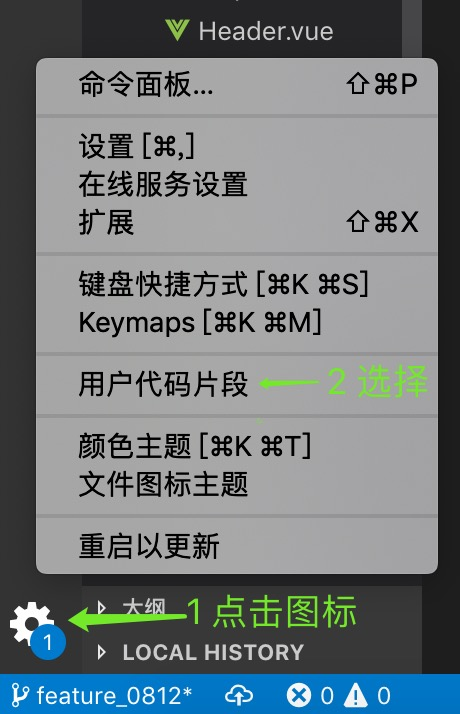
1、Vs Code 设置 --> 用户代码片段
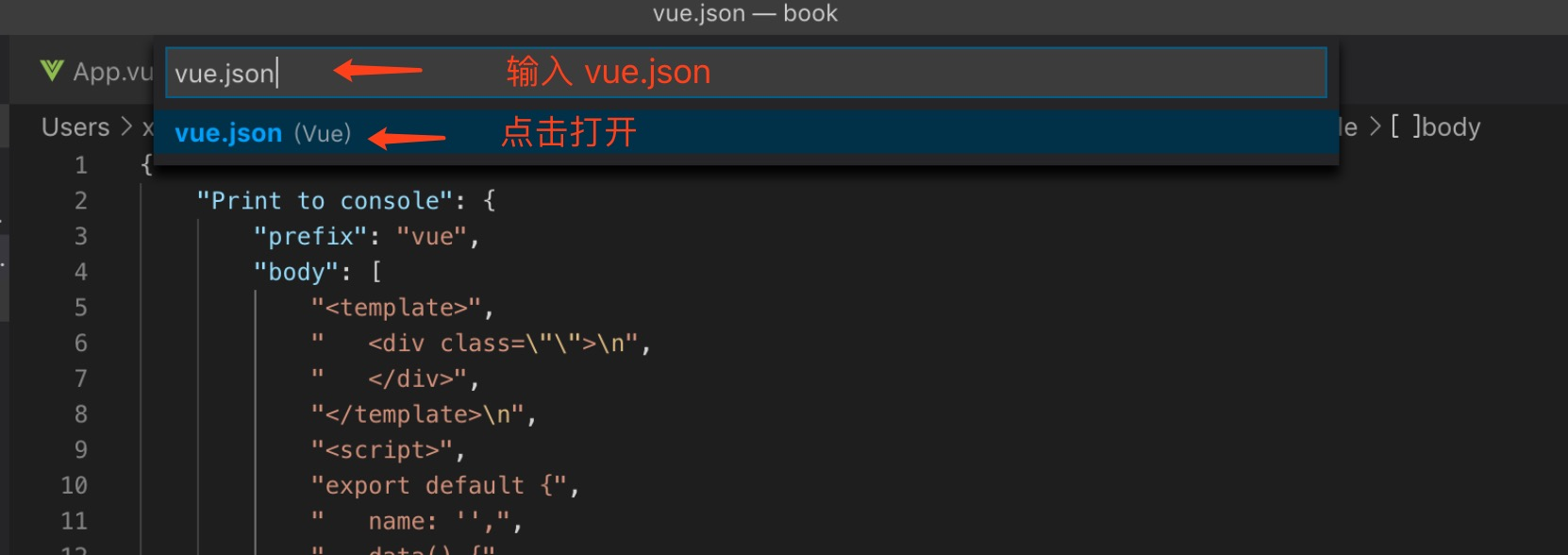
2、输入 vue.json 选中打开
3、复制以下代码粘贴到 vue.json 中,保存即可
- prefix :就是你生成代码块的快捷键
- body:代码片段的内容
- description:代码片段描述。
{
	"Print to console": {
        "prefix": "vue",
        "body": [
            "<template>",
            "   <div class=\"\">\n",
            "   </div>",
            "</template>\n",
            "<script>",
            "export default {",
            "   name: '',",
            "   data() {",
            "       return {}",
            "   },",
            "  components: {}",
            "}",
            "</script>\n",
            "<style scoped lang=\"less\">",
            "</style>",
            "$2"
        ],
        "description": "Log output to console"
    }
 }
4、 使用
输入 vue 按 tab 键即可生成
生成如下:
<template>
   <div class="">

   </div>
</template>

<script>
export default {
   name: '',
   data() {
       return {}
   },
  components: {}
}
</script>

<style scoped lang="less">
</style>
