
极力推荐文章:欢迎收藏 Android 干货分享

#####阅读五分钟,每日十点,和您一起终身学习,这里是程序员Android
本篇文章主要介绍 Android 开发中的部分GMS 包 相关APK ANR,闪退问题解决方案知识点,通过阅读本篇文章,您将收获以下内容:
- 开机向导时 Google DUO 概率ANR
- 开机向导时 Google Calendar 概率 ANR
- 开机向导时 ANR 弹框不show的解决方案
- 开机向导时 Google Music 概率 ANR
- 开机向导时 Google Play Store 概率 ANR
- Google play Store 下载apk 概率性闪退
1. 开机向导时 DUO 概率ANR
主要原因是 android.intent.action.LOCALE_CHANGED 广播接收超时导致的ANR。 ANR Log 如下:
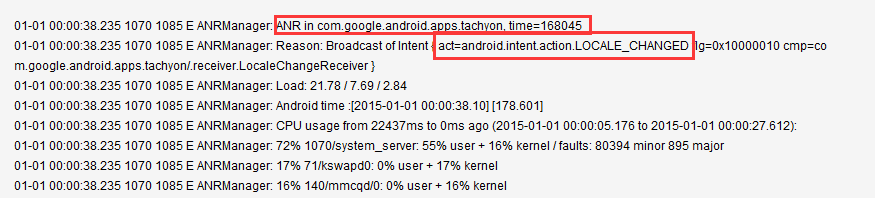
ANR 规避方案如下:
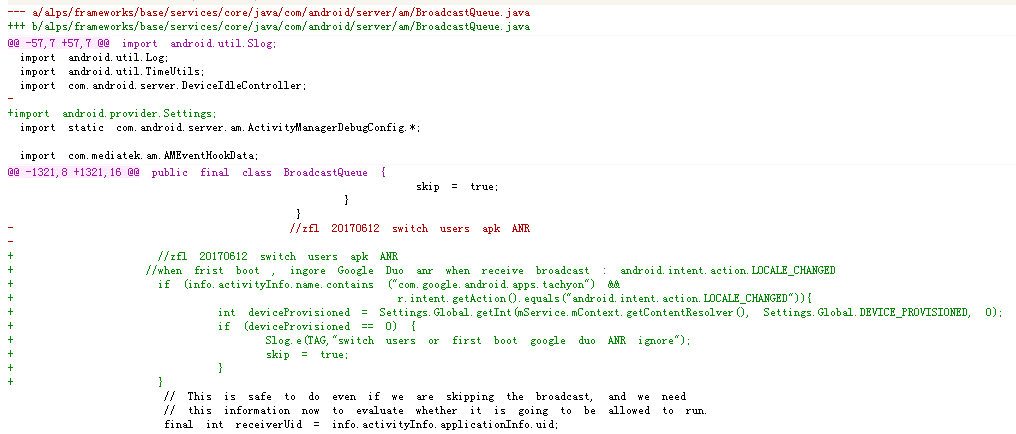
在BroadcastQueue类的 processNextBroadcast方法中,当第一次开机时候,跳过此Action。路径如下:
/alps/frameworks/base/services/core/java/com/android/server/am/BroadcastQueue.java
         // import android.provider.Settings;
         //when frist boot , ingore Google Duo anr when receive broadcast : android.intent.action.LOCALE_CHANGED
            if (info.activityInfo.name.contains ("com.google.android.apps.tachyon") &&
                               r.intent.getAction().equals("android.intent.action.LOCALE_CHANGED")){
                 int deviceProvisioned = Settings.Global.getInt(mService.mContext.getContentResolver(), Settings.Global.DEVICE_PROVISIONED, 0);
                 if (deviceProvisioned == 0) {
                     Slog.e(TAG,"switch users or first boot google duo ANR ignore");
                     skip = true;
                 }
            }
历史修改记录
2. 开机向导时 Calendar 概率 ANR
ANR Log 如下:
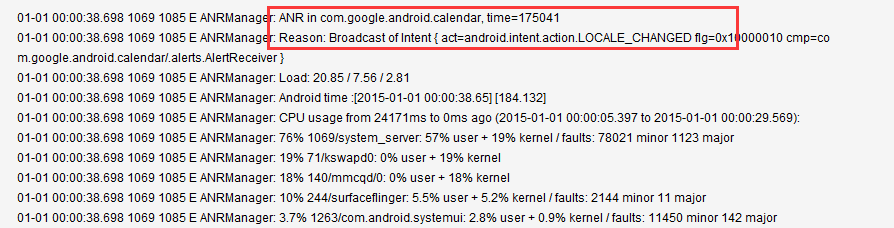
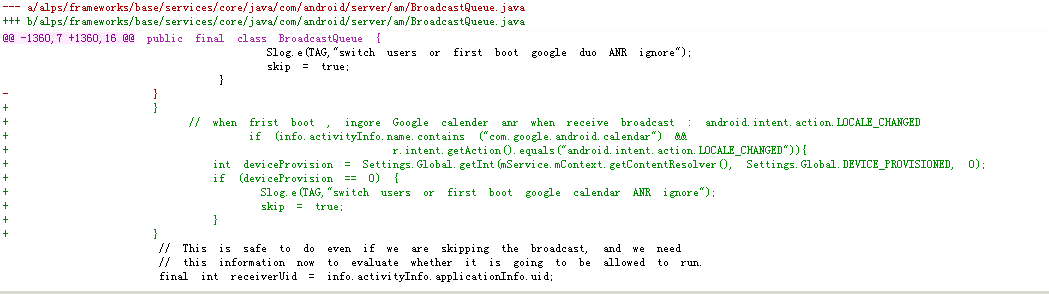
ANR 规避方案如下: 主要原因是 android.intent.action.LOCALE_CHANGED 广播接收超时导致的ANR。 请参考修改一 历史修改记录
3. 开机向导时,ANR 弹框不show的解决方案
刷机或者恢复出厂设置是,开机向导过程中不应该显示ANR。
修改文件路径如下:
frameworks/base/services/core/java/com/android/server/am/AppErrors.java
修改AppErrors 类中 handleShowAnrUi方法,控制在开机向导时ANR弹窗。
解决方案
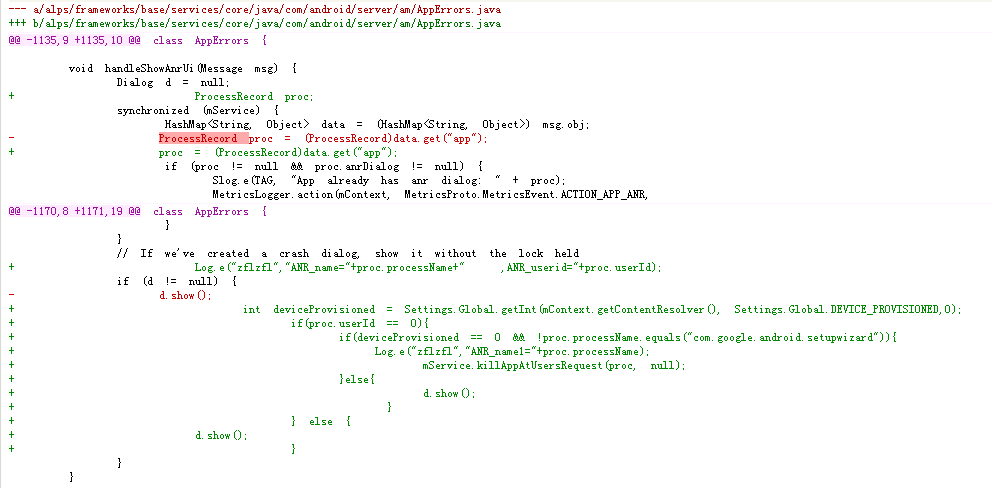
				// If we've created a crash dialog, show it without the lock held

				if (d != null) {
                     int deviceProvisioned = Settings.Global.getInt(mContext.getContentResolver(), Settings.Global.DEVICE_PROVISIONED,0);
                         if(proc.userId == 0){
                             if(deviceProvisioned == 0 && !proc.processName.equals("com.google.android.setupwizard")){

                                mService.killAppAtUsersRequest(proc, null);
                             }else{
                              d.show();
                            }
                         } else {
                           d.show();
                         }
				}
4. 开机向导时 Google Music 概率 ANR
开机向导时候 接收android.intent.action.LOCALE_CHANGED 广播超时导致的ANR。 ANR Log 如下:

5.开机向导时 Google Play Store 概率 ANR
开机向导时候 接收android.intent.action.LOCALE_CHANGED 广播超时导致的ANR。 ANR Log 如下:

2. Google play Store 下载apk 概率性闪退
低内存情况下,使用play Store 下载多个apk,playstore 概率性ANR。
闪退 Log 信息
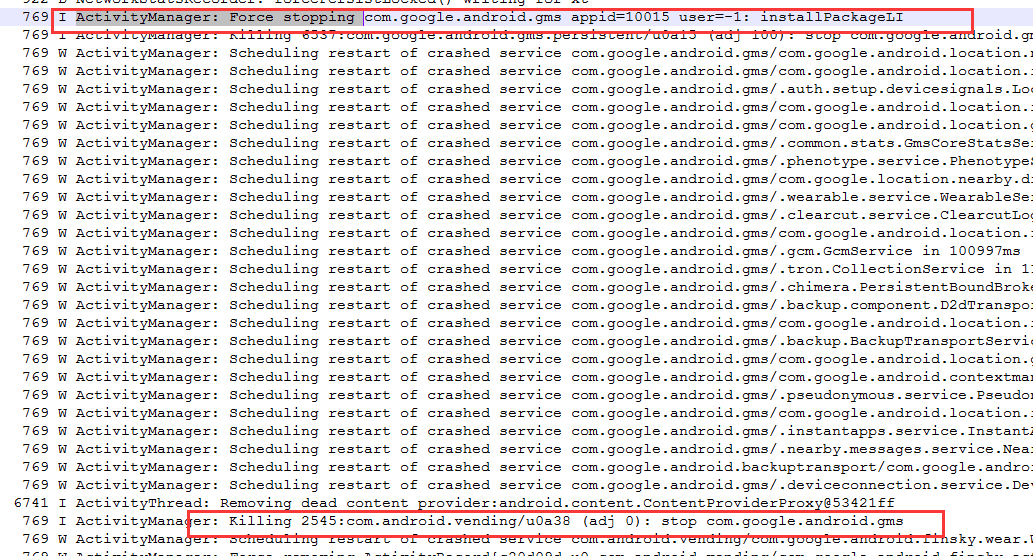
解决闪退问题方法 在ActivityManagerService 中的applyOomAdjLocked 方法中修改adj值,防止apk 低内存情况下被杀掉。
frameworks/base/services/core/java/com/android/server/am/ActivityManagerService.java
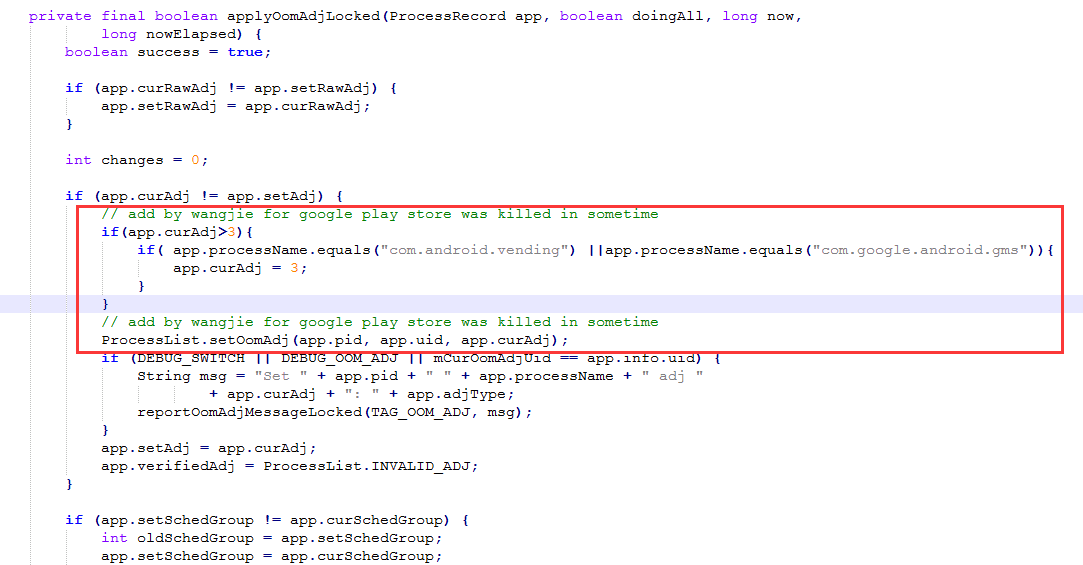
			// add by wangjie for google play store was killed in sometime
		    if(app.curAdj>3){
				if( app.processName.equals("com.android.vending") ||app.processName.equals("com.google.android.gms")){
                    app.curAdj = 3;
				}
			}
			// add by wangjie for google play store was killed in sometime
至此,本篇已结束,如有不对的地方,欢迎您的建议与指正。同时期待您的关注,感谢您的阅读,谢谢!