

数据直传oss
前言
仅此记录一下遇到的问题
之前传文件图片等资源至oss,采用的都是把文件传至自己的应用服务器,由后端的小伙伴通过oss提供的SDK传至oss,返回文件的oss链接地址。最近发现当上传较大的视频时,会出现上传失败的问题,排查到应用服务器对上传文件大小做了限制,修改配置重启之后偶尔能传偶尔不行,又修改了http请求的超时设置。还是无法上传。未排查到原因(这里还是怀疑服务器配置问题,只是后端知识不足)觉得琢磨一下数据直传oss,这样就不用经过应用服务器,提高了上传速度,以及不需要受应用服务器对上传的限制,而且还方便监听上传进度。
Web 端常见的上传方法是用户在浏览器或 APP 端上传文件到应用服务器,应用服务器再把文件上传到 OSS。
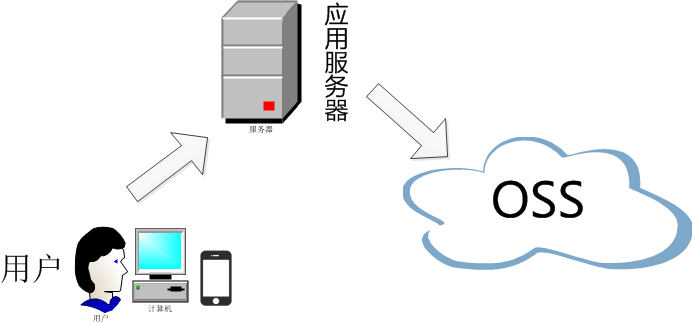
数据直传技术方案
目前通过 Web 前端技术上传文件到 OSS,有三种技术方案:
- 利用OSS Browser.js SDK 将文件上传到 OSS。
该方案通过OSS Browser.js SDK直传数据到oss,优点:在网络 OSS,在网络条件不好的状况下可以通过断点续传的方式上传大文件,存在浏览器兼容问题。更多信息请参见Browser.js SDK - 使用表单上传方式,将文件上传到 OSS 利用 OSS 提供的 PostObject接口,使用表单上传方式将文件上传到oss,兼容大部分浏览器,但在网络状况不好的时候,如果单个文件上传失败,只能重试上传。操作方法请参见 PostObject 上传方案。
- 通过小程序上传文件到 OSS 通过小程序,如微信小程序、支付宝小程序等,利用 OSS 提供的 PostObject 接口来实现表单上传。操作方式请参见小程序上传实践
注意事项:
- 通过 OSS 控制台仅可以上传小于 5GB 的文件。
- 通过 ossbrowser 和 ossutil 可直接上传小于 48.8TB 的文件。
- 通过 SDK 或 API 的简单上传、表单上传和追加上传,仅可以上传小于 5GB 的文件。
- 通过 SDK 或 API 的分片上传和断点续传可上传小于 48.8TB 的文件。
Web端PostObject直传
三种方式:
- 在客户端通过JavaScript代码完成签名,然后通过表单直传数据到OSSJavaScript客户端签名直传
- 在服务端完成签名,然后通过表单直传数据到OSS服务端签名后直传
- 在服务端完成签名,并且服务端设置了上传后回调,然后通过表单直传数据到OSS。OSS回调完成后,再将应用服务器响应结果返回给客户端服务端签名直传并设置上传回调
这里后端提供了签名接口,直接调用其接口获取签名。对比js客户端直接签名,js签名会使AccessKeyID和AcessKeySecret暴露在前端页面,有安全隐患。(ps: 咱也不懂哈)
附上原理图一张: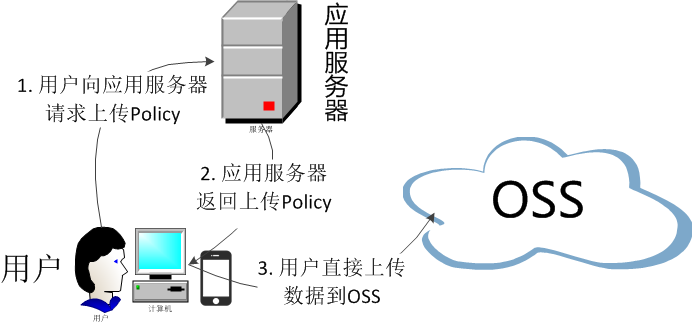
流程:
- 用户发送上传Policy请求到应用服务器
- 应用服务器返回上传Policy和签名给用户
- 用户直接上传数据到OSS。
代码
阿里oss官方demo
demo是原生js的写法,这里修改为vue写法,配合element和plupload上传插件
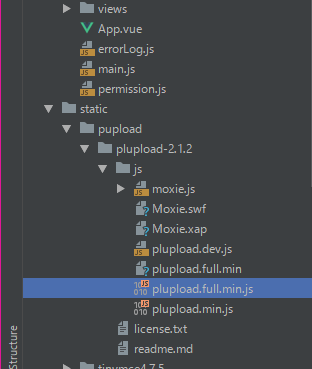
1.plupload下载至本地,解压至vue项目目录中

- 通过服务端获取oss签名

- new plupload实例化设置过滤条件。
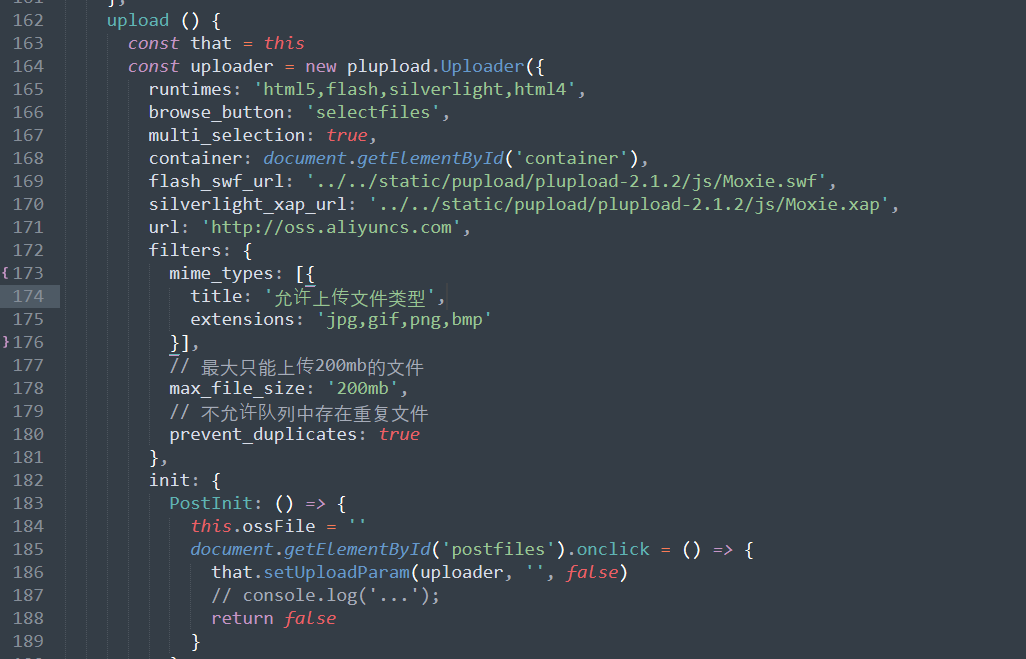
max_file_size:限制上传的文件大小。
prevent_duplicates:限制不能重复上传。
- 获取上传后的文件名
用Plupload调用FileUploaded事件获取
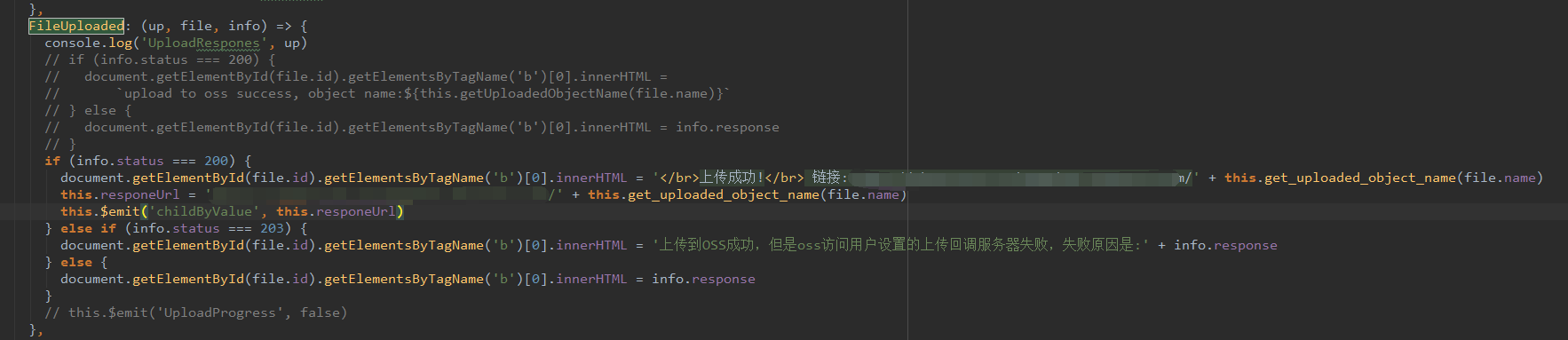
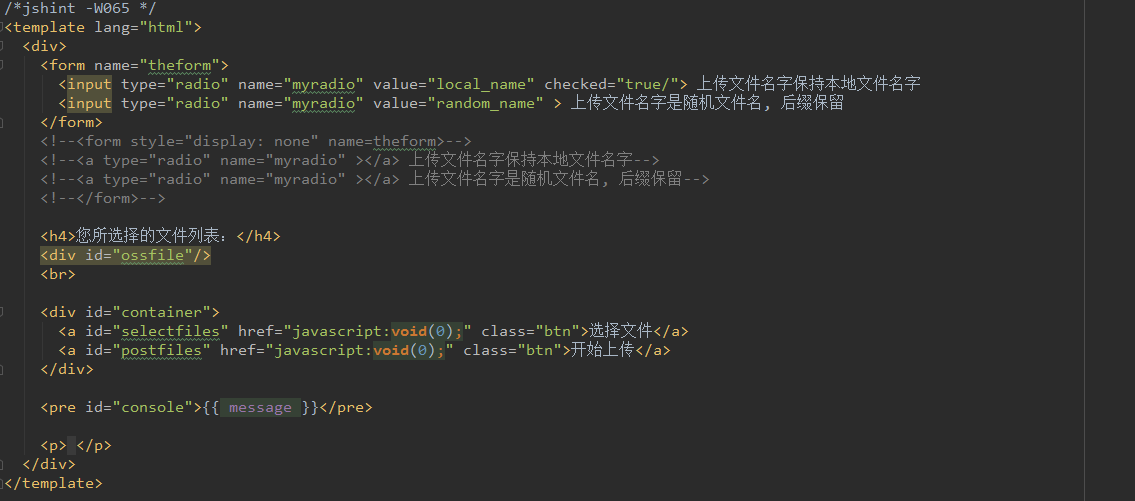
完整源码
/*jshint -W065 */
<template lang="html">
<div>
<form name="theform">
<input type="radio" name="myradio" value="local_name" checked="true/"> 上传文件名字保持本地文件名字
<input type="radio" name="myradio" value="random_name" > 上传文件名字是随机文件名, 后缀保留
</form>
<!--<form style="display: none" name=theform>-->
<!--<a type="radio" name="myradio" ></a> 上传文件名字保持本地文件名字-->
<!--<a type="radio" name="myradio" ></a> 上传文件名字是随机文件名, 后缀保留-->
<!--</form>-->
<h4>您所选择的文件列表:</h4>
<div id="ossfile"/>
<br>
<div id="container">
<a id="selectfiles" href="javascript:void(0);" class="btn">选择文件</a>
<a id="postfiles" href="javascript:void(0);" class="btn">开始上传</a>
</div>
<pre id="console">{{ message }}</pre>
<p> </p>
</div>
</template>
<script>
import plupload from '../../../static/pupload/plupload-2.1.2/js/plupload.full.min.js'
export default {
name: 'Upload',
model: {
prop: 'value', // prop说:我要将value1作为该组件被使用(被父组件调用)时,v-model能取到的值
event: 'childByValue' // event说:我emit(触发)change的时候,参数的值就是父组件v-model收到的值。
},
props: {
value: {
type: String,
default: ''
},
isEdit: {
type: Boolean,
default: false
},
fileDir: {
type: String,
default: ''
},
fileId: {
type: String,
default: ''
},
beforeUpload: {
type: Function,
default: () => () => {}
},
onSuccess: {
type: Function,
default: () => () => {}
},
onError: {
type: Function,
default: () => () => {}
},
onProgress: {
type: Function,
default: () => () => {}
}
},
data() {
return {
ossFile: '',
uploadMethod: '',
accessid: '',
accesskey: '',
host: '',
policyBase64: '',
signature: '',
callbackbody: '',
filename: '',
key: '',
expire: 0,
g_object_name: '',
g_object_name_type: '',
now: Date.parse(new Date()) / 1000,
message: '',
responeUrl: ''
}
},
watch: {
isEdit: function(newVal, oldVal) {
if (!newVal) {
this.$nextTick(() => {
this.initDom()
})
}
}
},
beforeCreate() {
},
mounted() {
this.$nextTick(() => {
this.upload()
})
},
methods: {
initDom() {
document.getElementById('ossfile').innerHTML = ''
},
sendRequest() {
const xmlhttp = new XMLHttpRequest()
// 你的服务端接口地址: 参考demo:http://oss-demo.aliyuncs.com/oss-h5-upload-js-php/
// 服务端签名后直传文档: https://help.aliyun.com/document_detail/31926.html
// const serverUrl = 'http://oss-demo.aliyuncs.com/oss-h5-upload-js-php/php/get.php';
// const token = this.$store.getters.token
const serverUrl = `服务端签名接口地址?dir=${this.fileDir}`
xmlhttp.open('GET', serverUrl, false)
// xmlhttp.setRequestHeader('token', token)
xmlhttp.setRequestHeader('token', 'token值')
xmlhttp.send(null)
return xmlhttp.responseText
},
getSignature(e) {
// 可以判断当前expire是否超过了当前时间,如果超过了当前时间,就重新取一下.3s 做为缓冲
this.now = Date.parse(new Date()) / 1000
if (this.expire < this.now + 3) {
const body = this.sendRequest()
const e = eval // eslint-disable-line
const obj = e(`(${body})`)
this.host = obj.data.host
this.policyBase64 = obj.data.policy
this.accessid = obj.data.accessid
this.signature = obj.data.signature
this.expire = parseInt(obj.data.expire, 10)
// this.callbackbody = obj.callback
this.key = obj.data.dir
return true
}
return false
},
get_uploaded_object_name(filename) {
if (this.g_object_name_type === 'local_name') {
this.tmp_name = this.g_object_name
this.tmp_name = this.tmp_name.replace(`${filename}`, filename)
return this.tmp_name
} else if (this.g_object_name_type === 'random_name') {
return this.g_object_name
}
},
checkObjectRadio() {
const tt = document.getElementsByName('myradio')
console.log('checkObjectRadio-tt', tt)
for (let i = 0; i < tt.length; i += 1) {
if (tt[i].checked) {
this.g_object_name_type = tt[i].value
break
}
}
},
randomString(len = 32) {
const chars = 'ABCDEFGHJKMNPQRSTWXYZabcdefhijkmnprstwxyz2345678'
const maxPos = chars.length
let pwd = ''
for (let i = 0; i < len; i += 1) {
pwd += chars.charAt(Math.floor(Math.random() * maxPos))
}
return pwd
},
getSuffix(filename) {
const pos = filename.lastIndexOf('.')
let suffix = ''
if (pos !== -1) {
suffix = filename.substring(pos)
}
return suffix
},
calculateObjectName(filename) {
if (this.g_object_name_type === 'local_name') {
this.g_object_name += `${filename}`
} else if (this.g_object_name_type === 'random_name') {
const suffix = this.getSuffix(filename)
this.g_object_name = this.key + this.randomString(10) + suffix
}
return ''
},
getUploadedObjectName(filename) {
if (this.g_object_name_type === 'local_name') {
let tmpName = this.g_object_name
tmpName = tmpName.replace(`${filename}`, filename)
return tmpName
} else if (this.g_object_name_type === 'random_name') {
return this.g_object_name
}
return ''
},
setUploadParam(up, filename, ret) {
console.log('setUploadParam', up)
if (ret === false) {
this.getSignature()
}
// this.getSignature()
this.g_object_name = this.key
if (filename !== '') {
this.suffix = this.getSuffix(filename)
this.calculateObjectName(filename)
}
const newMultipartParams = {
key: this.g_object_name,
policy: this.policyBase64,
OSSAccessKeyId: this.accessid,
// 让服务端返回200,不然,默认会返回204
success_action_status: '200',
signature: this.signature
// callback: this.callbackbody
}
up.setOption({
url: this.host,
multipart_params: newMultipartParams
})
up.start()
// this.$emit('UploadProgress', true)
},
upload() {
const that = this
const uploader = new plupload.Uploader({
runtimes: 'html5,flash,silverlight,html4',
browse_button: 'selectfiles',
multi_selection: true,
container: document.getElementById('container'),
flash_swf_url: '../../../static/pupload/plupload-2.1.2/js/Moxie.swf',
silverlight_xap_url: '../../../static/pupload/plupload-2.1.2/js/Moxie.xap',
url: 'http://oss.aliyuncs.com',
filters: {
mime_types: [{
title: '允许上传文件类型',
extensions: 'jpg,gif,png,bmp,mp4,wave,mp3,mpeg,wma'
}],
// 最大只能上传2048mb的文件
max_file_size: '2048mb',
// 不允许队列中存在重复文件
prevent_duplicates: true
},
init: {
PostInit: () => {
this.ossFile = ''
document.getElementById('postfiles').onclick = () => {
console.log('开始上传')
that.setUploadParam(uploader, '', false)
// console.log('...');
return false
}
},
FilesAdded: (up, files) => {
console.log('有新文件添加')
plupload.each(files, (file) => {
console.log('file_name: ', file.name, ', ', 'file_size: ', file.size)
document.getElementById('ossfile').innerHTML += `<div id="${file.id}">${file.name} (${plupload.formatSize(file.size)})<b></b><div class="progress"><div class="progress-bar" style="width: 0"></div></div></div>`
that.message = ''
})
},
BeforeUpload: (up, file) => {
console.log('BeforeUpload', up)
that.checkObjectRadio()
that.setUploadParam(up, file.name, true)
},
UploadProgress: (up, file) => {
console.log('UploadProgress', up)
const d = document.getElementById(file.id)
d.getElementsByTagName('b')[0].innerHTML = `<span>${file.percent}%</span>`
const prog = d.getElementsByTagName('div')[0]
const progBar = prog.getElementsByTagName('div')[0]
progBar.style.width = `${2 * file.percent}px`
progBar.setAttribute('aria-valuenow', file.percent)
},
FileUploaded: (up, file, info) => {
console.log('UploadRespones', up)
// if (info.status === 200) {
// document.getElementById(file.id).getElementsByTagName('b')[0].innerHTML =
// `upload to oss success, object name:${this.getUploadedObjectName(file.name)}`
// } else {
// document.getElementById(file.id).getElementsByTagName('b')[0].innerHTML = info.response
// }
if (info.status === 200) {
document.getElementById(file.id).getElementsByTagName('b')[0].innerHTML = '</br>上传成功!</br>
//拼接oss地址和文件名
链接:oss地址' + this.get_uploaded_object_name(file.name)
this.responeUrl = 'https://skuoo.oss-cn-hangzhou.aliyuncs.com/' + this.get_uploaded_object_name(file.name)
this.$emit('childByValue', this.responeUrl)
} else if (info.status === 203) {
document.getElementById(file.id).getElementsByTagName('b')[0].innerHTML = '上传到OSS成功,但是oss访问用户设置的上传回调服务器失败,失败原因是:' + info.response
} else {
document.getElementById(file.id).getElementsByTagName('b')[0].innerHTML = info.response
}
// this.$emit('UploadProgress', false)
},
Error: (up, err) => {
console.log('上传失败:', err, that.onError, up)
if (err.code === -600) {
that.message = '文件大小超出限制,限制大小为2G'
} else if (err.status === 403) {
// console.log('tocken过期,请刷新页面后再上传文件!');
that.message = '页面失效,请刷新页面后重新上传文件!'
} else {
// console.log('文件上传失败,请刷新页面后重新上传文件!');
that.message = '上传失败,请刷新页面后重新上传文件!'
}
if (that.onError) {
that.onError(err.message, up, err)
}
}
}
})
uploader.init()
}
}
}
</script>
<style src="./upload.css"></style>
错误
项目中出现无法获取dom,事件监听失败的报错,是由于项目中使用了mock来模拟了数据,mock会拦截XMLHttpRequest的请求,转发对象为XMLHttpReques,导致请求的监听事件失败。解决办法,移除mock的引入
。参考plupload组件报错,mock的使用参考mock.js

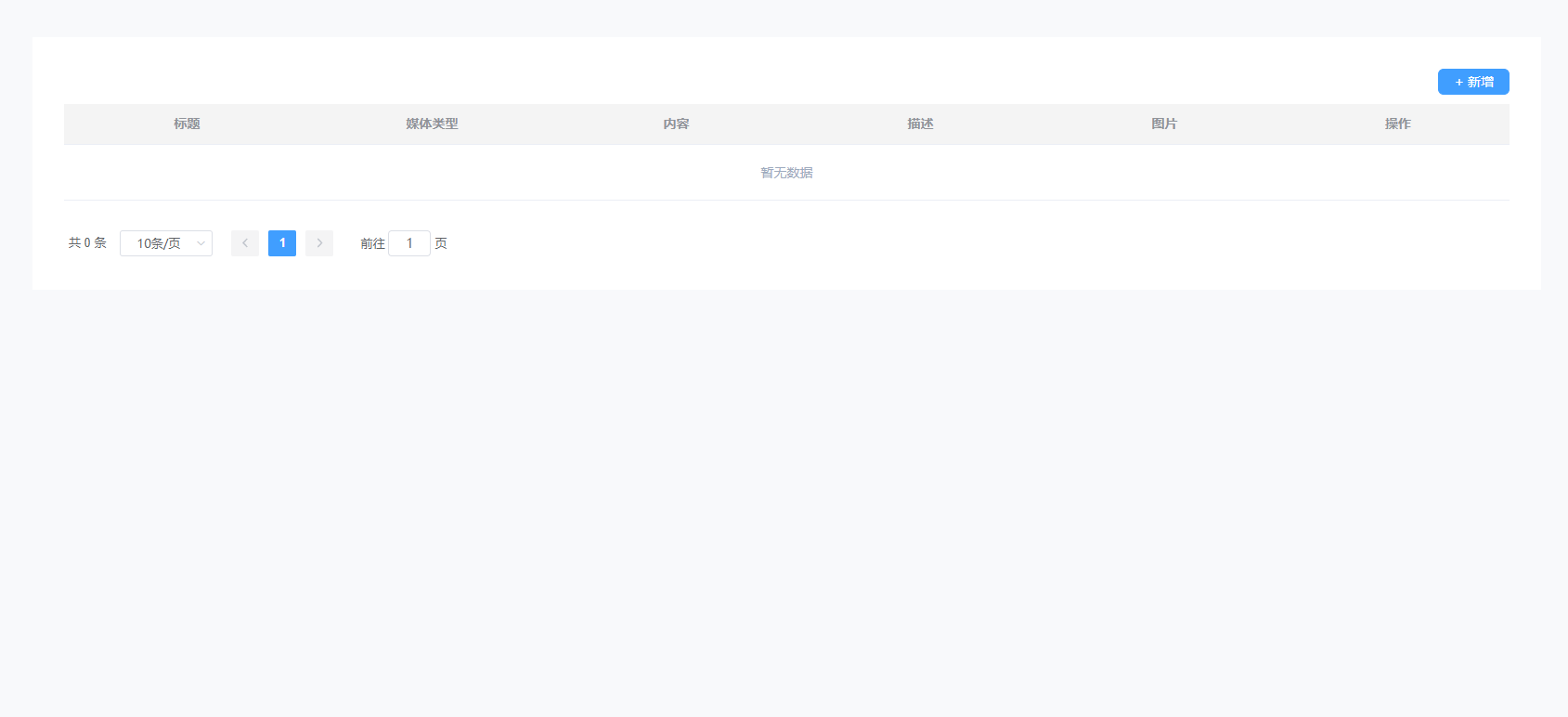
效果图
参考:阿里云Oss文档

