近来要做一个门户网站,当然首先去找了下模板,个人觉得demo.cssmoban.com/cssthemes5/…这个模板挺不错的,所以想拿来直接用,无奈它是基于Bootstrap的,而Bootstrap又基于JQuery,而项目采用Vue开发,将模板放入项目,又是装Bootstrap,又是配置JQuery的,一顿操作,出来的效果还是不咋地,应该是与本项目中的ElementUI冲突。所以权衡之下,自己动手,丰衣足食。
首先写了导航,附上效果图,如下
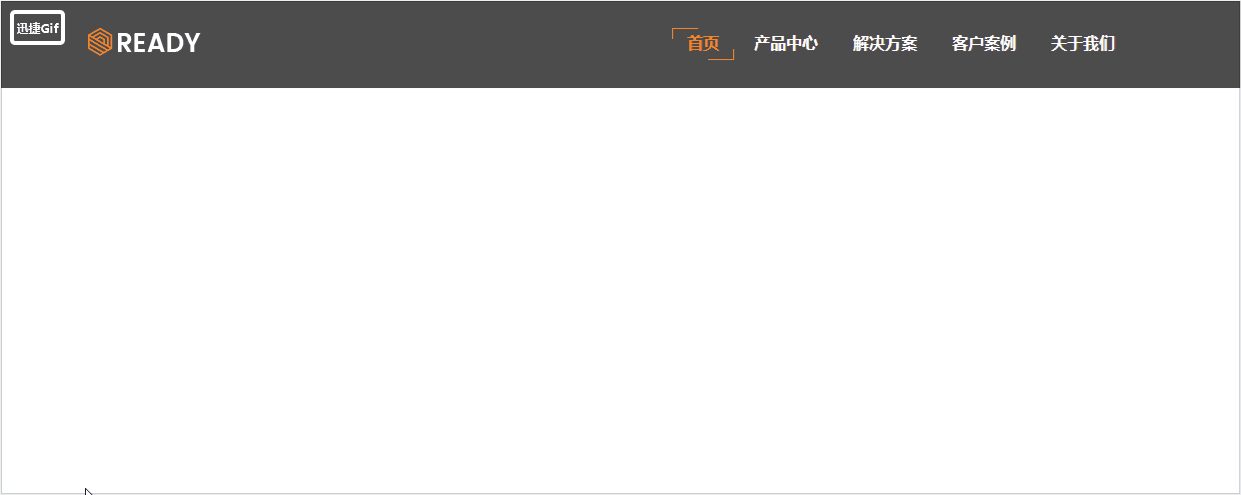
个人将这个头部封装为了组件,别的不说了,直接上代码
<template>
    <header>
        <div>
            <img src="../../static/img/brand-logo.png" alt="官网">
            <ul>
                <li v-for="(item,index) in titleList" :key="index" @click="selected(item.title)">
                    <router-link :to="item.link" :class="{active: active == item.title}">{{ item.title }}</router-link>
                </li>
            </ul>
        </div>
    </header>
</template>

<script>
export default {
    name: "Header",
    data() {
        return {
            active: '首页',
            titleList:[
                {
                    title: '首页',
                    link: 'home'
                },
                {
                    title: '产品中心',
                    link: 'product'
                },
                {
                    title: '解决方案',
                    link: 'solution'
                },
                {
                    title: '客户案例',
                    link: 'customer'
                },
                {
                    title: '关于我们',
                    link: 'about'
                }
            ]

        }
    },
    methods: {
        selected(title){
            this.active = title;
        }
    }
};
</script>
css部分
<style lang="scss" scoped>
    $white: #ffffff;
    @mixin rim {
        background: transparent none repeat scroll 0 0;
        content: "";
        height: 10px;
        position: absolute;
        width: 25px;
        visibility: hidden;
        transition: .3s ease;
        opacity: 0;
    }
    header {
        color: $white;
        background-color: rgba(0, 0, 0, .7);
        position: absolute;
        top: 0;
        left: 0;
        z-index: 1;
        width: 100%;
        padding: 2% 0;
        div {
            min-width: 1200px;
            margin: 0 10%;
            img {
                float: left;
            }
            ul {
                font-family: "Arial","Microsoft YaHei","黑体","宋体",sans-serif;
                font-weight: bold;
                min-width: 768px;
                float: right;
                list-style: none;
                li {
                    display: inline-block;
                    margin-right: 5px;
                    box-sizing: border-box;
                    position: relative;
                    a {
                        display: block;
                        line-height: 20px;
                        padding: 6px 15px;
                        text-decoration:none;
                        box-sizing: border-box;
                        color: $white;
                        position: relative;
                        background-color: transparent;
                        text-transform: uppercase;
                        transition: .3s ease;
                        &.active {
                            color: #ff8724;
                            &::before {
                                visibility: visible;
                                opacity: 1;
                                left: 0;
                            }
                            &::after {
                                visibility: visible;
                                opacity: 1;
                                right: 0;
                            }
                        }
                        &:hover {
                            background: none;
                            color: #ff8724;
                            outline: none;
                            &::before {
                                visibility: visible;
                                opacity: 1;
                                left: 0;
                            }
                            &::after {
                                visibility: visible;
                                opacity: 1;
                                right: 0;
                            }
                        }
                        &::before{
                            @include rim;
                            border-left: 1px solid #FF8724;
                            border-top: 1px solid #FF8724;
                            top: 0;
                            left: -70px;
                        }
                        &::after {
                            @include rim;
                            border-right: 1px solid #FF8724;
                            border-bottom: 1px solid #FF8724;
                            bottom: 0;
                            right: 70px;
                        }
                    }
                }
            }
        }
    }

</style>