-
为什么要部署在web server上?
- 为了让所有人通过网络使用我们的项目。没有部署在web server上的项目只能在本地使用。
-
什么是IIS?
- IIS是微软开发的网络服务器,享有微软的技术支持。
- 使用IIS需要微软正版OS
-
IIS和Apache的区别?
- Apache也是一种web server application,它的特点是开源,免费
开始部署
- 在windows上开启IIS服务和CGI,python装fastcgi
- 在IIS Manager里添加网站
- 在Django项目root directory里添加
web.config
<?xml version="1.0" encoding="UTF-8"?>
    <configuration>
        <system.webServer>
            <handlers>
            <add name="DHandler" path="*" verb="*" modules="FastCgiModule" scriptProcessor="c:\path\to\python.exe|c:\path\to\wfastcgi.py" resourceType="Unspecified" />
            <add name="Python FastCGI" path="*" verb="*" modules="FastCgiModule" scriptProcessor="c:\path\to\python.exe|c:\path\to\wfastcgi.py" resourceType="Unspecified" requireAccess="Script" />
            </handlers>
        </system.webServer>
    </configuration>
- 在Django项目的static directory里添加
web.config
<?xml version="1.0" encoding="UTF-8"?>
<configuration>
  <system.webServer>
    <!-- this configuration overrides the FastCGI handler to let IIS serve the static files -->
    <handlers>
    <clear/>
      <add name="StaticFile" path="*" verb="*" modules="StaticFileModule" resourceType="File" requireAccess="Read" />
    </handlers>
  </system.webServer>
</configuration>
- 打开IIS对python的权限
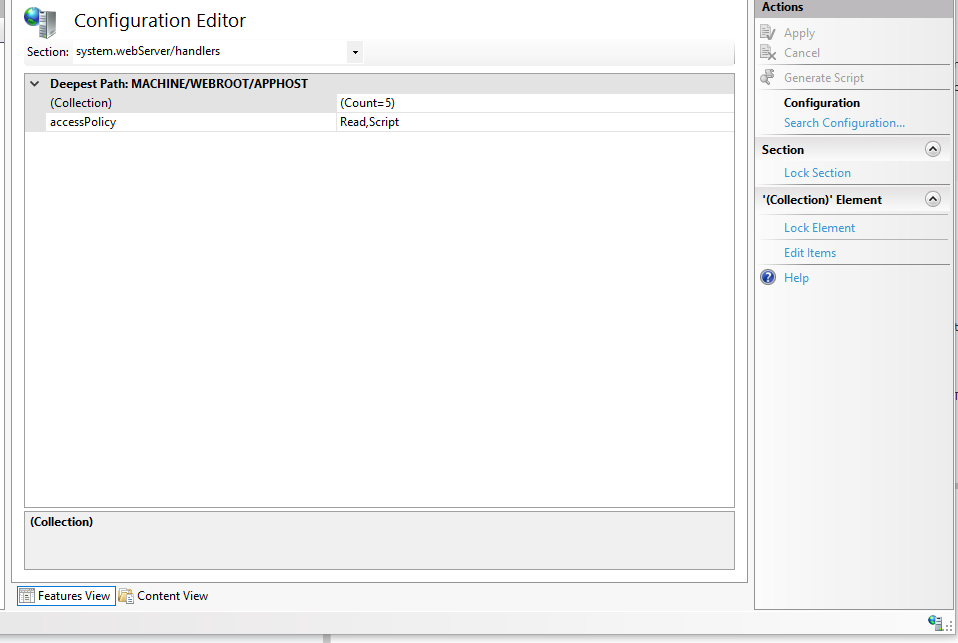
- 打开IIS中handlers的权限