

BSAlertView
- 一个用来显示提示框的视图。
- 支持自定义效果。
效果
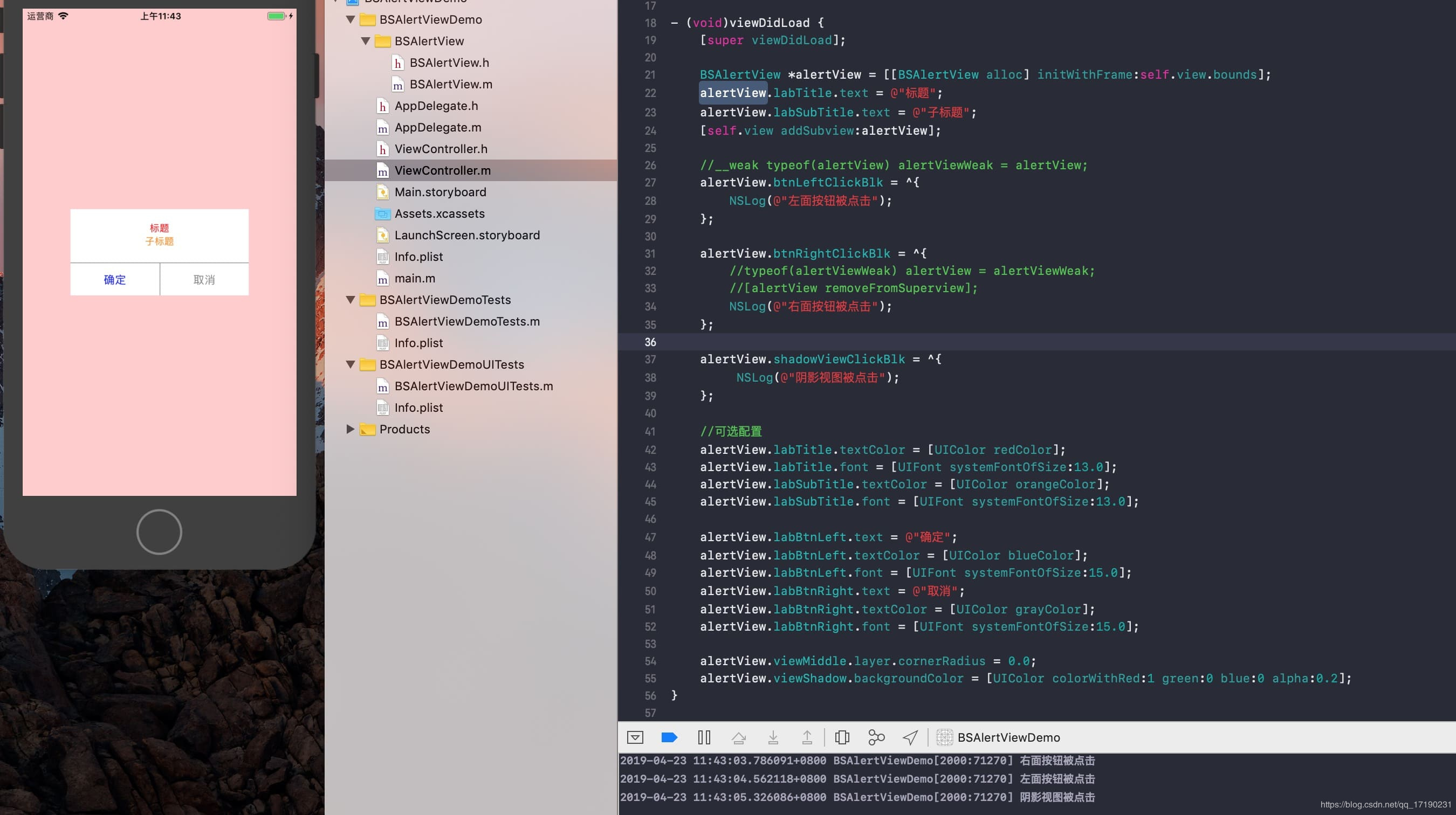
pod集成
pod 'BSAlertView'
用法
#import "BSAlertView/BSAlertView.h"
- (void)viewDidLoad {
    [super viewDidLoad];

    BSAlertView *alertView = [[BSAlertView alloc] initWithFrame:self.view.bounds];
    alertView.labTitle.text = @"标题";
    alertView.labSubTitle.text = @"子标题";
    [self.view addSubview:alertView];

    //__weak typeof(alertView) alertViewWeak = alertView;
    alertView.btnLeftClickBlk = ^{
        NSLog(@"左面按钮被点击");
    };

    alertView.btnRightClickBlk = ^{
        //typeof(alertViewWeak) alertView = alertViewWeak;
        //[alertView removeFromSuperview];
        NSLog(@"右面按钮被点击");
    };

    alertView.shadowViewClickBlk = ^{
         NSLog(@"阴影视图被点击");
    };

    //可选配置
    alertView.labTitle.textColor = [UIColor redColor];
    alertView.labTitle.font = [UIFont systemFontOfSize:13.0];
    alertView.labSubTitle.textColor = [UIColor orangeColor];
    alertView.labSubTitle.font = [UIFont systemFontOfSize:13.0];

    alertView.labBtnLeft.text = @"确定";
    alertView.labBtnLeft.textColor = [UIColor blueColor];
    alertView.labBtnLeft.font = [UIFont systemFontOfSize:15.0];
    alertView.labBtnRight.text = @"取消";
    alertView.labBtnRight.textColor = [UIColor grayColor];
    alertView.labBtnRight.font = [UIFont systemFontOfSize:15.0];

    alertView.viewMiddle.layer.cornerRadius = 0.0;
    alertView.viewShadow.backgroundColor = [UIColor colorWithRed:1 green:0 blue:0 alpha:0.2];
}
