

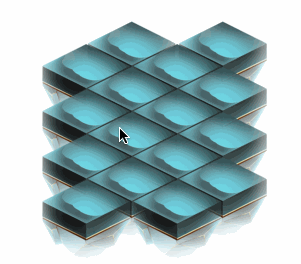
要实现如下图的密集排列并且相互遮挡的菱形按钮效果:
其UI层级的排列如下:
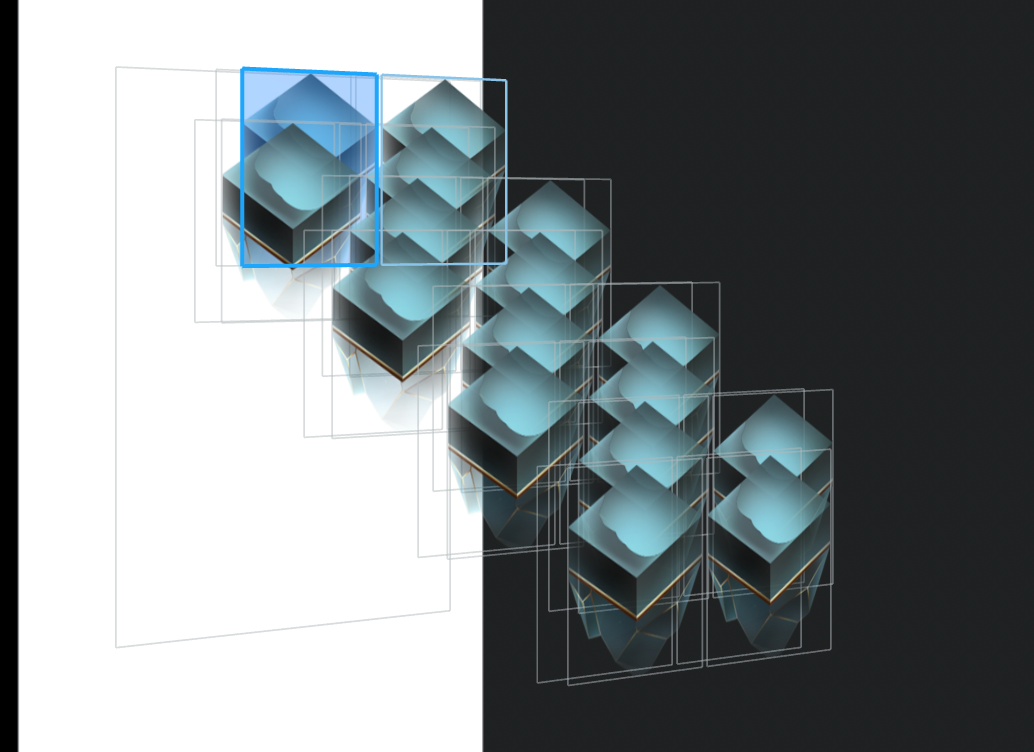
正常情况下层的按钮一定会被上层的按钮遮挡,那么当点击按钮的下半部分,其实是点击遮挡它的按钮的透明区域。
这里解决方案特别简单,只需要将自定义按钮,并将需要响应点击区域计算出来,并重写响应链判断的方法,让按钮只在菱形的点击范围内去响应点击事件:
- (BOOL)pointInside:(CGPoint)point withEvent:(UIEvent *)event {
    UIBezierPath *touchPath = [UIBezierPath bezierPath];
    [touchPath moveToPoint:CGPointMake(0, self.frame.size.height * 0.273)];
    [touchPath addLineToPoint:CGPointMake(self.frame.size.width * 0.5, self.frame.size.height * 0.545)];
    [touchPath addLineToPoint:CGPointMake(self.frame.size.width, self.frame.size.height * 0.273)];
    [touchPath addLineToPoint:CGPointMake(self.frame.size.width * 0.5, 0)];
    [touchPath closePath];

    if ([touchPath containsPoint:point]) {
        return YES;
    } else {
        return NO;
    }
}
这里没有通过数学函数的坐标去计算,太麻烦了,我是通过贝塞尔曲线画出来了响应的区域,然后通过判断点击的位置在不在这个区域来实现。
