一、entry
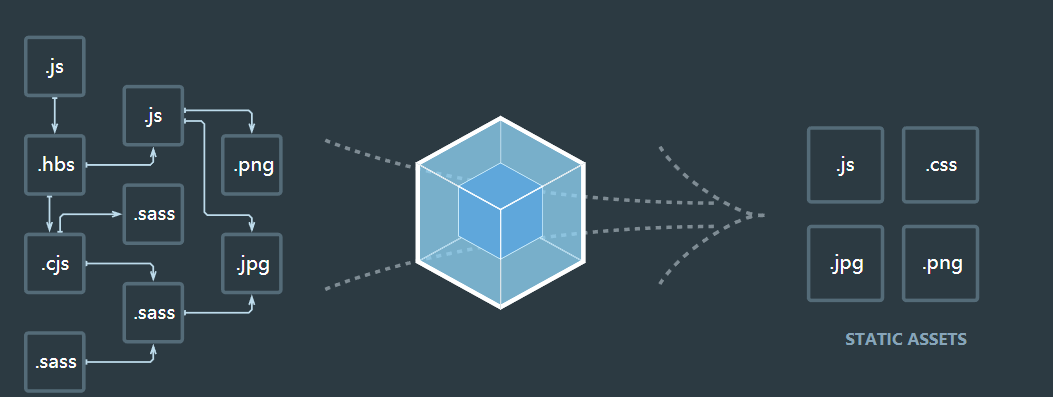
指定打包入口
1、单入口
module.exports={
    entry:'./src/index.js'
};
2、多入口
module.exports={
    entry:{
        app:'./src/index.js',
        adminApp:'./src/adminApp.js'
    }
};
对于非代码比如图片、字体依赖会不断的加入到依赖图中
二、output
指定打包输出
1、单入口配置
module.exports={
    entry:'./src/index.js',
    output:{
        filename:'bundle.js',
        path:path.join(__dirname,'dist'),
    }
};
2、多入口配置
module.exports={
    entry:{
        app:'./src/index.js',
        adminApp:'./src/adminApp.js'
    },
    output: {
        filename: '[name].js',、//通过占位符确保文件的唯一
        path: path.join(__dirname,'dist')
    }
};
三、loaders
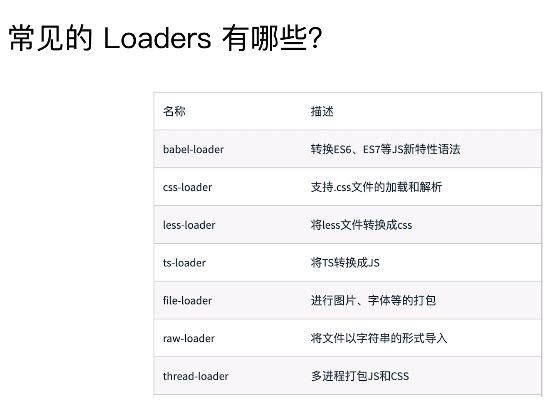
webpack只支持JS和寄送两种文件类型,通过loaders去支持其他文件类型并把它们转化成有效的模块,添加到依赖图中。 常见的loaders:
module:{
        rules:[
            {
                test: /\.css$/,  // 正则匹配所有.css后缀的样式文件
                use: ['style-loader', 'css-loader'] // 使用这两个loader来加载样式文件
            }
        ]
    },
四、plugins
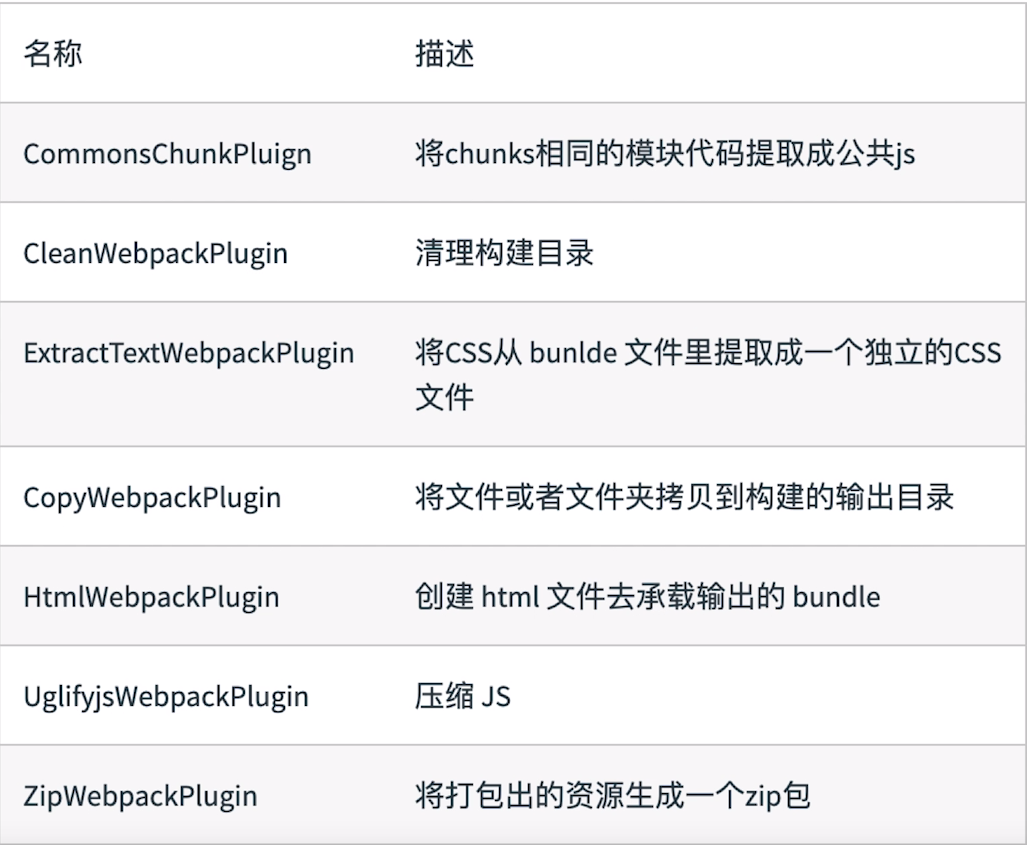
插件用于bundle文件的优化,资源管理的环境变量注入,作用整个构建过程
常用的plugins:
plugins:[
        new HtmlWebpackPlugin({
            filename: 'index.html',
            template: 'index.html',
            inject: true
        }),
    ],
五、mode
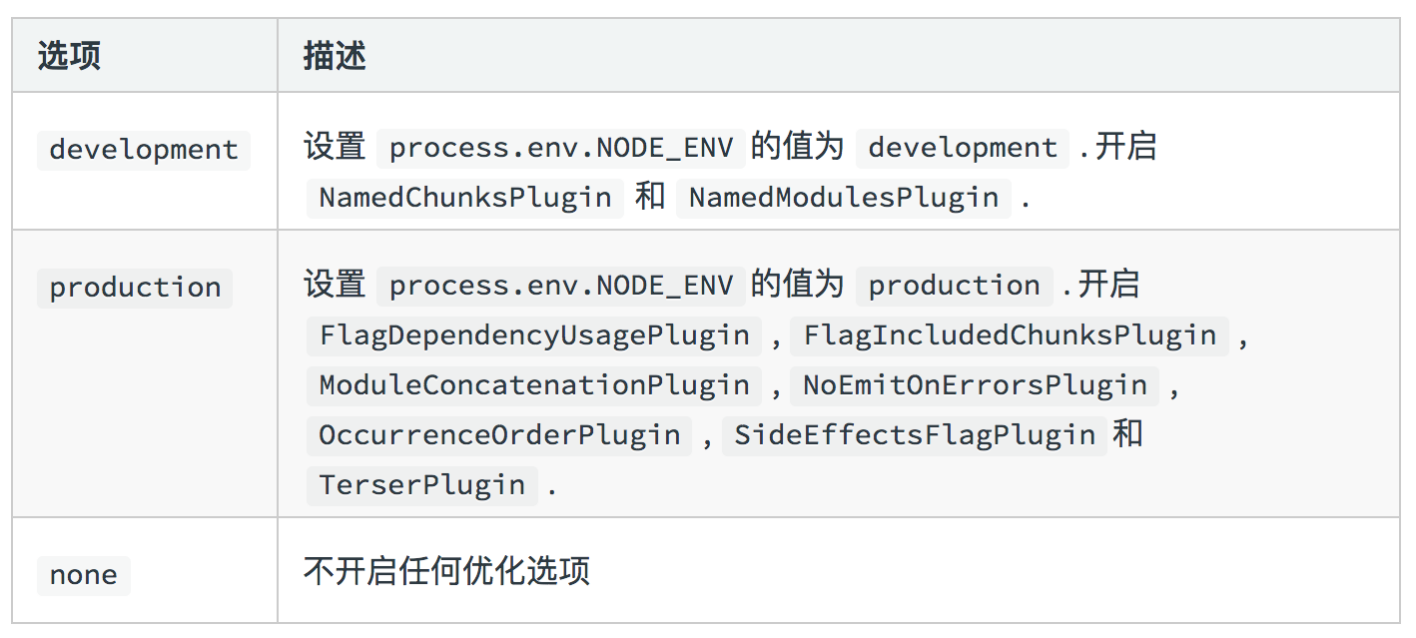
mode 用来指定当前的构建环境是production、development还是none。 设置mode可以使用webpack的内置函数,默认值production。
mode:'production'
Mode的内置函数功能