1、安装webpack
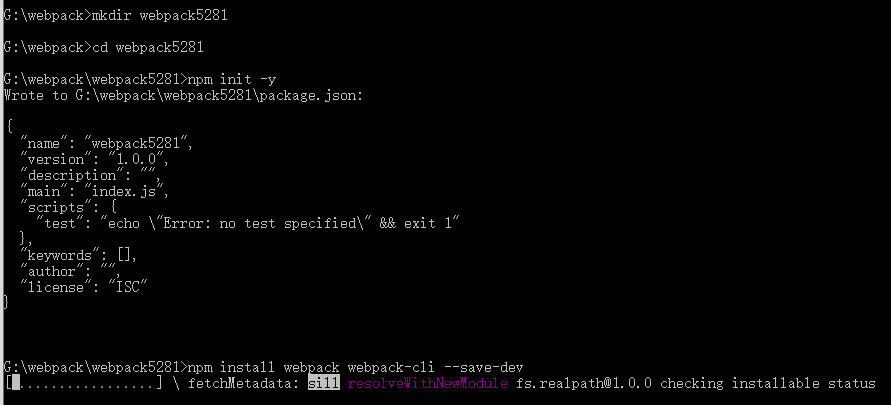
mkdir webpack5281//新建文件夹
cd webpack5281//进入文件夹
npm init -y//运行默认yes
npm install webpack webpack-cli --save-dev//安装webpack webpack-cli

cd \node_modules\.bin>webpack -v //进入bin查看版本
2、配置webpack 新建webpack.config.js
'use strict';

const path=require('path');

module.exports={
    entry:'./src/index.js',
    output:{
        path:path.join(__dirname,'dist'),
        filename:'bundle.js'
    },
    mode:'production'

}
新建src文件夹 src下面新建 helloWorld'.js
export function helloWorld() {
    return 'Hello,webpack';
}
index.js
import { helloWorld } from "./helloWorld";

document.write(helloWorld())
准备开始打包 打包之前现将package.json里面添加
"scripts": {
    "test": "echo \"Error: no test specified\" && exit 1",
    "start": "webpack"
  },
或者
"scripts": {
    "test": "echo \"Error: no test specified\" && exit 1",
    "build":"webpac
  },
k"
3、打包
npm start
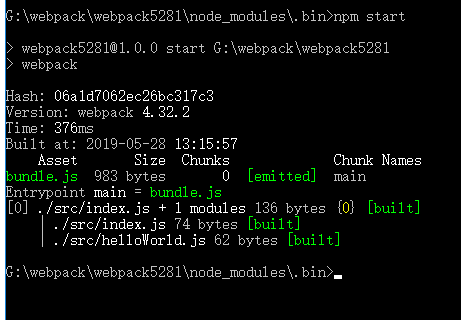
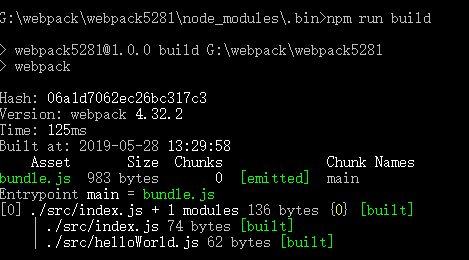
Size:这次生成文件的大小
Chunks:这次打包的分块
chunk Names:这次打包的名称
4、查看 在生成的dist文件夹里面新建HTML并引入生成的bundle.js
<script src="./bundle.js" type="text/javascript"></script>
然后在浏览器中查看