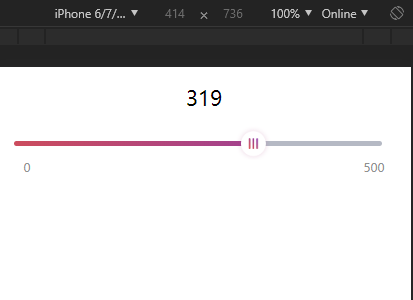
<!DOCTYPE html>
<html lang="en">
<head>
<meta charset="UTF-8">
<meta name="viewport" content="width=device-width, initial-scale=1.0">
<meta http-equiv="X-UA-Compatible" content="ie=edge">
<title>滑动条</title>
<script src="https://cdn.bootcss.com/vue/2.6.10/vue.min.js"></script>
<script src="http://g.tbcdn.cn/mtb/lib-flexible/0.3.4/??flexible_css.js,flexible.js"></script>
<style>
padding:0.4rem;
}
.current-process{
text-align:center;
margin-bottom:0.5rem;
font-size: 0.5rem;
}
.nstSlider-pannel {
padding-top: 0.24rem;
height: 0.64rem;
position: relative;
box-sizing: border-box;
}
.nstSlider {
cursor: pointer;
border-radius: 0.06rem;
position: relative;
z-index: 2;
height: 0.12rem;
background:
margin: 0 0.3rem;
}
.nstSlider .drag-block {
position: absolute;
top: 50%;
z-index: 2;
width: 0.84rem;
height: 0.84rem;
background-image: url(https://r.51gjj.com/image/static/icon-nstSlider-mark.png);
background-size: 100%;
background-repeat: no-repeat;
background-position: center;
margin-top: -0.44rem;
margin-left: -0.42rem;
}
.nstSlider .bar {
border-radius: 0.06rem;
position: absolute;
background:
height: 0.12rem;
top: 0;
left: 0;
background: -webkit-linear-gradient(right,
background: linear-gradient(to right,
padding: 0 0.3rem;
left: -0.3rem;
width: 100%;
}
.nstSlider-range {
height: 0.8rem;
display: flex;
padding: 0.18rem 0.24rem;
padding-top: 0.08rem;
}
.nstSlider-range .range-l {
height: 0.32rem;
line-height: 0.32rem;
font-size: 0.24rem;
color:
width: 50%;
}
.nstSlider-range .range-r {
height: 0.32rem;
line-height: 0.32rem;
font-size: 0.24rem;
color:
width: 50%;
text-align: right;
}
.red .nstSlider .bar {
background: linear-gradient(90deg,
}
.red .nstSlider .drag-block {
background-image: url(https://r.51gjj.com/act/release/img/20180326_main_icon_2.png) !important;
}
</style>
</head>
<body>
<div id="app">
<div class="current-process">{{processValue}}</div>
<div class="nstSlider-pannel red" ref="nstSlider">
<div class="nstSlider">
<div class="bar" :style="{width: `${this.process}%`}"></div>
<div class="drag-block" :style="{left: `${this.process}%`}" v-touchmove="getPoint"></div>
</div>
</div>
<div class="nstSlider-range">
<p class="range-l">{{config.min}}</p>
<p class="range-r">{{config.max}}</p>
</div>
</div>
<script>
var app2 = new Vue({
el: '#app',
data: {
config: {
min: 0,
max: 500,
round: 1,
value: 0
},
processValue:0,
process:100,
},
created() {
this.initConf();
},
methods:{
getPoint(el, point, n) {
const pannel = this.$refs.nstSlider;
const w = pannel.clientWidth;
let left = n + pannel.offsetLeft;
const config = this.config;
left = left >= 0 ? left : 0;
left = left <= w ? left : w;
const p = left / w;
this.process = p * 100;
this.processValue = Math.floor((p * (config.max - config.min) + config.min) / config.round)
* config.round;
this.$emit('change', this.processValue);
}
},
directives: {
touchmove: {
bind(el, b) {
const hasTouch = navigator.userAgent
.toLowerCase()
.match(/(iphone|ipod|android|ios)/i);
const touchStart = hasTouch ? 'touchstart' : 'mousedown';
const touchMove = hasTouch ? 'touchmove' : 'mousemove';
let distanceX;
el.addEventListener(
touchStart,
(ev) => {
const point = hasTouch ? ev.touches[0] : ev;
distanceX = point.clientX - el.offsetLeft;
ev.preventDefault();
},
{ passive: false }
);
el.addEventListener(
touchMove,
(ev) => {
const point = hasTouch ? ev.changedTouches[0] : ev;
b.value(el, point, point.clientX - distanceX);
ev.preventDefault();
},
{ passive: false }
);
}
}
}
})
</script>
</body>
</html>


