在项目开发中,在搜索服务看到用到排序,然而数据一般放到集合中,如Map、Set、List集合中,提供一个排序方法:sort();要对数据进行排序,直接使用方法就行,但是要保证集合中的对象是可比较的。
怎么让一个对象是可比较的,那就需要该对象实现Comparable接口,重写compareTo()方法,java中很多类实现了这个接口。
The specified list must be modifiable, but need not be resizable.
 @SuppressWarnings({"unchecked", "rawtypes"})
    public static <T> void sort(List<T> list, Comparator<? super T> c) {
        list.sort(c);
    }
假设我们有一个学生类,默认需要按学生的年龄字段 age 进行排序 代码如下:
public class Student implements Comparable<Student> {
	private int id;
	private int age;
	private String name;

	public Student(int id, int age, String name) {
		super();
		this.id = id;
		this.age = age;
		this.name = name;
	}

	public int getId() {
		return id;
	}

	public void setId(int id) {
		this.id = id;
	}

	public int getAge() {
		return age;
	}

	public void setAge(int age) {
		this.age = age;
	}

	public String getName() {
		return name;
	}

	public void setName(String name) {
		this.name = name;
	}

	@Override
	public int compareTo(Student o) {
		return this.age - o.age;
	}

	@Override
	public String toString() {
		return "Student{" + "id=" + id + ", "
				+ "age=" + age + ", "
						+ "name='" + name + '\'' + '}';
	}
public class TestStudent {
	public static void main(String[] args) {
          List<Student> list = new ArrayList<>();
          list.add(new Student(1, 25, "张三"));
          list.add(new Student(2, 21, "张飞"));
          list.add(new Student(3, 26, "里斯"));
          list.add(new Student(4, 35, "王五"));
          list.add(new Student(5, 30, "赵六"));
          list.add(new Student(6, 23, "于动"));
          System.out.println("排序前");
          for (Student student : list) {
			System.out.print(student.toString());
		}
          //使用默认排序
          Collections.sort(list);
          System.out.println("排序后");
          for (Student student : list) {
			System.out.println(student.toString());
		}
	}
}
排序前
Student{id=1, age=25, name='张三'}
Student{id=2, age=21, name='张飞'}
Student{id=3, age=26, name='里斯'}
Student{id=4, age=35, name='王五'}
Student{id=5, age=30, name='赵六'}
Student{id=6, age=23, name='于动'}
排序后
Student{id=2, age=21, name='张飞'}
Student{id=6, age=23, name='于动'}
Student{id=1, age=25, name='张三'}
Student{id=3, age=26, name='里斯'}
Student{id=5, age=30, name='赵六'}
Student{id=4, age=35, name='王五'}
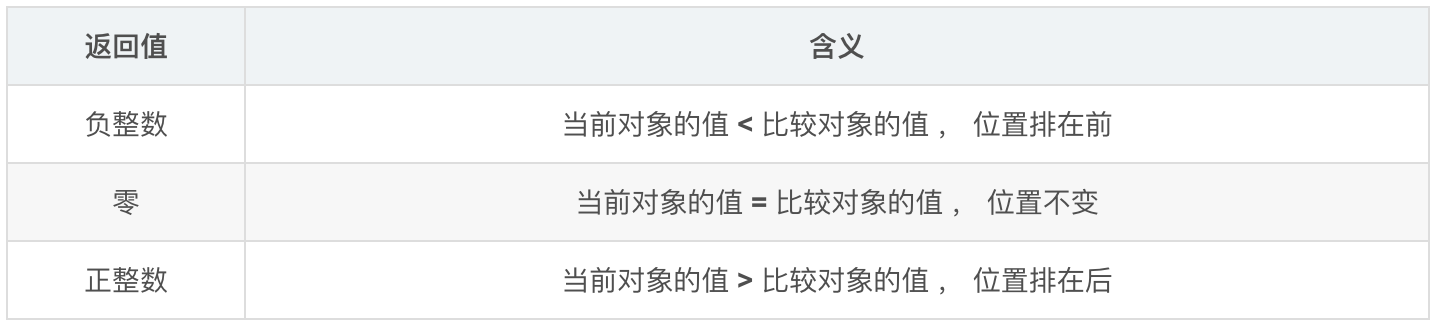
这里说一下重写的 public int compareTo(Studento){}这个方法,它返回三种 int 类型的值: 负整数,零 ,正整数。
比较器的使用
默认是用 age 排序,但是有的时候需要用 id 来排序怎么办? 这个时候比较器 :Comparator 就排上用场了。 Comparator 的使用有两种方式:
Collections.sort(list,Comparator);
list.sort(Comparator);
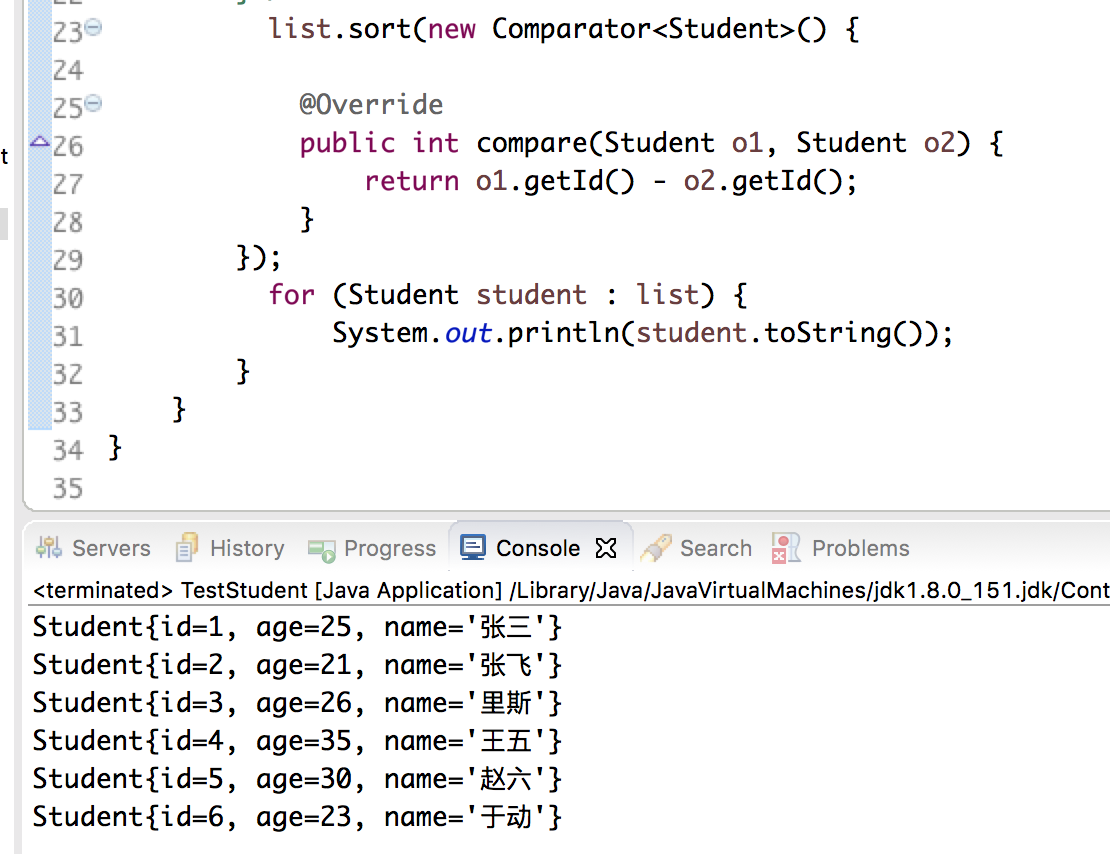
其实主要是看 Comparator 接口的实现,重写里面的 compare 方法。代码如下:
自定义排序
  Collections.sort(list, new Comparator<Student>() {

			@Override
			public int compare(Student o1, Student o2) {
				return o1.getId() - o2.getId();
			}
		});
          for (Student student : list) {
        	  System.out.println(student.toString());
		}
compare(Student o1, Student o2) 方法的返回值跟 Comparable<> 接口中的 compareTo(Student o) 方法 返回值意思相同。另一种写法如下: