sourceTree 提交代码失败
问题描述
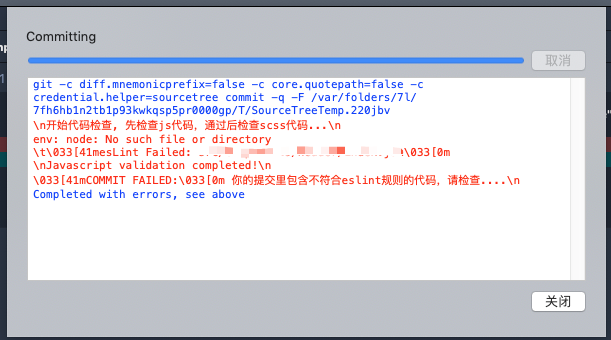
使用git precommit 检查代码规范的情况下,使用sourcetree提交代码报错, env: node: No such file or directory
解决办法
如果使用的是Mac, 运行如下命令启动sourceTree
$ open /Applications/SourceTree.app/Contents/MacOS/SourceTree
扩展
命令很长,不容易记住,设置terminal启动别名
-
找到.bash_profile文件(文件在User/username文件夹下)
$ open .bash_profile -
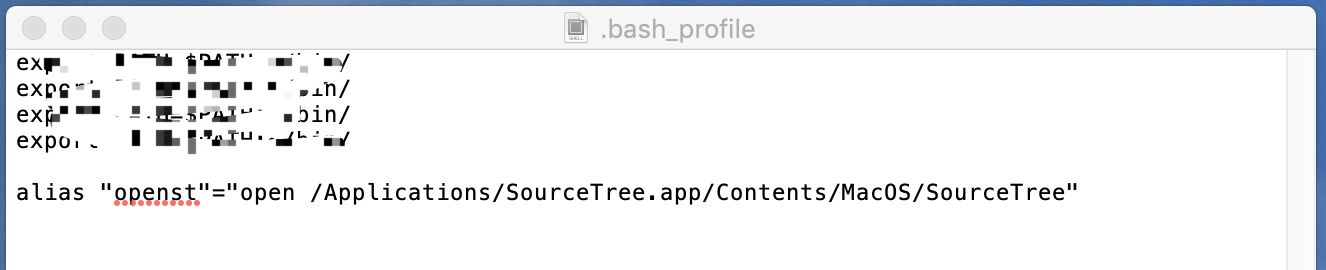
添加命令别名(需要注意:别名添加完成后重启电脑生效,因为 .bash_profile是登录时候才读取的 )
-
重启之后,terminal中输入
$ openst即可打开sourceTree
备注:可能遇到的问题
1、重启之后 openst 命令无效
执行 $ suorce ~/.bash_profile
原因: zsh加载的是 ~/.zshrc文件,而 ‘.zshrc’ 文件中并没有定义任务环境变量。
解决办法: 在~/.zshrc文件最后,增加一行:source ~/.bash_profile