什么是视图
有结构没结果的临时表
- 有结构意味着, 视图是一个有行有列的二维表
- 没结果意味着, 视图中并没有真实存放的数据
- 视图中的数据, 从基表中获取
视图就是一个零库存的经销商
视图的优点
- 可以复用代码, 节省SQL语句, 以后可以直接操作视图
- 可以隔离表结构, 隐藏关键数据, 只向外提供必要的数据
- 视图主要针对查询, 删除视图, 不会影响数据
- 视图可以把数据分级, 不同的权限, 给不同的视图(数据)
创建
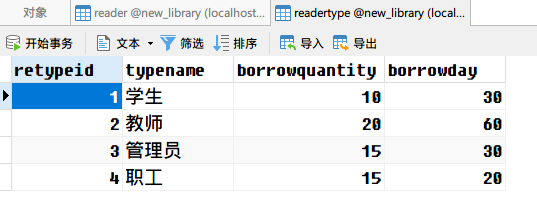
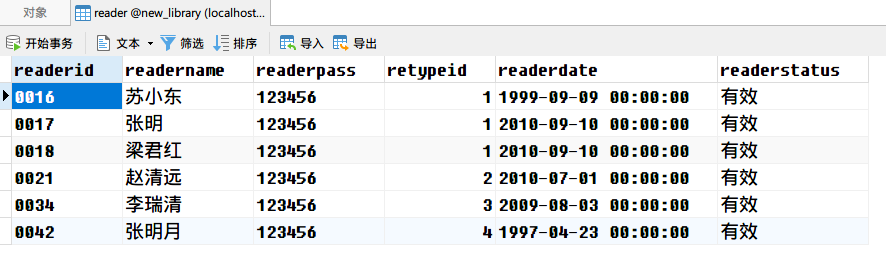
创建视图之前, 我们需要一些测试数据
drop database if exists new_library;
create database new_library CHARACTER set utf8;
use new_library;

drop table if exists readertype;

create table readertype(
	retypeid int not null primary key,
	typename VARCHAR(20) not null,
	borrowquantity int not null,
	borrowday int
);

drop table if exists reader;

create table reader(
	readerid char(10) not null PRIMARY key,
	readername VARCHAR(20) not null,
	readerpass VARCHAR(20) not null,
	retypeid int,
	readerdate datetime,
	readerstatus VARCHAR(4),
	FOREIGN key(retypeid) REFERENCES readertype(retypeid)
);

insert into readertype values
	(1,'学生',10,30),
	(2,'教师',20,60),
	(3,'管理员',15,30),
	(4,'职工',15,20);

insert into reader values
	('0016','苏小东','123456',1,'1999-9-9','有效'),
	('0017','张明','123456',1,'2010-9-10','有效'),
	('0018','梁君红','123456',1,'2010-9-10','有效'),
	('0021','赵清远','123456',2,'2010-7-1','有效'),
	('0034','李瑞清','123456',3,'2009-8-3','有效'),
	('0042','张明月','123456',4,'1997-4-23','有效');
创建一个视图, 用来查询读者的详细信息, 包括用户id, 姓名, 类别名称, 借书数量
如果不使用视图, 我们可以使用连表查询
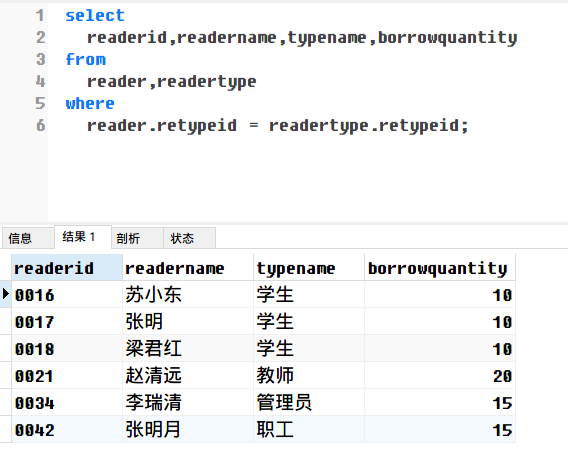
有了视图, 我们就可以把复杂的查询放入视图之中
drop view if exists reader_detail;

create view reader_detail as
select
	readerid,readername,typename,borrowquantity
from
	reader,readertype
where
	reader.retypeid = readertype.retypeid;
查看视图
因为视图是一张虚拟表, 所有查看表的命令, 视图都能用
show tables;
desc reader_detail;
show create table reader_detail;
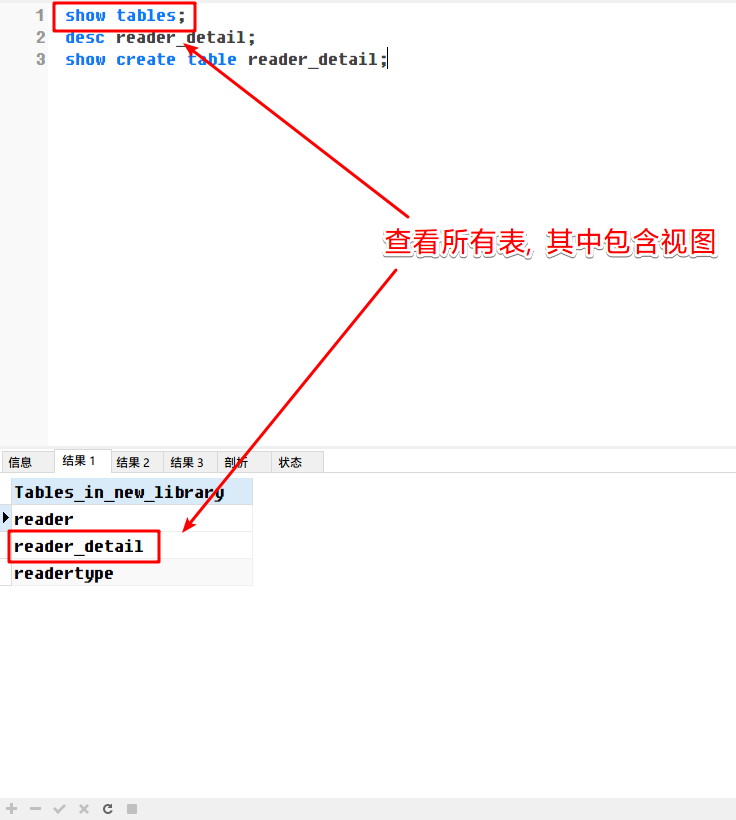
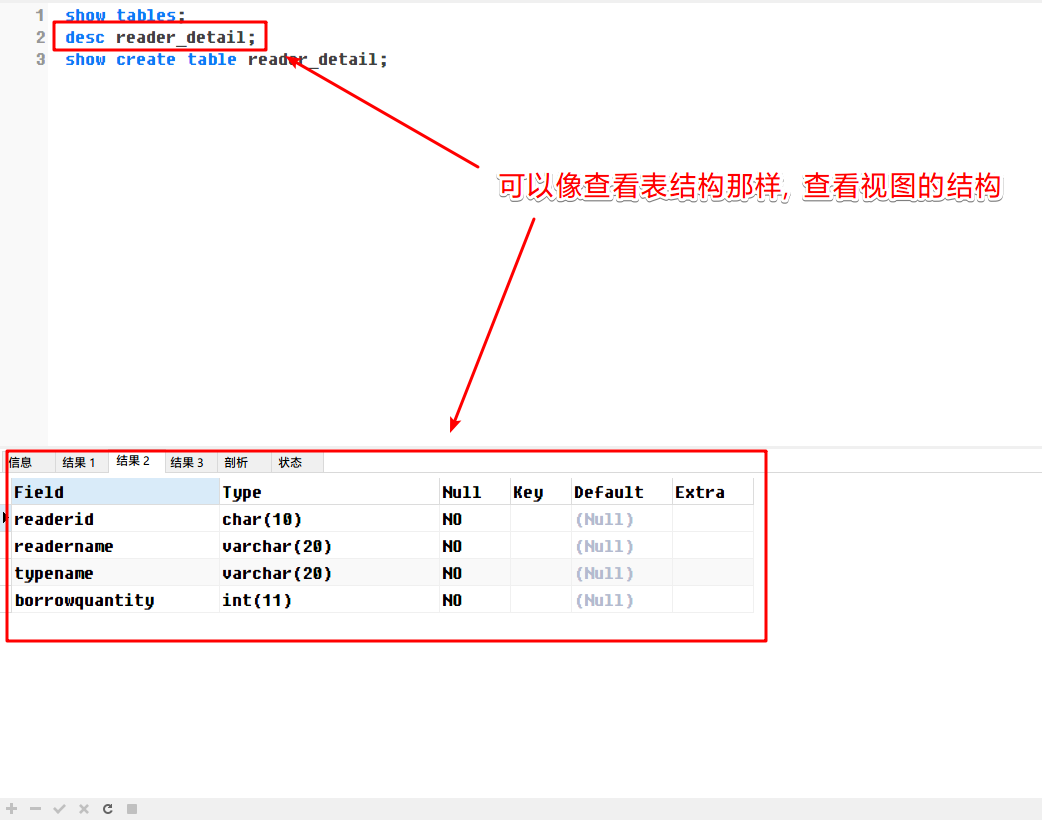
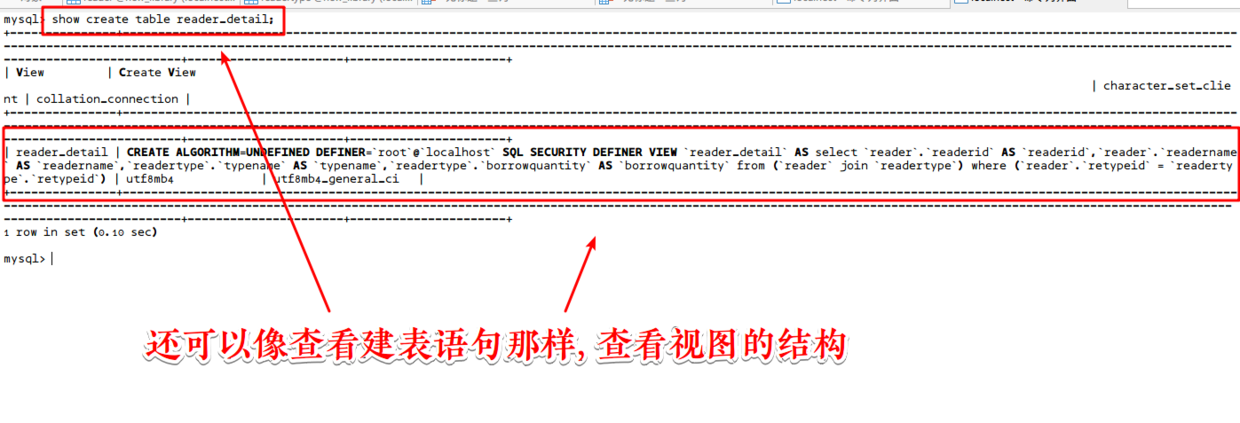
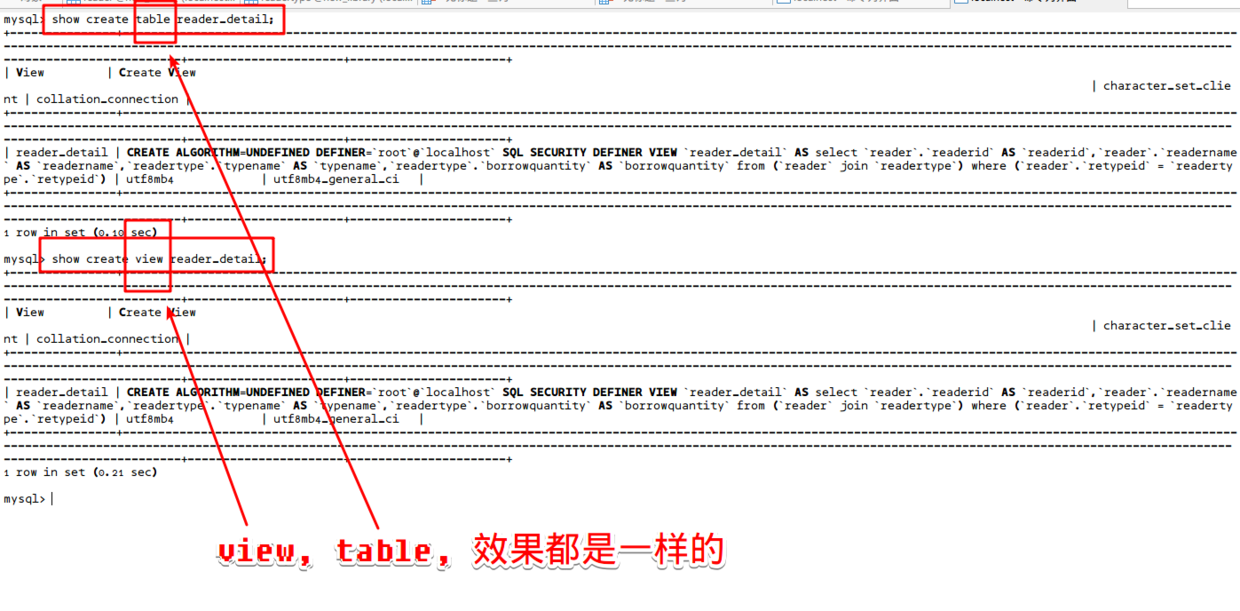
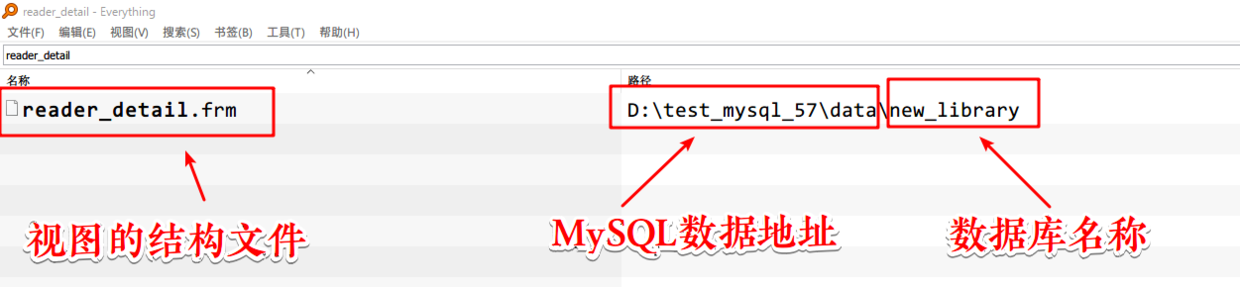
既然视图是临时表, 那必然会有结构文件.frm
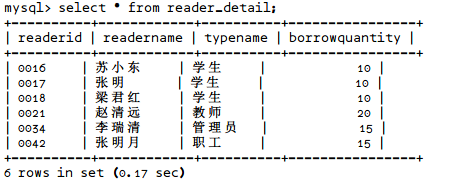
使用视图
像表一样查询数据即可
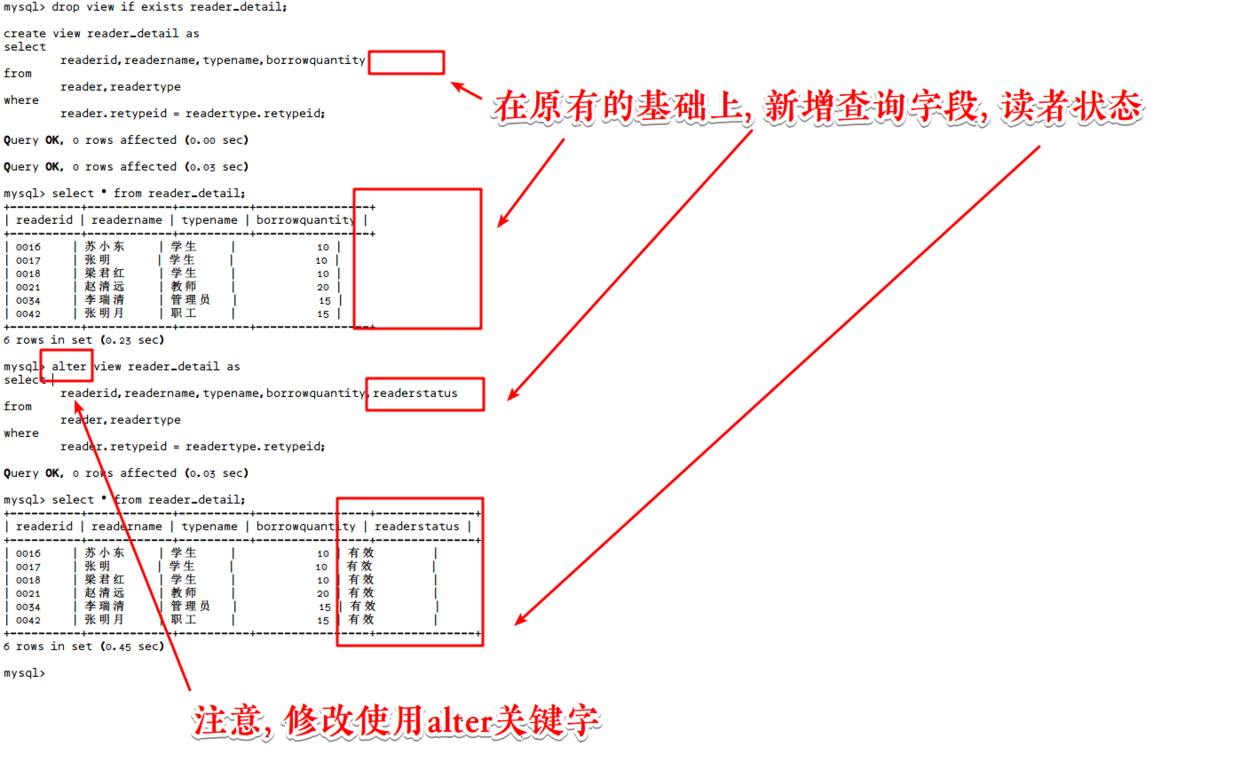
修改视图
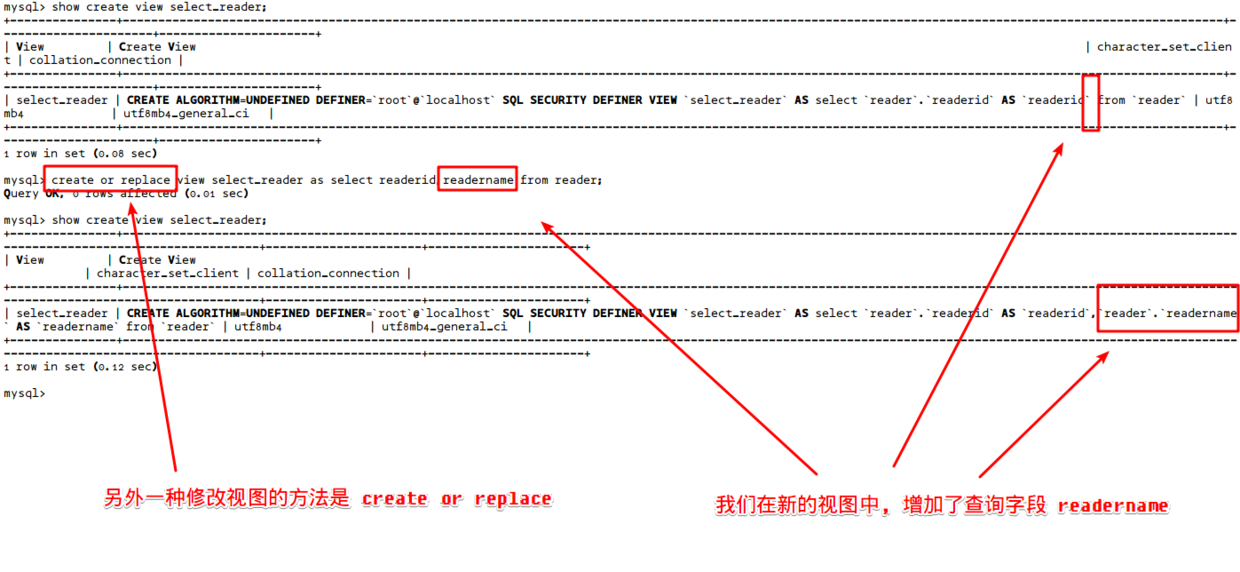
可以使用alter 在原有视图的基础上, 加入字段读者状态
也可以使用create or replace 在另一个视图中, 增加读者姓名字段
删除视图
drop view 视图名称; -- 不能使用table
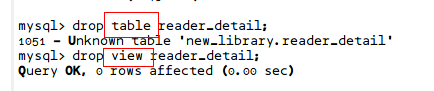
也可以一次删除多个
drop view 视图1, 视图2....;
视图重命名
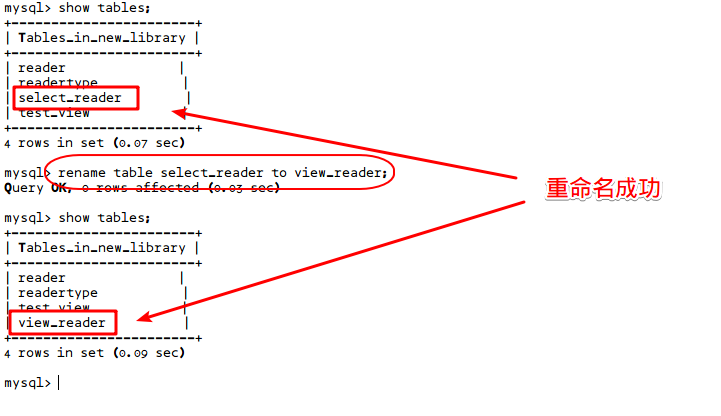
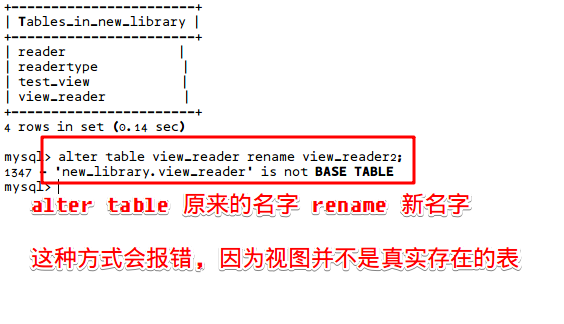
rename table 原来的名字 to 新名字;
视图中的数据, 可以增删改吗?
可以, 但是不推荐这么做, 视图主要是查询数据时使用
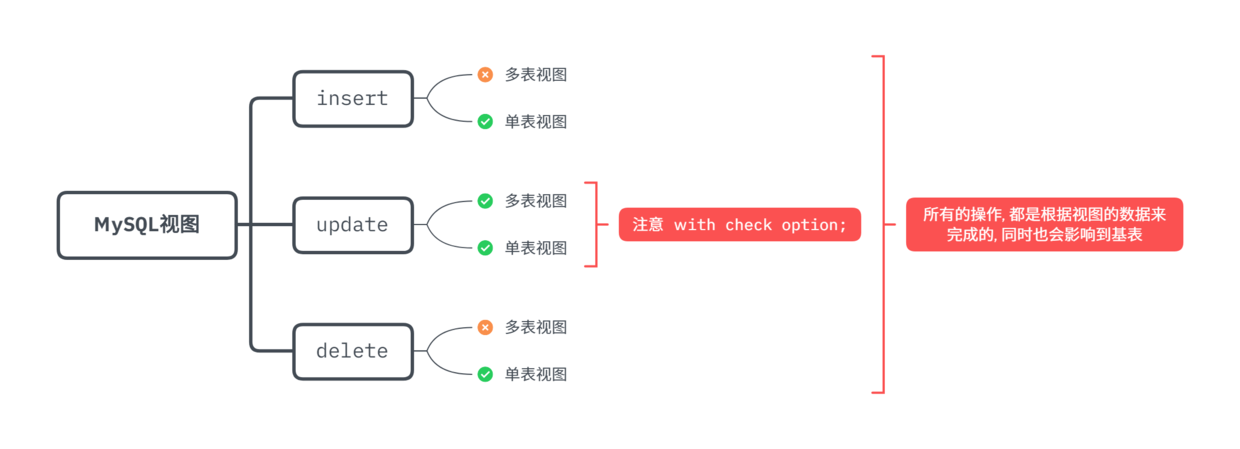
因为不能操作多表, 所以我们新建一个单表的视图
drop view if exists select_reader;

create view select_reader as select readerid,readername from reader;
视图进行insert操作
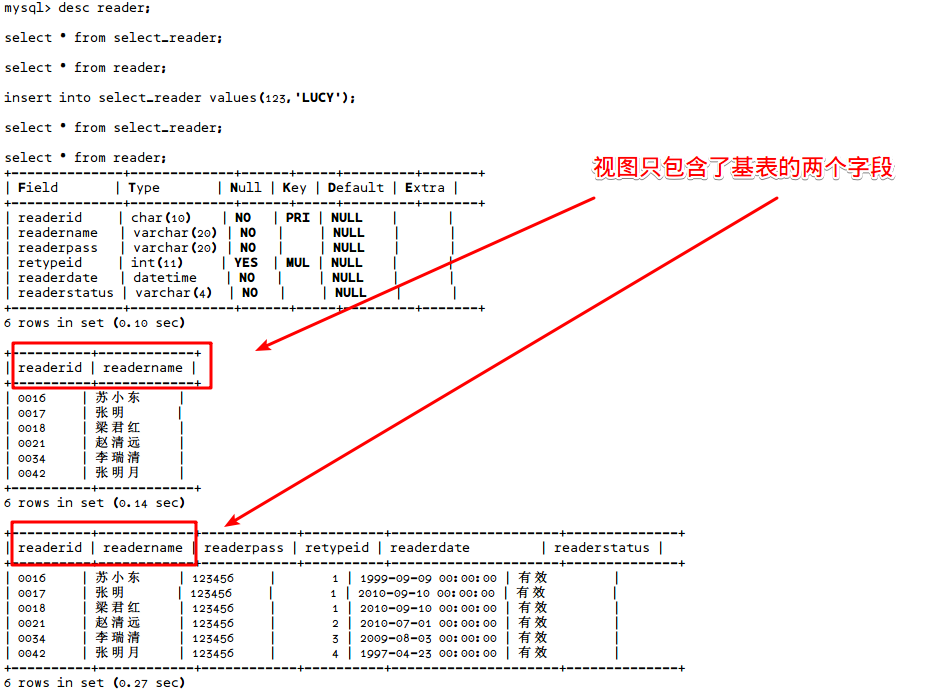
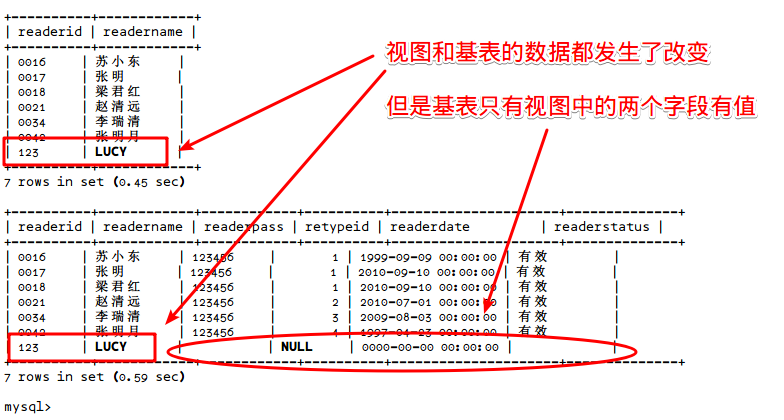
向视图中插入一条数据
insert into select_reader values(123,'LUCY');
视图进行update操作
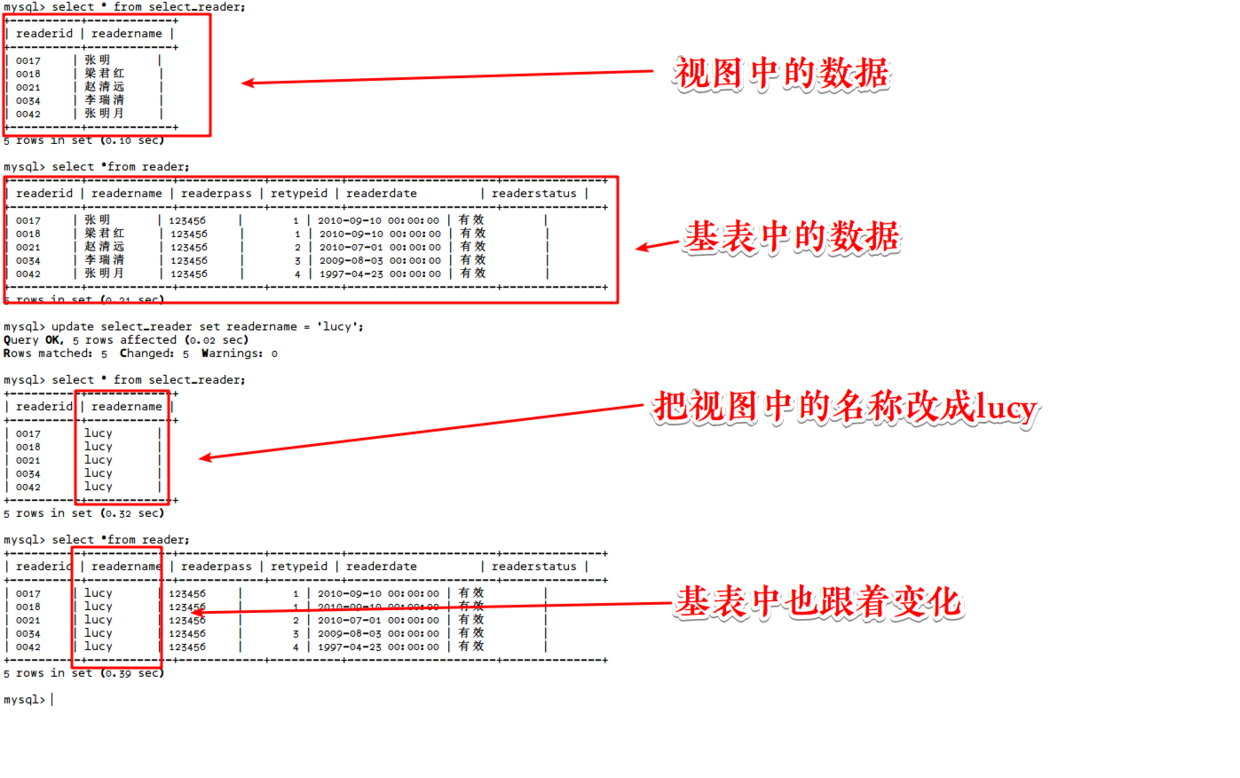
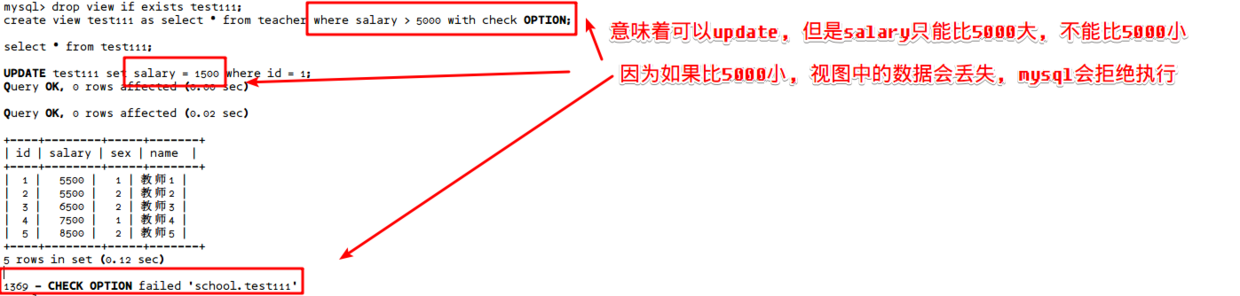
注意with check option
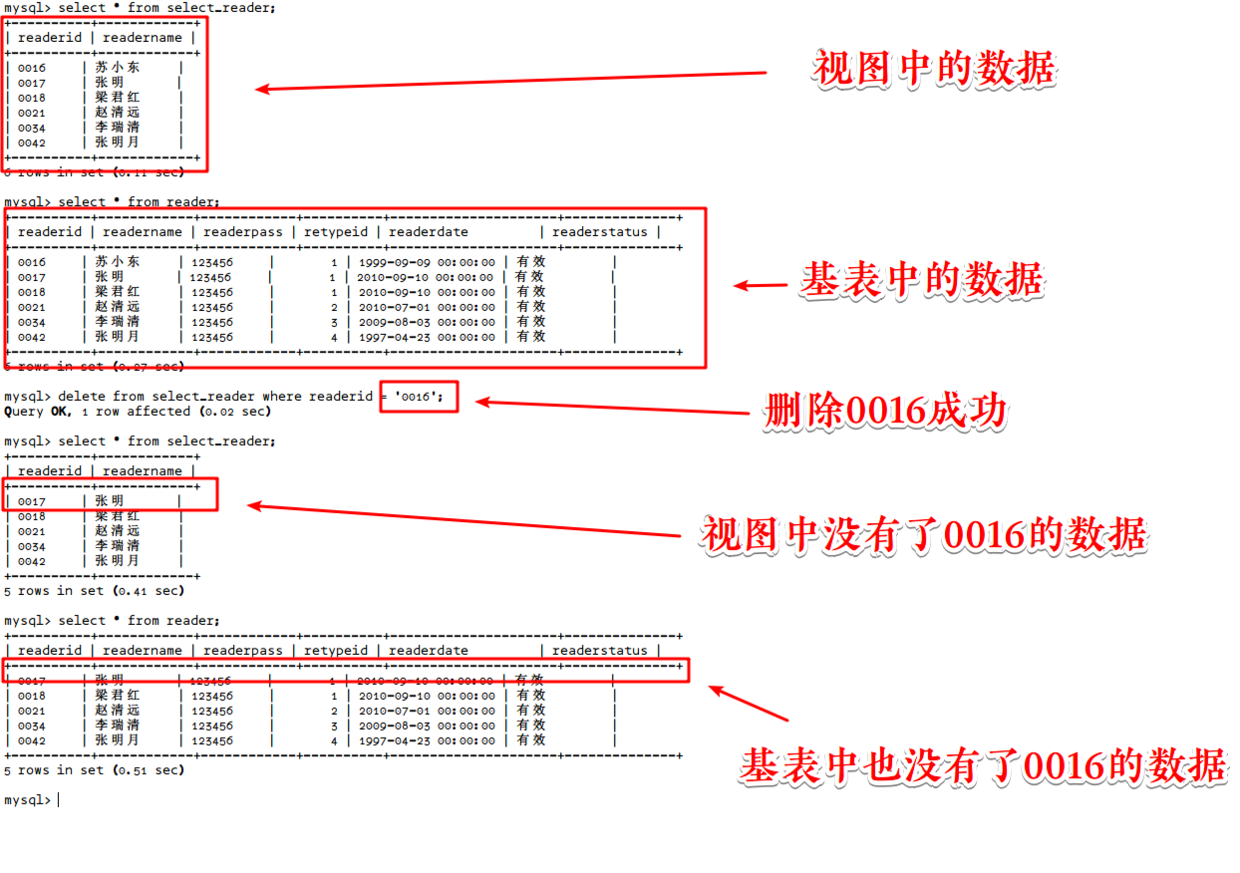
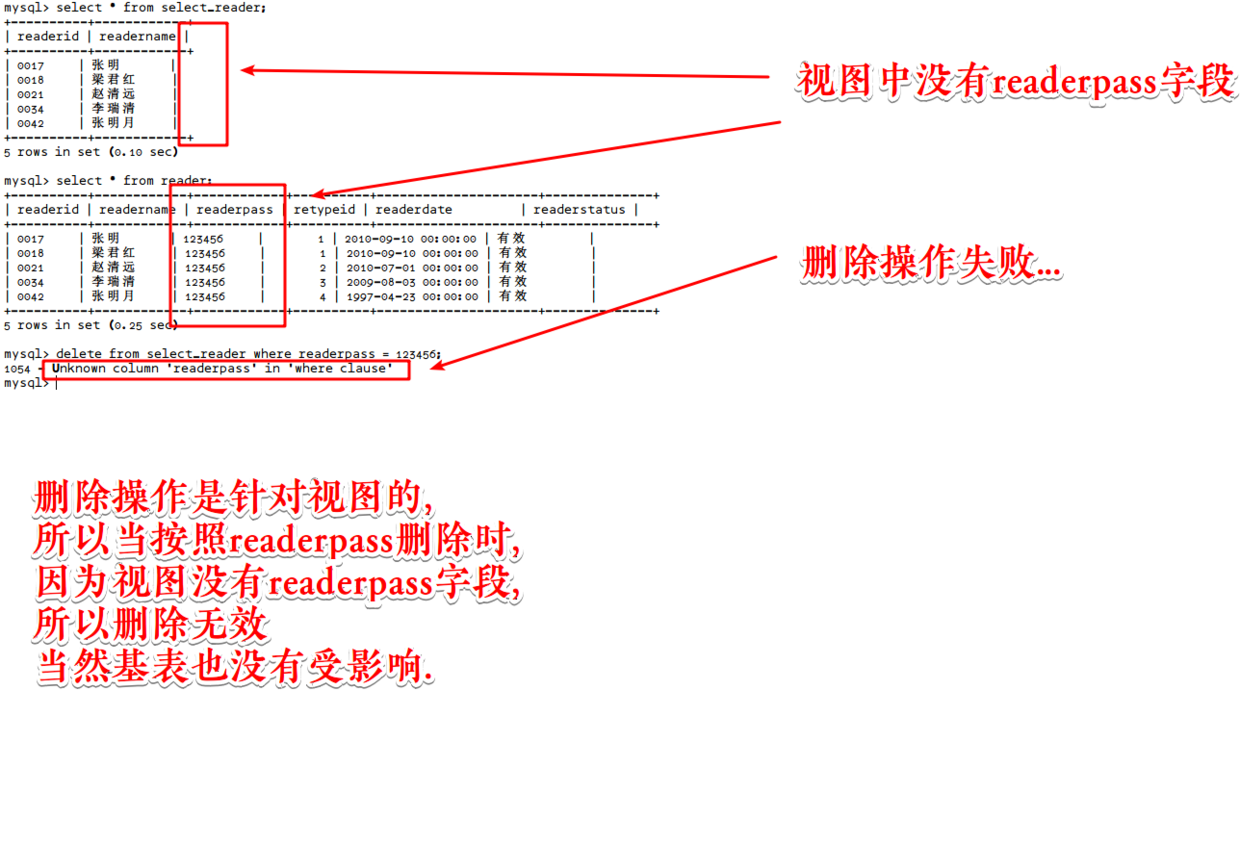
视图进行delete操作