

刚学springboot ,在整合前端页面时发现 原来的html导入到springboot的resource目录后,静态样式**.css 和 **.js无法生效的
1.pom.xml
  <dependencies>
    <dependency>
        <groupId>org.springframework.boot</groupId>
        <artifactId>spring-boot-starter-web</artifactId>
    </dependency>

    <dependency>
        <groupId>org.springframework.boot</groupId>
        <artifactId>spring-boot-starter-test</artifactId>
        <scope>test</scope>
    </dependency>

    <!--引入webjars -->

    <dependency>
        <groupId>org.webjars</groupId>
        <artifactId>jquery</artifactId>
        <version>3.3.1</version>
    </dependency>

    <dependency>
        <groupId>org.springframework.boot</groupId>
        <artifactId>spring-boot-starter-thymeleaf</artifactId>
    </dependency>

</dependencies>

2.控制类
/**
 * @Author: soul
 * @Date: 2019/4/14 19:48
 */
@Controller
public class ControllerClass {

    @RequestMapping("/man")
    public String man(){
        return "man";
    }

}
未导入springboot下的resource目录前的 前端页面目录结构及link引入
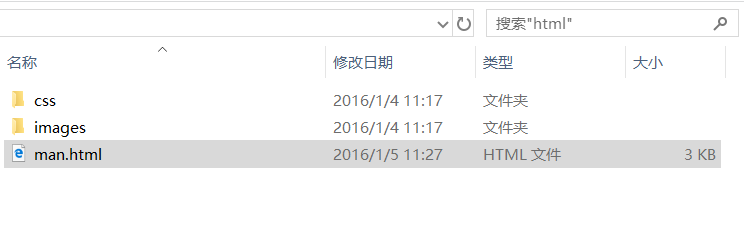

导入springboot中 后的目录结构为
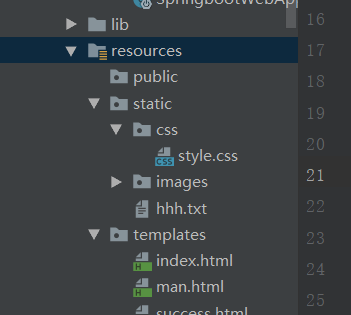
我们访问静态资源style.css确保能访问后
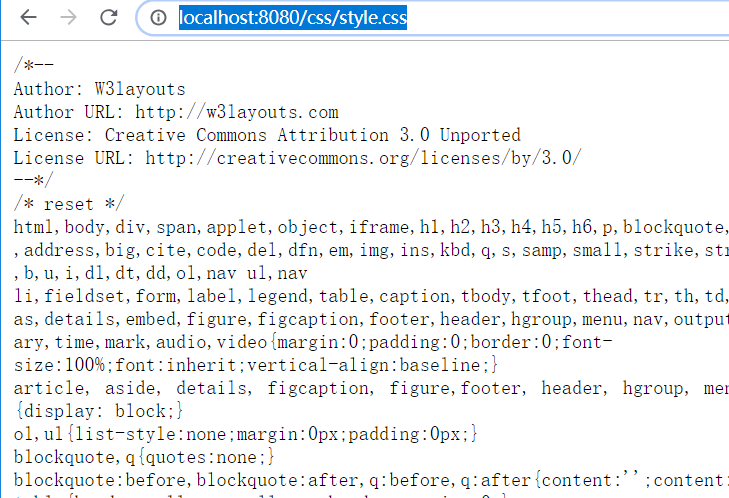
只需修改 link标签下的路径 href 为即可解决html页面出现的静态资源无法引用的问题

为什么呢?
我们可以打开springboot的配置类

  @ConfigurationProperties(
    prefix = "spring.resources",
    ignoreUnknownFields = false
)
public class ResourceProperties {
    private static final String[] CLASSPATH_RESOURCE_LOCATIONS = new String[]{"classpath:/META-INF/resources/", "classpath:/resources/", "classpath:/static/", "classpath:/public/"};
    private String[] staticLocations;
    private boolean addMappings;
    private final ResourceProperties.Chain chain;
    private final ResourceProperties.Cache cache;
我们可以看到springboot加载资源的路径为默认为classpath:/META-INF/resources/", "classpath:/resources/", "classpath:/static/", "classpath:/public/
再看Thymeleaf的配置
@ConfigurationProperties(prefix = "spring.thymeleaf")
public class ThymeleafProperties {
private static final Charset DEFAULT_ENCODING = Charset.forName("UTF-8");
private static final MimeType DEFAULT_CONTENT_TYPE = MimeType.valueOf("text/html");
public static final String DEFAULT_PREFIX = "classpath:/templates/";
public static final String DEFAULT_SUFFIX = ".html";
只要我们将html页面放到classpath:/templates/下,thmeleaf就能自动渲染
注意!!!
1.禁用掉thymeleaf的缓存功能
#禁用模板引擎的缓存
spring.thymeleaf.cache=false
2.在idea中修改 html代码 时记得按 ctrl +f9刷新一下
