Apache
Apache的安装
基本操作
yum install httpd

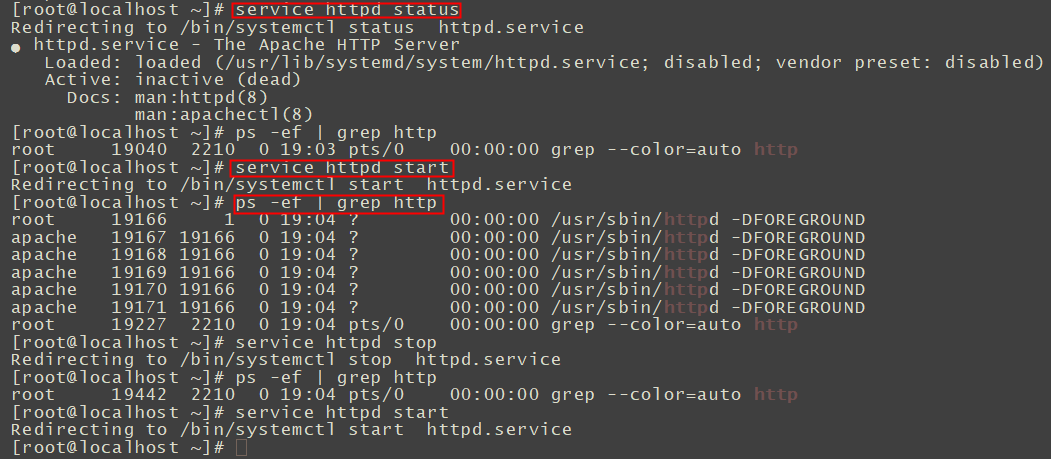
service httpd status
service httpd start
service httpd stop
ps -ef | grep httpd
netstat -anpl | grep 'http'

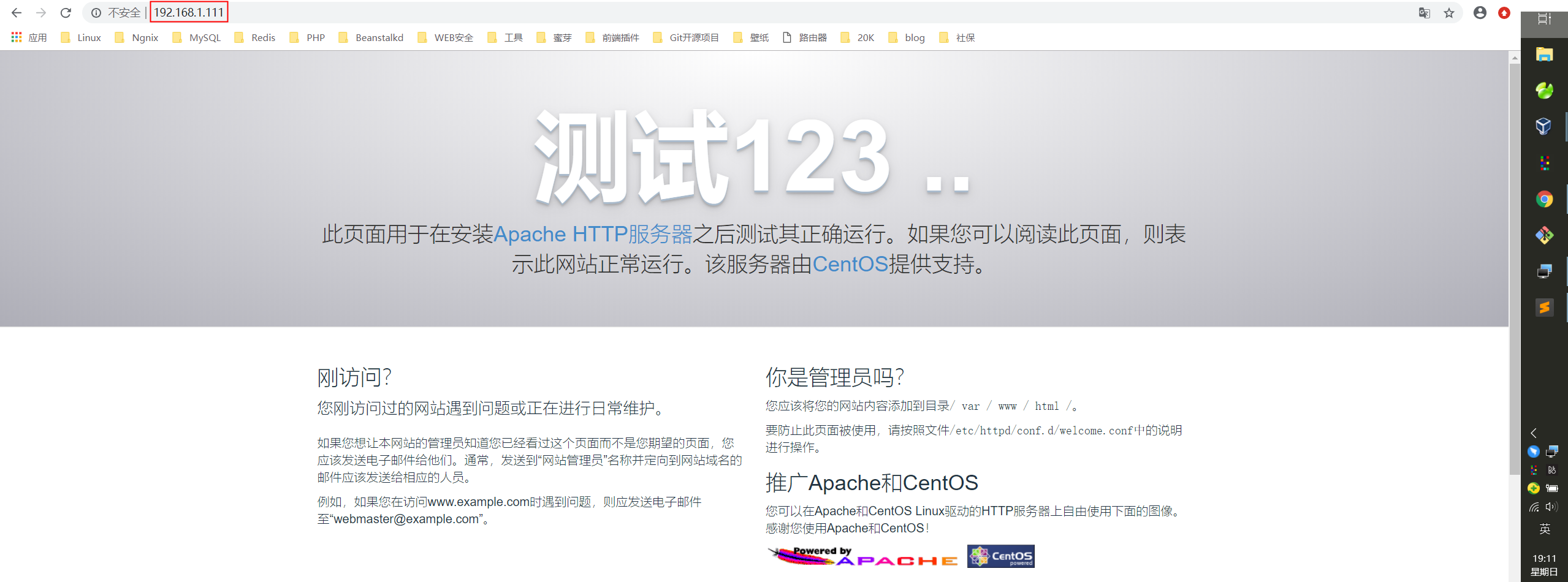
访问浏览器
Nginx
Nginx的安装
基本操作
service nginx start
service nginx stop
service nginx reload
安装
添加CentOS 7 Nginx yum 资源库
sudo rpm -Uvh http://nginx.org/packages/centos/7/noarch/RPMS/nginx-release-centos-7-0.el7.ngx.noarch.rpm

yum install nginx

ps -ef | grep nginx

service nginx start
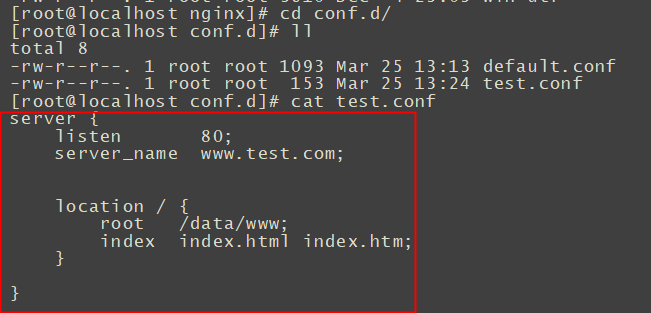
配置虚拟域名
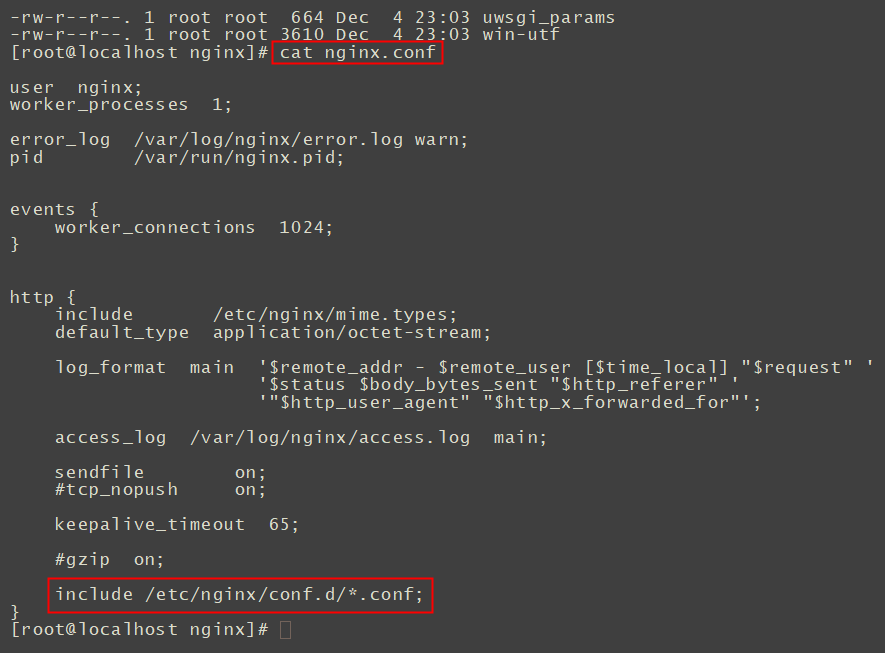
cat /etc/nginx/nginx.conf
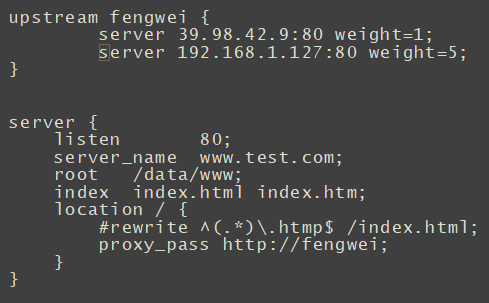
vim test.conf
//  window添加hosts
192.168.1.127	www.test.com
重启nginx,访问域名,成功
伪静态化
把.htmp文件重定向index.html
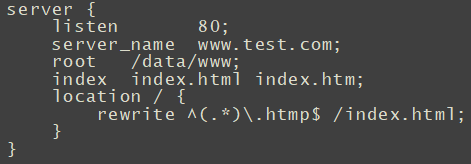
重启nginx,访问http://www.test.com/2.htmp成功
日志格式化
修改log_format
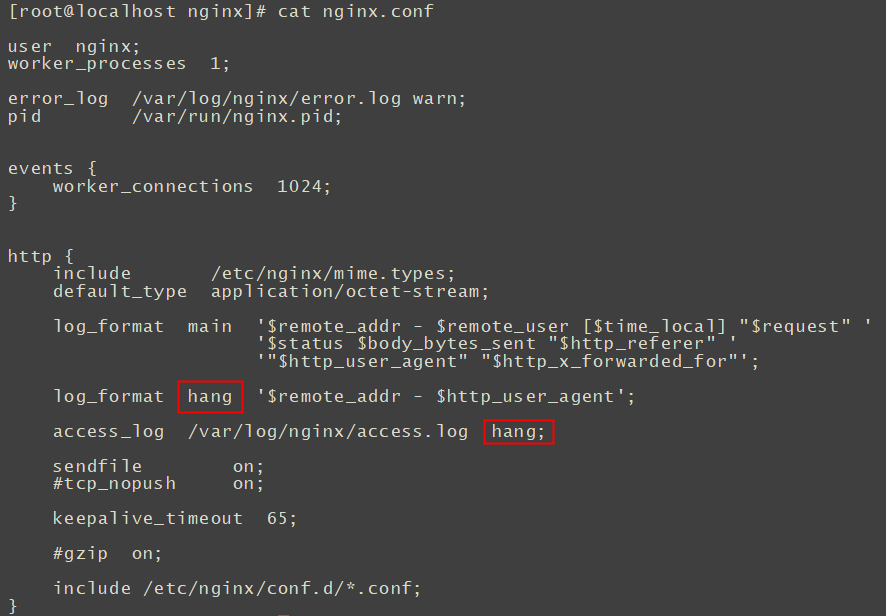
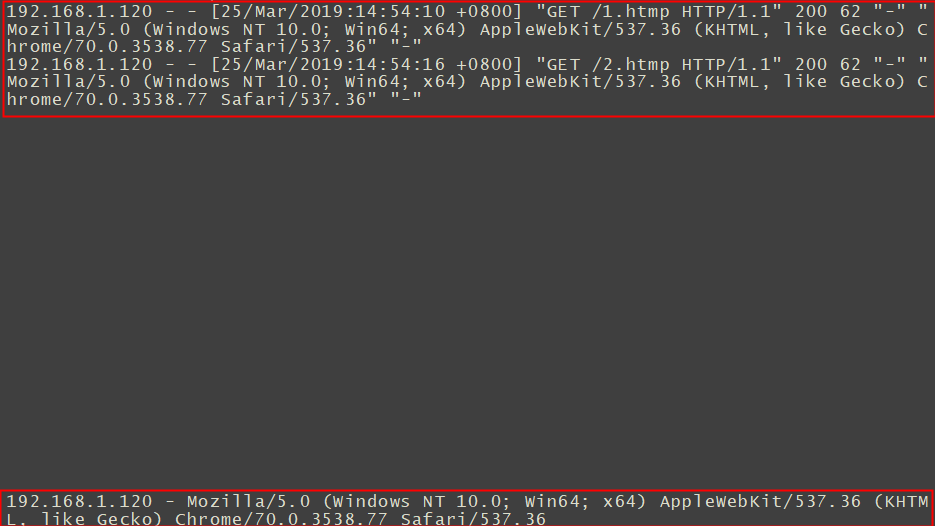
重启Nginx,访问浏览器,观察日志,已经改变回来了
反向代理和负载均衡
设置test.conf