查看Android cpu 相关数据的一些常用指令。贴图数据来自模拟器。
在开发过程中,我们需要获取设备的 CPU 信息,来查看性能。
//获取 cpu 核心数
cat /sys/devices/system/cpu/possible
//查看Linux内核版本
uname -a 和 cat /proc/version
查看cpu使用率
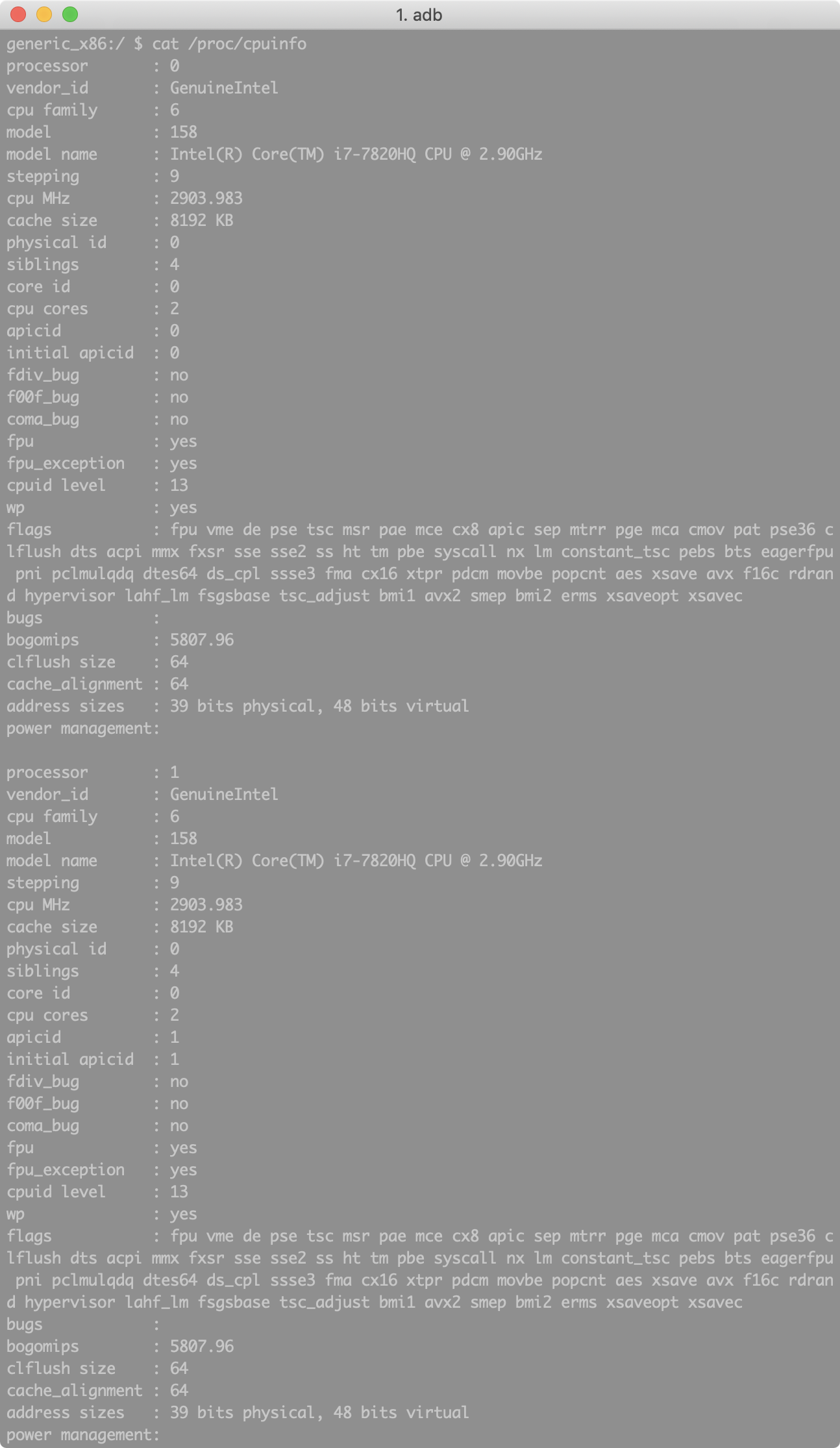
1、查看cpu详细信息
通过 cat /proc/cpuinfo 命令
2、查看cpu占用
通过 /proc/stat 文件查看所有cpu活动信息
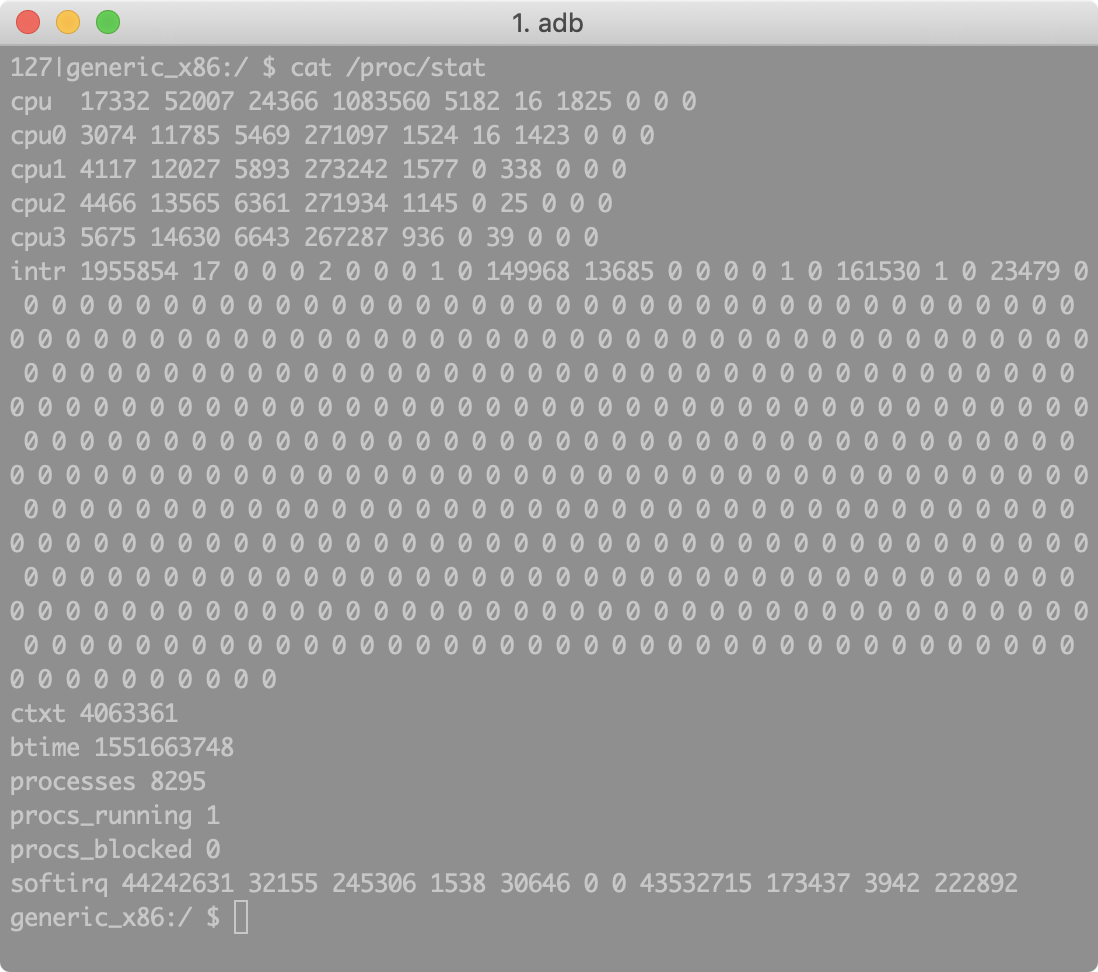
第一行是cpu总的使用情况,各数据的含义:
这些数值的单位都是 jiffies,他是内核中的一个全局变量,用来记录系统起来以来产生的节拍数。一个节拍大致可以理解成为操作系统进程调度的最小时间片,不同Linux系统内核这个值可能不同,通常在1-10ms之间。
cpu 17332 52007 24366 1083560 5182 16 1825 0 0 0
user(17332) 从系统启动开始累积到当前时刻,处于用户态的运行时间,不包含 nice 值为负的进程。nice(52007) 从系统启动开始累积到当前时刻,nice 值为负的进程所占用的 CPU 时间。system(24366) 从系统启动开始累积到当前时刻,处于核心态的运行时间。idle(1083560) 从系统启动开始累积到当前时刻,除 IO 等待时间以外的其他等待时间。iowait(5182) 从系统启动开始累积到当前时刻,IO 等待时间。(since 2.5.41)irq(16) 从系统启动开始累积到当前时刻,硬中断时间。(since 2.6.0-test4)softirq(1825) 从系统启动开始累积到当前时刻,软中断时间。(since 2.6.0-test4)stealstolen(0)Stolen time, which is the time spent in other operating systems when running in a virtualized environment. 从系统启动开始累积到当前时刻,在虚拟环境运行时花费在其他操作系统的时间。(since 2.6.11)guest(0)Which is the time spent running a virtual CPU for guest operating systems under the control of the Linux kernel. 从系统启动开始累积到当前时刻,在Linux内核控制下的操作系统虚拟cpu花费的时间。(since 2.6.24)guest_nice(0)Time spent running a niced guest (virtual CPU for guest operating systems under the control of the Linux kernel). 从系统启动开始累积到当前时刻,在Linux内核控制下的操作系统虚拟cpu花费在nice进程上的时间。(since Linux 2.6.33)
由此可以得到cpu总的活动时间。
计算cpu使用率
常用cpu占用率方法可描述为: totalCPUrate = (非空闲cpu时间2-非空闲cpu时间1)/(cpu总时间2-cpu总时间1)x100% 换成变量描述为: totalCPUrate =( (totalCPUTime2-idle2)-(totalCPUTime1-idle1))/(totalCPUTime2-totalCPUTime1)x100%
计算方法:
采样两个足够短的时间间隔的cpu数据,分别记作t1、t2,其中t1、t2的结构均为: (user、nice、system、idle、iowait、irq、softirq、stealstolen、guest、guest_nice)的10元组;(当然这里依据Linux内核的不同有些数据可能没有,就不必计入)
计算t1、t2总的cpu时间片totalCPUTime a) 把第一次的所有cpu10元组数据求和,得到totalCPUTime1; b) 把第二次的所有cpu10元组数据求和,得到totalCPUTime2;
计算空闲时间idle cpu空闲时间对应第四列的数据 a)获得第一次的idle数据,记为idle1 b)获得第二次的idle数据,记为idle2
计算cpu使用率 totalCPUrate = ((totalCPUTime2-idle2)-(totalCPUTime1-idle1))/(totalCPUTime2-totalCPUTime1)x100%
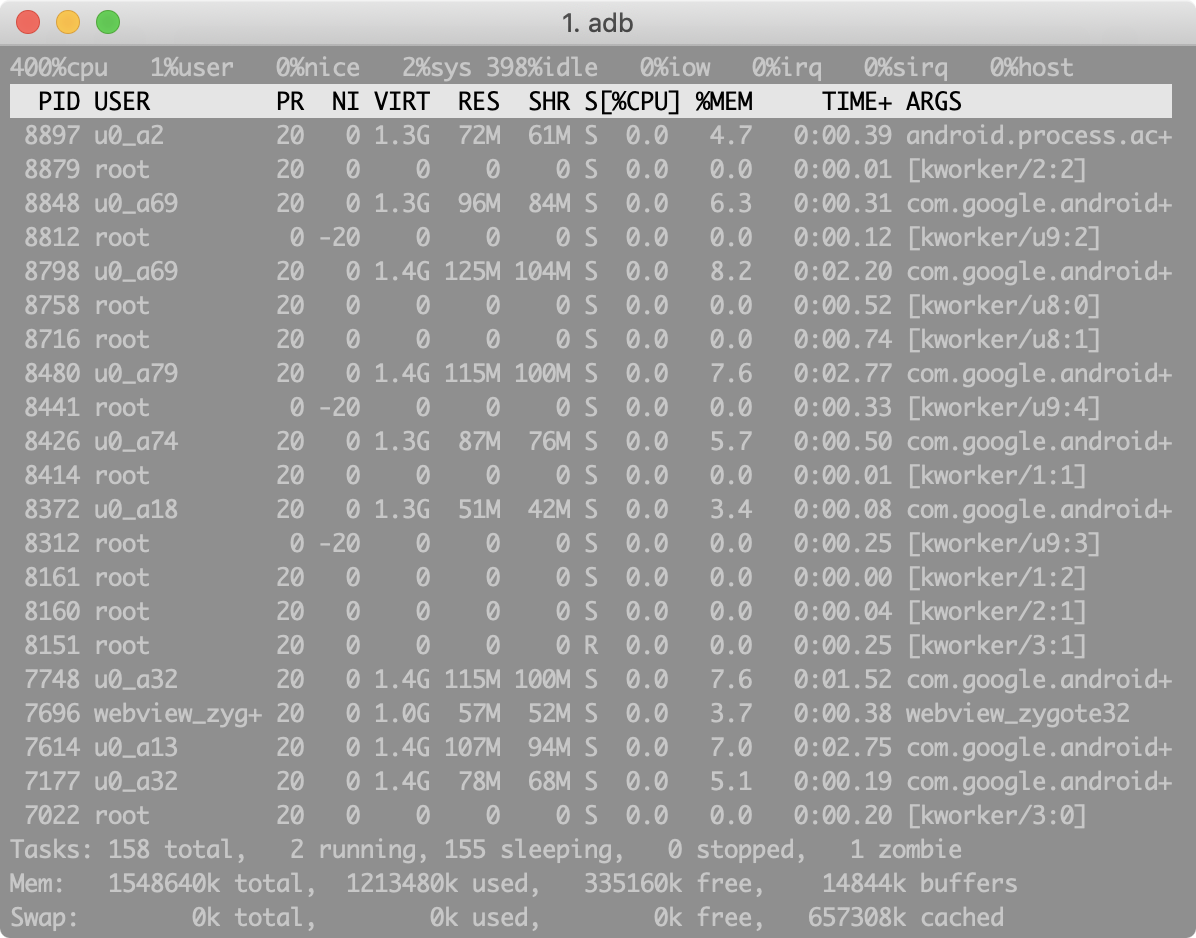
3、使用 top 命令查看进程信息
4、vmstat 命令可以实时动态监视操作系统的虚拟内存和 cpu活动

[参考链接]www.samirchen.com/linux-cpu-p…)