介绍几种使用JS获取div尺寸的方法,本篇博客以获取下面这个示例code的高度为例。
<style>
*{
	margin:0;
	padding:0;
}
#demo {
	display:inline-block;
	width: 100px;
	height: 200px;
	background: yellow;
	margin: 10px;
	padding: 20px;
	border: 2px solid blue;
}
</style>
<div id="demo">hello</div>
一、offsetHeight
var div = document.getElementById('demo');
console.log(div.offsetHeight); // 244 注意这里返回的值不带有单位
offsetHeight的值包括元素内容+内边距+边框
offsetHeight = content + padding + border = 200 + 20 * 2 + 2 * 2 = 244
二、clientHeight
var div = document.getElementById('demo');
console.log(div.clientHeight); // 240 注意这里返回的值不带有单位
clientHeight的值包括元素内容+内边距
clientHeight = content + padding = 200 + 20 * 2 = 240
三、window.getComputedStyle()
getComputedStyle()获取的是最终应用在元素上的所有CSS属性对象(即使没有CSS代码,也会把默认的属性都显示出来)并且getComputedStyle()是只读的,通过getPropertyValue()获取CSS样式申明对象上的属性值。
console.log(window.getComputedStyle(div).getPropertyValue("height")); //200px 注意这里返回的值带有单位。
四、getBoundingClientRect()
getBoundingClientRect()方法获取与元素相关的CSS属性边框集合。返回对象中共有以下几个属性:
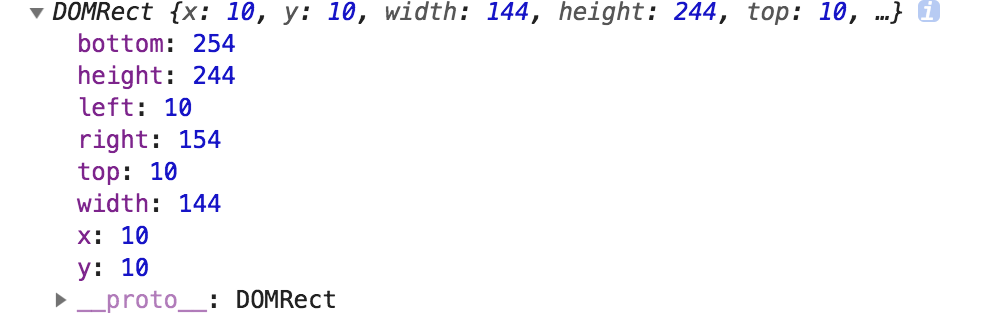
属性的如下图解释:
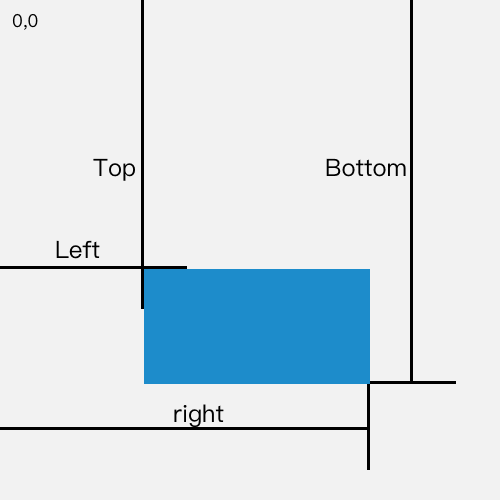
var div = document.getElementById('demo');
console.log(div.getBoundingClientRect().height);// 244
height的属性值 = 元素内容+内边距+边框