1关于${}中是写value还是参数名称
按照常规想法,当使用like时,把#{}换成${}来完成sql语句,
因为用#{}的话,需要手动在添加参数时,将参数用"%xx%"包围住,编译后sql语句才是like %xx%,
或者要么用${}来完成,'%${value}%' 这个对应值会直接占据这个位置,并不像#{}那样先用?占据位置,再代入参数,相比上面一种方法,${}更方便,但是也增加了sql注入的风险,所以一般情况,尽量不要用后面一种方法。
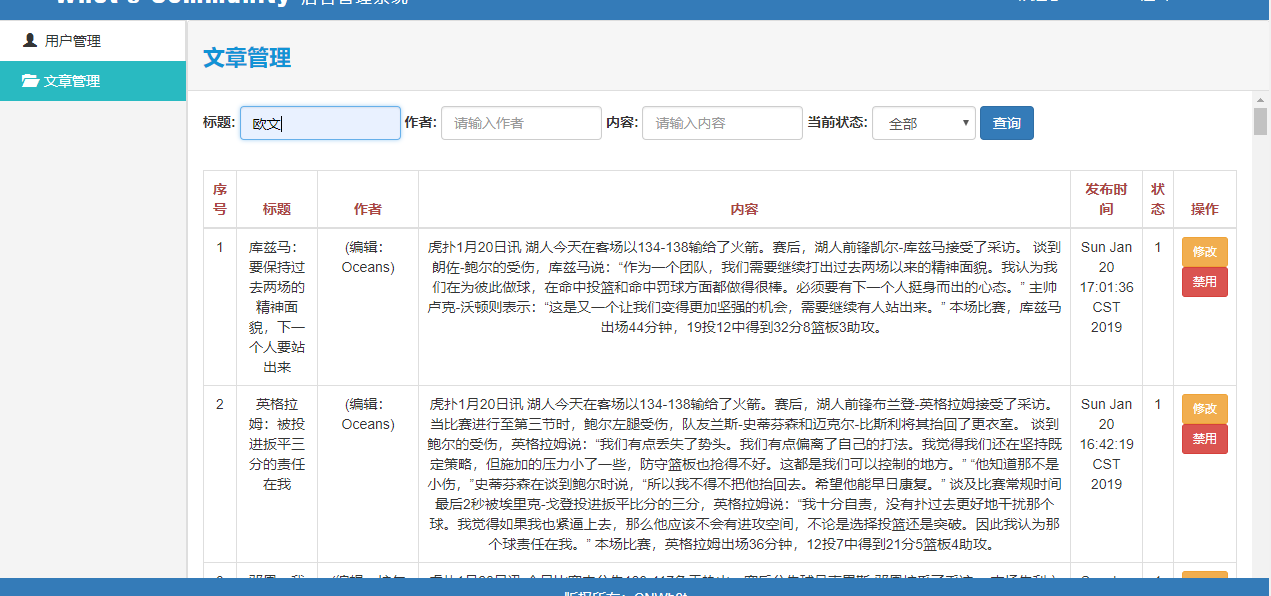
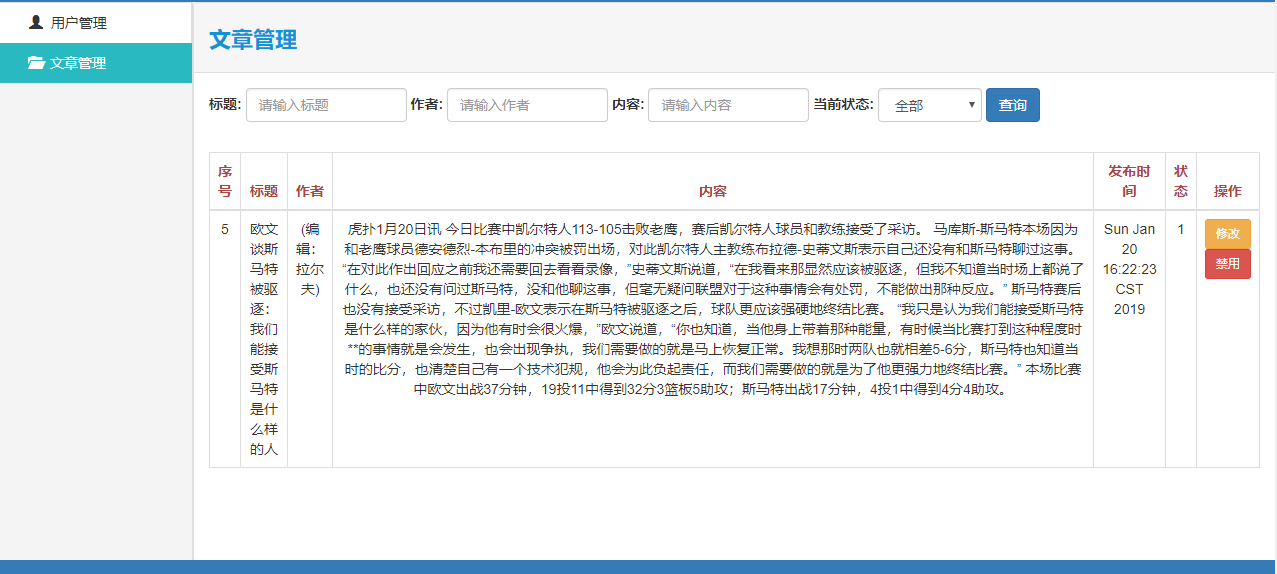
但是,这次动态查询时,依旧时写了'%${value}%',而不是'%${title}%',发生了如下错误
org.mybatis.spring.MyBatisSystemException: nested exception is org.apache.ibatis.binding.BindingException: Parameter 'value' not found. Available parameters are [param5, author, pubulishTime, title, param3, param4, param1, content, param2, statusCode]
Caused by: org.apache.ibatis.binding.BindingException: Parameter 'value' not found. Available parameters are [param5, author, pubulishTime, title, param3, param4, param1, content, param2, statusCode]
    <select id="selectArticleByTitleKey" parameterType="String" resultType="Article">
        select * from article where title like '%${value}%'
    </select>
<!--复合查询/动态查询-->
    <select id="selectInfoDynamic" parameterType="Article" resultMap="ArticlesList">
        select id,title,image,content,pubulishtime,author,link,localName,statuscode from article
        <trim prefix="where" suffixOverrides="and">
            <if test='title!=null and title!=""'>
                title like '%${title}%' and
            </if>
            <if test='author!=null and author!=""'>
                author=#{author} and
            </if>
            <if test='content!=null and content!=""'>
                content like '%${content}%' and
            </if>
            <if test='pubulishTime!=null and pubulishTime!=""'>
                pubulishtime=#{pubulishTime} and
            </if>
            <if test='statusCode!=null and statusCode!=""'>
                statuscode=#{statusCode}
            </if>
        </trim>
    </select>
    <select id="selectArticleByTitleKey" parameterType="String" resultType="Article">
        select * from article where title like '%${value}%'
    </select>
总结:
参考Mybatis SQL语句Like查询%${value}%与 #{value} 的区别中评论区博主补充的一句当接受类型为简单类型时,只能写Value。
2关于测试时遇到,通过网址来加入参数时,参数为中文,log中参数却显示为乱码
http://localhost:12306/test2?titleKey=%E6%AC%A7%E6%96%87
[DEBUG] 2019-03-05 01:02:08,821 method:org.apache.ibatis.logging.jdbc.BaseJdbcLogger.debug(BaseJdbcLogger.java:159)
==> Preparing: select * from article where title like '%欧æ%'
[DEBUG] 2019-03-05 01:02:08,822 method:org.apache.ibatis.logging.jdbc.BaseJdbcLogger.debug(BaseJdbcLogger.java:159)
==> Parameters:
[DEBUG] 2019-03-05 01:02:08,824 method:org.apache.ibatis.logging.jdbc.BaseJdbcLogger.debug(BaseJdbcLogger.java:159)
<== Total: 0
- 数据库建库建表都设置了编码utf8
- jdbc属性配置中也加了
?useUnicode=true&characterEncoding=utf8&useSSL=false&serverTimezone=GMT%2B8
- jsp页面也有
<%@page contentType="text/html; charset=UTF-8" pageEncoding="UTF-8" language="java" %>
将like语句换成=也是一样,有中文依旧乱码
http://localhost:12306/test3?title=%E5%BA%93%E5%85%B9%E9%A9%AC%EF%BC%9A%E8%A6%81%E4%BF%9D%E6%8C%81%E8%BF%87%E5%8E%BB%E4%B8%A4%E5%9C%BA%E7%9A%84%E7%B2%BE%E7%A5%9E%E9%9D%A2%E8%B2%8C%EF%BC%8C%E4%B8%8B%E4%B8%80%E4%B8%AA%E4%BA%BA%E8%A6%81%E7%AB%99%E5%87%BA%E6%9D%A5
[DEBUG] 2019-03-05 01:15:43,630 method:org.apache.ibatis.logging.jdbc.BaseJdbcLogger.debug(BaseJdbcLogger.java:159)
==> Preparing: select * from article where title=?
[DEBUG] 2019-03-05 01:15:43,631 method:org.apache.ibatis.logging.jdbc.BaseJdbcLogger.debug(BaseJdbcLogger.java:159)
==> Parameters: åºå
¹é©¬ï¼è¦ä¿æè¿å»ä¸¤åºçç²¾ç¥é¢è²ï¼ä¸ä¸ä¸ªäººè¦ç«åºæ¥(String)
[DEBUG] 2019-03-05 01:15:43,634 method:org.apache.ibatis.logging.jdbc.BaseJdbcLogger.debug(BaseJdbcLogger.java:159)
<== Total: 0
所以和like还是=没有关系,
总结:
暂时没找到解决方法,但是通过页面,写一个input标签来输入中文时,却没有问题