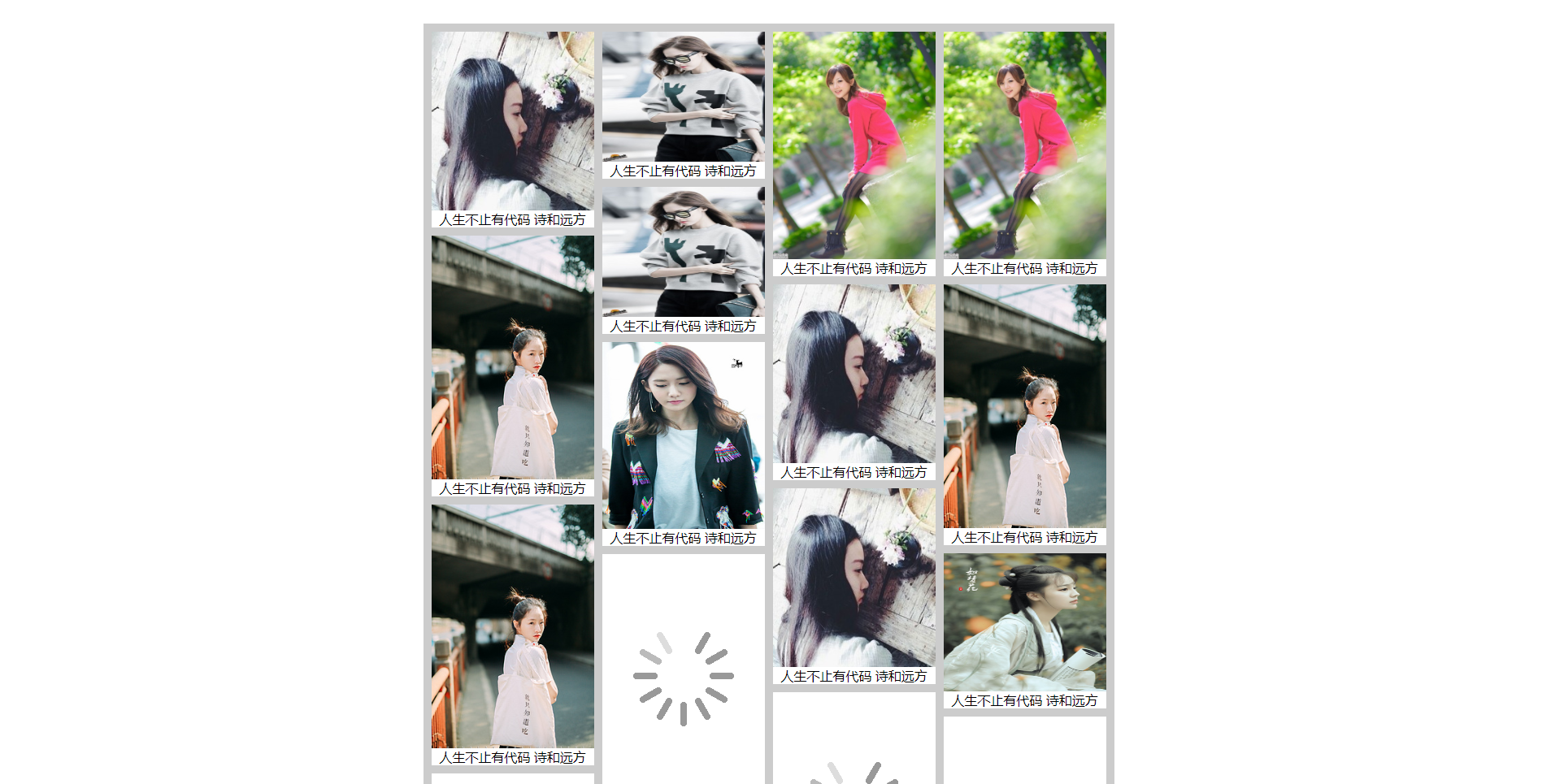
html
<!DOCTYPE html>
<html lang="en">
<head>
<meta charset="UTF-8">
<title>Title</title>
<style>
*{
margin: 0;
padding: 0;
}
.container{
width:840px;
margin: auto;
background:
padding-left: 10px;
overflow: hidden;
}
.container ul{
width:200px;
margin-right: 10px;
float:left;
}
.container ul li{
list-style: none;
position: relative;
width:100%;
background: white;
margin-top: 10px;
}
.container ul li a{
display: none;
position: absolute;
top:5px;
left:5px;
text-decoration: none;
width:50px;
height:25px;
text-align: center;
line-height: 25px;
background: pink;
color:white;
font-size: 14px;
cursor: pointer;
}
.container ul li:hover a{
display: block;
}
ul li img{
width:200px;
height:300px;
background: url(images/timg.gif) no-repeat center;
}
ul li p{
margin-left:10px;
}
</style>
</head>
<body>
<div id="container" class="container">
<ul>
<!--<li>-->
<!--<a href="javacript:;">采集</a>-->
<!--<img simagesges1/1.jpg" alt="">-->
<!--<p> 人生不只有代码 还有诗和远方 </p>-->
<!--</li>-->
</ul>
<ul></ul>
<ul></ul>
<ul></ul>
</div>
<script src="utils/utils.js"></script>
<script src="js/index.js"></script>
</body>
</html>
css(用的内嵌式)
<style>
*{
margin: 0;
padding: 0;
}
.container{
width:840px;
margin: auto;
background:
padding-left: 10px;
overflow: hidden;
}
.container ul{
width:200px;
margin-right: 10px;
float:left;
}
.container ul li{
list-style: none;
position: relative;
width:100%;
background: white;
margin-top: 10px;
}
.container ul li a{
display: none;
position: absolute;
top:5px;
left:5px;
text-decoration: none;
width:50px;
height:25px;
text-align: center;
line-height: 25px;
background: pink;
color:white;
font-size: 14px;
cursor: pointer;
}
.container ul li:hover a{
display: block;
}
ul li img{
width:200px;
height:300px;
background: url(images/timg.gif) no-repeat center;
}
ul li p{
margin-left:10px;
}
</style>
js
var oUl=document.getElementsByTagName('ul');
console.log(oUl);
oUl=[...oUl];
console.log(oUl);

var data;
var xhr=new XMLHttpRequest();
//console.log(xhr);

xhr.open('GET','./data.json',false);

xhr.onreadystatechange=function(){
    if(xhr.readyState===4&&xhr.status===200){
       data=JSON.parse(xhr.responseText);
    }
};

xhr.send(null);
//console.log(data);//[{…}, {…}, {…}, {…}, {…}, {…}, {…}, {…}]返回的是JSON格式的对象

function bindHtml(){
    for(var i=0;i<50;i++){
        //json里面有8张图片,索引就是0-7
        var num=Math.round(Math.random()*7);
        //获取data中的随机对象
        var numObj=data[num];
        //创建li
        var oLi=document.createElement('li');

        //创建img
        var img=document.createElement('img');
        img.setAttribute('trueImg',numObj.src);
        img.style.height=numObj.height;

        oLi.appendChild(img);

        //创建p标签
        var p=document.createElement('p');
        p.innerHTML=numObj.title;

        oLi.appendChild(p);

        //创建a标签
        var a=document.createElement('a');
        a.href='javascript:;';
        a.innerHTML='采集';
        oLi.appendChild(a);

        //给数组中的四个ul排序
        oUl.sort(function(a,b){
            return a.scrollHeight-b.scrollHeight;
        });
        oUl[0].appendChild(oLi)
    }
}
bindHtml();

var imgs=document.getElementsByTagName('img');
function delayImgs(){
         for (var i=0;i<imgs.length;i++){//处理多张图片
              single(imgs[i]);
         }
}

function single(curImg){
         if(curImg.load){
            return;
         }
         var winT=utils.win('scrollTop');
         var winH=utils.win('clientHeight');

         var curImgOffsetT=utils.offset(curImg).top;
         var curImgOffsetH=curImg.offsetHeight;

         if(winT+winH>=curImgOffsetT+curImgOffsetH){
            var trueAdd=curImg.getAttribute('trueImg');
            var newImg=document.createElement('img');
            newImg.src=trueAdd;
            newImg.onload=function(){
                curImg.src=trueAdd;
                fadeIn(curImg);
                curImg.load=true;
            }
         }
}

function fadeIn(img1){
         utils.css(img1,'opacity',0.3);//设置透明度的初始值
         var timer=setInterval(function(){
            var val=Number(utils.css(img1,'opacity'));//处理一下字符串0.3
            //console.log(val);//返回的是字符串'0.3';
            val+=0.3;
            //console.log(val);
            if(val>=1){
               utils.css(img1,'opacity',1);
               clearInterval(timer);
            }
            utils.css(img1,'opacity',val);
         },300)
}


var container=document.getElementById('container');
window.onscroll=function(){
       delayImgs();
       var winT=utils.win('scrollTop');
       var winH=utils.win('clientHeight');
       var allH=container.scrollHeight;
       console.log(allH);

       if(allH+winH+800>=allH){
          bindHtml();
       }
};
aa.json文件
[
   {"src": "./images/1.jpg","title":"人生不止有代码 诗和远方","height": "200px"},
   {"src": "./images/2.jpg","title":"人生不止有代码 诗和远方","height": "220px"},
   {"src": "./images/3.jpg","title":"人生不止有代码 诗和远方","height": "250px"},
   {"src": "./images/4.jpg","title":"人生不止有代码 诗和远方","height": "300px"},
   {"src": "./images/5.jpg","title":"人生不止有代码 诗和远方","height": "170px"},
   {"src": "./images/6.jpg","title":"人生不止有代码 诗和远方","height": "280px"},
   {"src": "./images/7.jpg","title":"人生不止有代码 诗和远方","height": "160px"},
   {"src": "./images/8.jpg","title":"人生不止有代码 诗和远方","height": "230px"}
 ]
images(图片自己去找)
utils.js(封装了一些方法)
var utils = (function () {
    function offset(curEle) {
        var  l = curEle.offsetLeft;
        var  t = curEle.offsetTop;
        var p = curEle.offsetParent;
        while(p.nodeName !=="BODY"){
            l+=p.offsetLeft +p.clientLeft;
            t+=p.offsetTop+p.clientTop;
            p = p.offsetParent;
        }
        return {
            left:l,top:t
        }
    };
    function getCss(curEle,attr) {
        var  val;
        if("getComputedStyle" in window){
            // 先判断是否支持getComputedStyle;
            val = getComputedStyle(curEle)[attr];
        }else{
            val = curEle.currentStyle[attr];
        }
        // 去单位
        var reg = /^(width|height|margin|padding|left|top|right|bottom|fontZise)$/;
        // 校验当前属性是否带有单位
        if(reg.test(attr)){
            // 判断是否为空;
            if(!isNaN(parseFloat(val))){
                val = parseFloat(val);
            }
        }
        return val;
    }
// setCss : 每执行一次,都会设置元素一个属性样式;
    function setCss(curEle,attr,val) {
        var  reg = /^(width|height|top|left|right|bottom|padding|margin)$/;
        if(reg.test(attr)){
            if(typeof val==="number"){
                val = val + "px";
            }
        }
        curEle.style[attr]=val;// 设置行内样式;
    }
    function setGroupCss(curEle,obj) {
        // 遍历obj;调用封装的setCss,设置元素的单个样式;
        for(var key in obj){
            setCss(curEle,key,obj[key])
        }
    }
    function css(...arg) {// 在函数定义的括号中,... 是剩余运算符;将所有的实参放入到一个数组中;
        //
        if(arg.length===3){
            // [oBox,"height",300]
            setCss(...arg);
        }else if(arg.length===2){
            if(toString.call(arg[1])==="[object Object]"){
                setGroupCss(...arg)
            }else{
                return getCss(...arg)
            }
        }
    }
    function win(attr,val) {
        // 如果是两个实参,那么一定是设置;如果是一个实参,是获取;
        if(val===undefined){
            return document.documentElement[attr] || document.body[attr];
        }
        document.documentElement[attr] = val;
        document.body[attr] = val;


    }
    return {
        offset:offset,
        getCss:getCss,
        setCss:setCss,
        setGroupCss:setGroupCss,
        css:css,
        win:win
    }
})();

// 单例模式
/*
var utils= {
    offset:function offset(curEle) {
        var  l = curEle.offsetLeft;
        var  t = curEle.offsetTop;
        var p = curEle.offsetParent;
        while(p.nodeName !=="BODY"){
            l+=p.offsetLeft +p.clientLeft;
            t+=p.offsetTop+p.clientTop;
            p = p.offsetParent;
        }
        return {
            left:l,top:t
        }
    }
}*/