配置开发环境
配置rust开发环境
curl https://sh.rustup.rs -sSf | sh添加iOS target
rustup target add aarch64-apple-ios armv7-apple-ios armv7s-apple-ios x86_64-apple-ios i386-apple-ios现在需要安装cargo-lipo 和 cbindgen。
cargo-lipo是用来生成通用iOS库的,cbindgen是用来生成 C 头文件的。
cargo install cargo-lipo
cargo install cbindgen
Hello World
下面通过创建Hello World的项目来实现使用Rust开发 iOS的通用库
首先创建Rust的项目
mkdir rust-ios-example
cd rust-ios-example
cargo new rust --lib
cd rust
Cargo.toml 文件中添加依赖
[lib]
name = "rust"
crate-type = ["staticlib", "cdylib"]
cargo-lipo 通过这个配置来产生不同类型的苦,通过运行cargo lipo --release 会在 target/universal/release 目录下生成librust.a文件。
lib.rs
use std::os::raw{c_char};
use std::ffi::{CString, CStr};

#[no_mangle]
pub extern fn rust_hello(to: *const c_char) -> *mut c_char {
    let c_str = unsafe{CStr::from_ptr(to)};
    let recipient = match c_str.to_str() {
        Err(_) => "there",
        Ok(string) => string,
    };
    CString::new("hello ".to_owned() + recipient).unwrap().into_raw()
}

#[no_mangle]
pub extern fn rust_hello_free(s *mut c_char) {
    unsafe {
        if s.is_null() {return}
        CString::from_raw(s)
    }
}函数rust_hello 是生成一个字符串,rust_hello_free是对字符串进行delete。
由于Swift和Rust是通过C接口进行通信的,所以需要使用cbindgen 生成c的头文件提供给swift使用
cbindgen src/lib.rs -l c > rust.hiOS 项目
使用Xcode创建一个iOS的项目,语言选择swift,项目名称写hello-rust ,保存在 rust-ios-example 文件夹下。
在ViewController.swift 添加如下代码
import UIKit

class ViewController: UIViewController {
    override func viewDidLoad() {
        super.viewDidLoad()

        let result = rust_hello("world")
        let swift_result = String(cString: result!)
        rust_hello_free(UnsafeMutablePointer(mutating: result))
        print(swift_result)
    }
}
然后将 rust.h 和 librust.a 复制到 Xcode 的项目中
cd ~/rust-ios-example

mkdir hello-rust/libs
mkdir hello-rust/include

cp rust/rust.h hello-rust/include
cp cp rust/target/universal/release/librust.a hello-rust/libs
修改build setting,设置linked library。
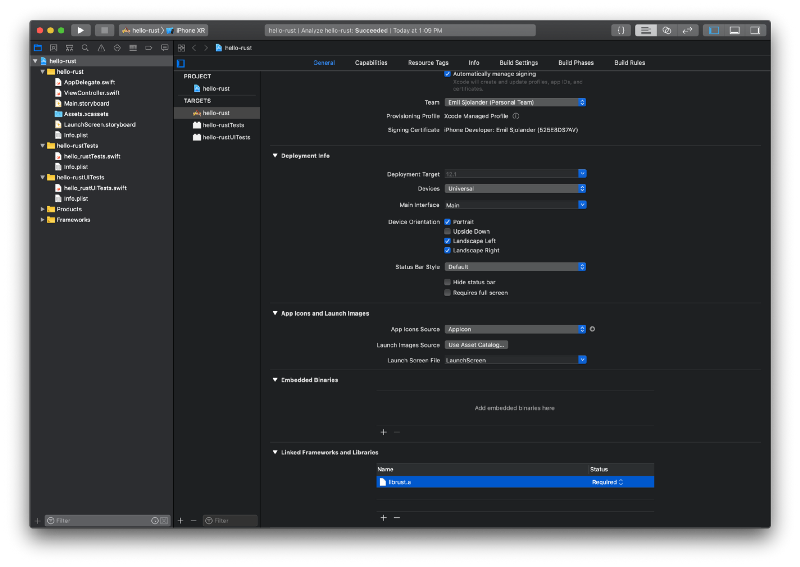
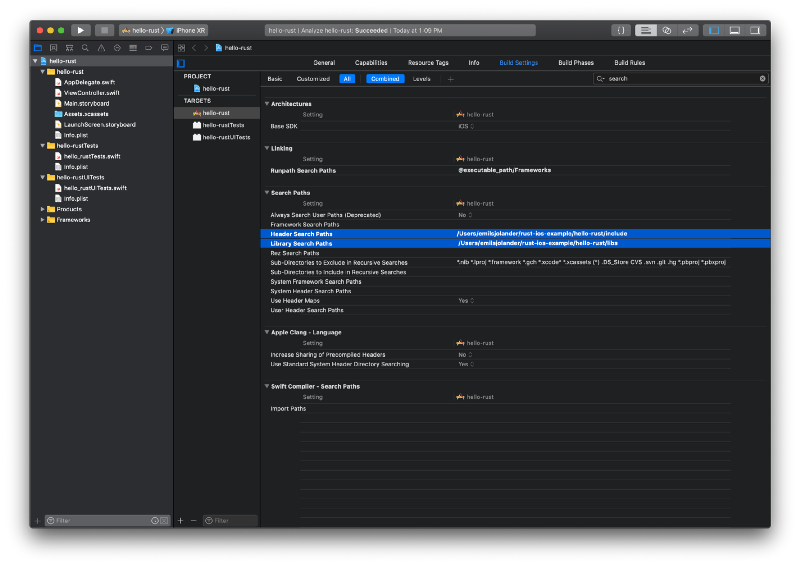
设置搜索路径
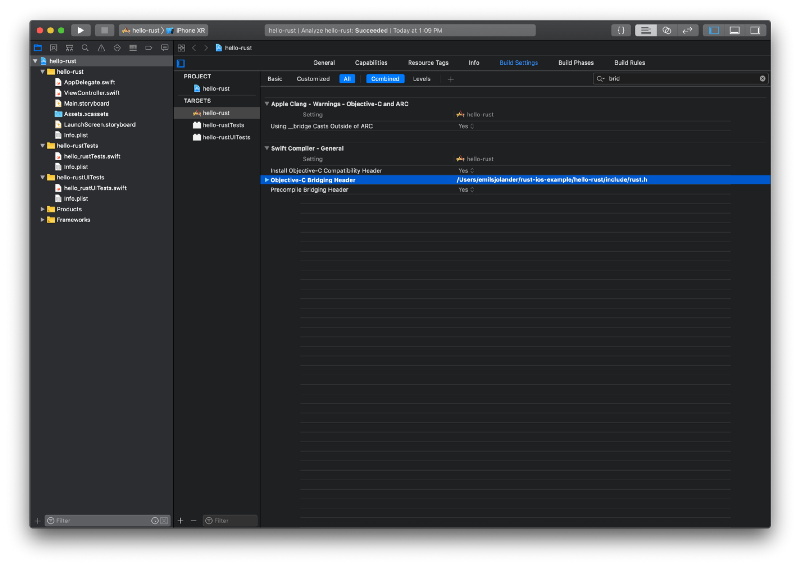
设置桥接的 .h 文件,即 rust.h
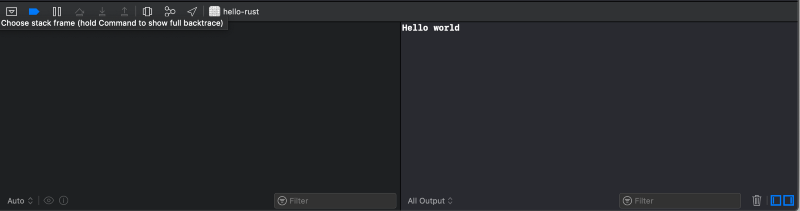
运行输出结果: