一、写在前面
这篇文章主要介绍了,Linux Ubuntu 系统下通过以下两种方式修改网卡的名字,这里根据自己的实际操作验证,从中学习记录, 方便后续查询。
参考博客:blog.csdn.net/u011521019/…
二、方案一:
1,首先修改网卡物理配置文件,没有这个文件的话新建一个或者从已有的环境上拷贝一份过来按照要求进行修改
vi /etc/udev/rules.d/70-persistent-net.rules
    # PCI device 0x14e4:0x1692 (tg3)
    SUBSYSTEM=="net", ACTION=="add", DRIVERS=="?*", ATTR{address}=="bc:30:5b:b1:cd:be", ATTR{dev_id}=="0x0", ATTR{type}=="1", KERNEL=="eth*", NAME="eth0"

    关键字解释:
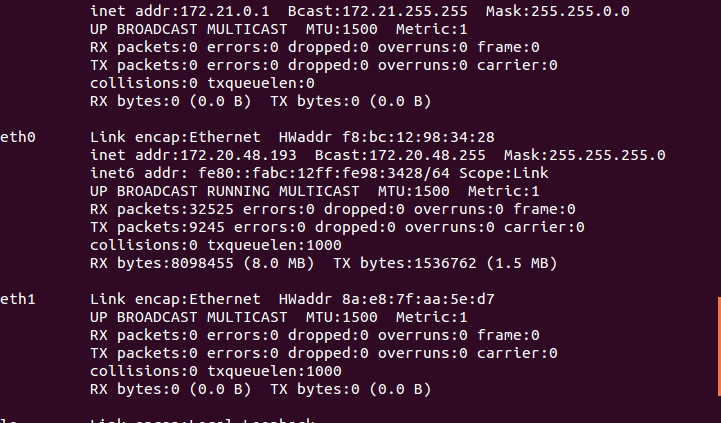
    ATTR{address}=="bc:30:5b:9c:ae:79" ##物理网卡MAC地址   ifconfig查看
    KERNEL=="eth*" ##原网卡名
    NAME="eth0" ##现网卡名
需要把这个文件中网卡的MAC地址,原网卡名字以及需要改成的网卡名字配置进去。
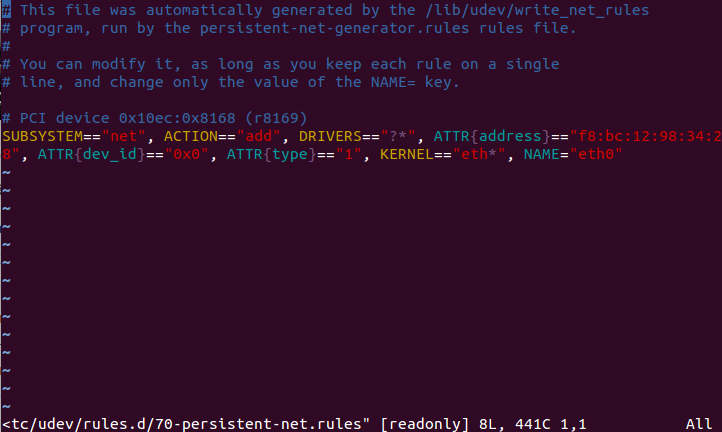
修改后(有eth0 -> eth000000000000)
# This file was automatically generated by the /lib/udev/write_net_rules
# program, run by the persistent-net-generator.rules rules file.
#
# You can modify it, as long as you keep each rule on a single
# line, and change only the value of the NAME= key.

# PCI device 0x10ec:0x8168 (r8169)
SUBSYSTEM=="net", ACTION=="add", DRIVERS=="?*",
ATTR{address}=="08:00:27:82:40:77", ATTR{dev_id}=="0x0",
ATTR{type}=="1", KERNEL=="eth*", NAME="eth000000000000"
2,修改网落配置文件
vi /etc/network/interfaces

这个要配置成修改后新的网卡名字(有就修改,一般配置静态ip需要修改)
    auto eth000000000000 ##网卡名对应要正确
3,重启服务器
重启物理服务器有一定的风险服务器没有重启起来,个人测试环境比较老旧有出现过服务器
重启不起来,或者重启起来服务器因为网络配置错误出现失联情况,提示:在进行网卡修改
的时候最好服务器离自己比较近,不要在远程的方式下进行修改,防止服务器失联。
4,查看修改后的结果(正确结果 eth0 -> eth000000000000)
下图为修改前,供参考