

How to parse command line arguments using Bash case statements
Learn case statements in Bash scripts step-by-step

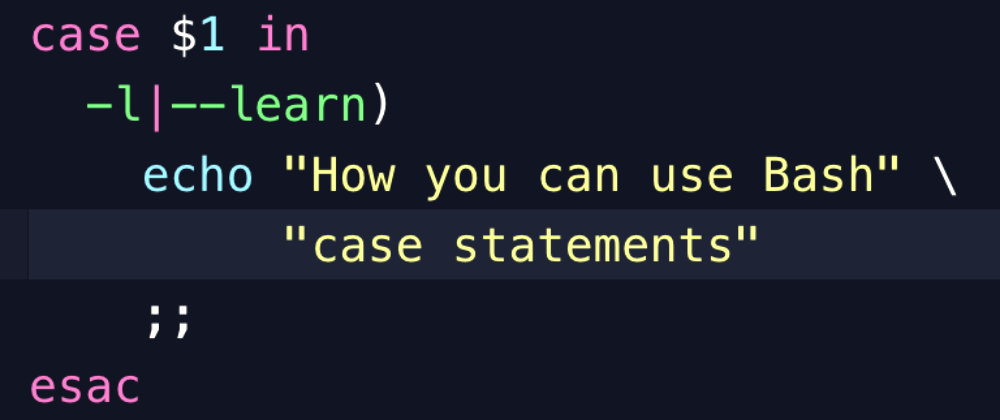
This Bash script tutorial will present an easy to follow guide to writing case statements. It will show you how to apply these to parse and handle command line arguments. You will learn to write custom scripts that take advantage of its concise syntax and pattern matching that can be applied to many kinds of programming tasks.
Tutorial contents
- Introduction
- Example script
- The
casestatement structure - Pattern matching
- Wildcards
- Extensions
- Find out more
Introduction
In Bash syntax, a case statement starts with case and ends with esac. Here is a summary from the Linux Documentation Project that explains some keywords and concepts. This tutorial will explain step-by-step how to apply these in your Bash scripts.
Eachcaseis an expression matching a pattern. The commands in theCOMMAND-LISTfor the first match are executed. The|symbol is used for separating multiple patterns, and the)operator terminates a pattern list. Eachcaseplus its according commands are called a clause. Each clause must be terminated with;;. Eachcasestatement is ended with theesacstatement.
— Using case statements | Bash Beginners Guide from The Linux Documentation Project
Example script
This is the Bash script that will be covered in this tutorial, with explanations of each part of the script and what they do.
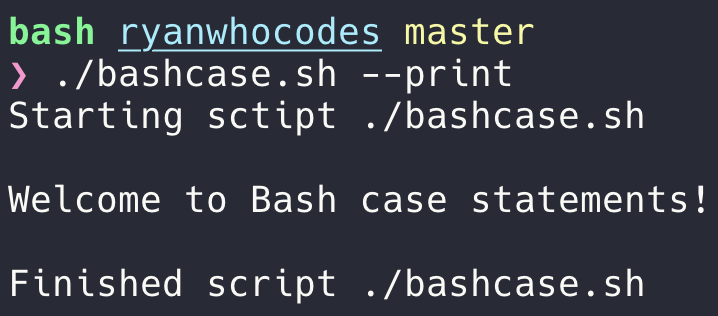
#!/bin/bashecho "Starting sctipt $0"display_usage() { echo echo "Usage: $0" echo echo " -h, --help Display usage instructions" echo " -p, --print Print welcome message" echo}print_message() { echo echo "Welcome to Bash case statements!" echo}raise_error() { local error_message="$@" echo "${error_message}" 1>&2;}argument="$1"if [[ -z $argument ]] ; then raise_error "Expected argument to be present" display_usageelse case $argument in -h|--help) display_usage ;; -p|--print) print_message ;; *) raise_error "Unknown argument: ${argument}" display_usage ;; esacfiecho "Finished script $0"Here is the output from running the script with the --print argument.
The case statement structure
This case statement provides three options: to display help, to print a string, or to raise an error for any other argument passed when running the script. Below are what some of the main keywords do in relation to the code structure.
case $argument in -h|--help) display_usage ;; -p|--print) print_message ;; *) raise_error "Unknown argument: ${argument}" display_usage ;;esaccasekeyword starts the statement blockinfollows the variable to be checked in the case statement)ends a pattern to match against the variable (see more below);;ends a section
Pattern matching
The $argument variable stores the value of $1, which is the first argument in the parameter list passed to a Bash script or function. The argument is checked against each pattern in order. A set of conditions to check against starts off a line of each case clause.
- The pattern, or set of conditions, to test for a match ends with
) - You can have multiple options to match separated by
|
-h|--help)This will match both -h or --help. When this happens, the code in the case clause is activated, in this case, to call the function display_usage to display instructions to the user.
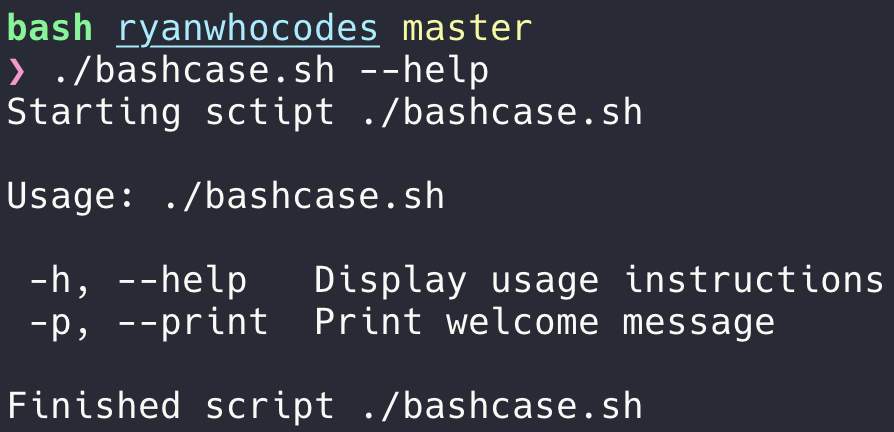
Each clause ends with ;; and the case statement finishes. The code will continue to run from the end of the case statement, as shown by the keyword esac. You would be able to observe this in the terminal when it prints the below message.
Wildcards
You may want to catch anything that is not defined in the case statement. The wildcard to match all is defined as *. For example, if you want to provide a helpful error message, you can print one that explains the cause of the issue.
*) raise_error "Unknown argument: ${argument}" display_usage ;;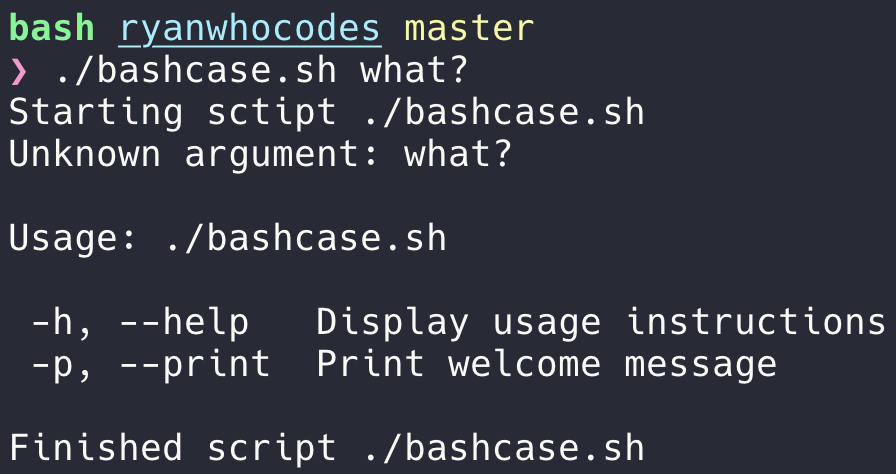
Extensions
There are many ways to add further code around case statements to increase the robustness of the code and extend what they can do. Here are a few suggestions to look into further: argument validations and while loops to multiple arguments.
Argument validation
It is useful to determine whether expected arguments are present and in the correct format before executing code. Here is an example of how to check for the presence of an argument.
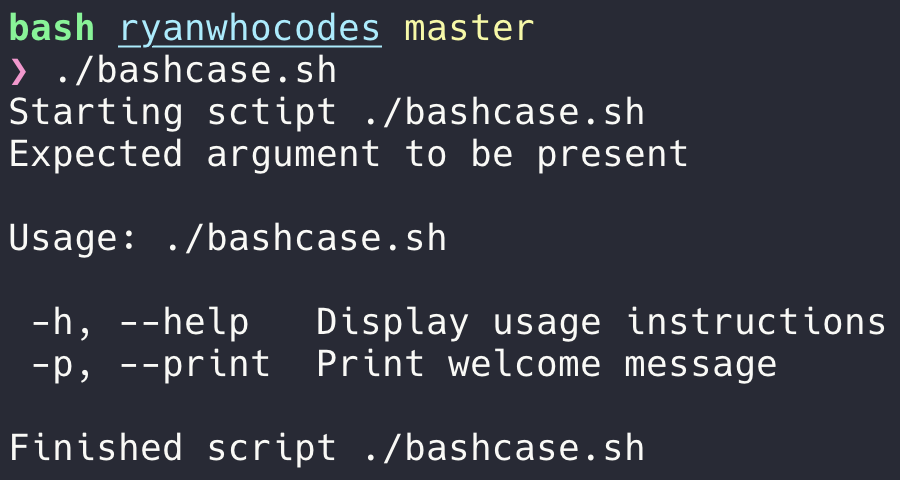
if [[ -z $argument ]] ; then raise_error "Expected argument to be present" display_usageelse ...The if condition with the double square brackets calls a test on the argument, with the -z option used to return true when there is no value.
While loops
Case statements are often used in conjunction with while loops. This can allow you to use the same case statement to work with multiple arguments.
while CONDITION_IS_TRUE ; do COMMANDSdoneRead more about while loops in The Linux Documentation Project.
Find out more → ←
Bash is a program that has been around for many years and so there is a wealth of good online tutorials and books on how to use it. Here are some I recommend as they are very readable and easy to understand.
Read more from ryanwhocodes
On Medium
- How to Christmassify your terminal and shell — freeCodeCamp.org
- Top 10 Bash file system commands you can’t live without
- How to find and kill port processes on a Mac using Bash
- Make your terminal more colourful and productive with iTerm2, Zsh and Powerlevel9K!
- Powerlevel9k: personalise your prompt for any programming language
On ryanwhocodes.com
For a faster and easier to navigate reading experience, check out all my Bash and shell tutorials at: ryanwhocodes.com/tags/shell
