vue插件
-
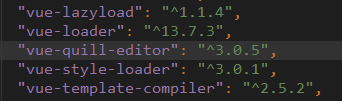
用的是
vue-quill-editor:
npm install vue-quill-editor --save
插件用法
  <quill-editor
    ref="imgsTxtEditor"
    v-model="form.richText"
    :options="quillEditorOption"
    @change="onImgsTxtEditorChange($event)">
  </quill-editor>
  import 'quill/dist/quill.core.css'
  import 'quill/dist/quill.snow.css'
  import 'quill/dist/quill.bubble.css'
  import {quillEditor,Quill } from 'vue-quill-editor';
components: {quillEditor},
form:{
    richText:'',
},
quillEditorOption: {
  modules: {
    toolbar: [
      // [{ 'size': ['small', false, 'large'] }],
      // ['bold', 'italic'],
      // [{ 'list': 'ordered'}, { 'list': 'bullet' }],
      ['image']
    ],
    history: {
      delay: 1000,
      maxStack: 50,
      userOnly: false
    },
    // imageDrop: true,
    // imageResize: {
    //   displayStyles: {
    //     backgroundColor: 'black',
    //     border: 'none',
    //     color: 'white'
    //   },
    //   modules: [ 'Resize', 'DisplaySize', 'Toolbar' ]
    // }
  }
}, // 文本编辑器设置
  onImgsTxtEditorChange({quill, html, text}) {
    this.form.richText = html;
    console.log(this.form.richText)
  },
步骤
-
将富文本以字符串的形式提交到后台
-
后台将富文本存入
.txt文件中 -
前端展示时接收后台传来的富文本链接
richTextUrl:http://oss-....aliyuncs.com/......f6fe290fe5.txt -
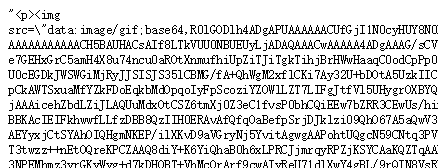
富文本链接的内容为:
-
前端解析
.txt:
this.table.body.forEach(m => {
  if (m.richTextUrl) {
    $.ajax({
      url: m.richTextUrl,
      async: false,
      // xhrFields: {
      //   withCredentials: true // 携带跨域cookie
      // },
      success(res) {
        m.richText = res.substring(1, res.length - 1).replace(/\\"/g, '"');
      }
    });
  } else {
    m.richText = '';
  }
});
其中:
- 去掉文本两边的双引号:
m.richText = res.substring(1, res.length - 1);
- 将
\"改成":
m.richText = m.richText.replace(/\\"/g, '"');