

fs 模块 主要是提供一些操作 磁盘文件 的 api,基本上构建工具 都要用到 fs 去对文件进行 读 和 写。
fs 模块咋一看文档,api贼多,简直无法直视。
然后再看一下,发现其实可以一分为二,api大都分为同步的和异步的,这样分析就会觉得好多了。
于是乎,半抄半写的做了个 json 文件合并的小demo,功能就是读取指定目录下的 json 文件,然后写到同一个 json 文件里面去。
新建一个工作目录,进入到 工作目录后 npm init -y, 然后在目录下新建一个名字为 json 的文件夹,放几个json文件进去。
再在工作目录新建一个 index.js, 代码如下:
const fs = require('fs');
const path = require('path');

const exists = filePath => fs.existsSync(filePath);

// 获取 命令行传入的 json 目录
const jsonPath = process.argv[2];

if (!jsonPath) {
    console.log('未传入json目录');
    process.exit(1);
}

const rootPath = path.join(process.cwd(), jsonPath);
const newFilePath = './data.json';

// 遍历目录下的 json 文件
function walkJsonFile(dirPath) {
    const files = fs.readdirSync(dirPath);
    const result = [];
    files.forEach(file => {
        const filePath = `${dirPath}/${file}`;
        const stat = fs.statSync(filePath);

        if ( stat.isFile() && (/\.json$/).test(file) ) {
            result.push(filePath);
        }
    });

    return result;
}

// 合并 json 文件内容 到 newJson 文件夹
function mergeJsonFile() {
    const files = walkJsonFile(rootPath);

    if (!files.length) process.exit(2);

    const data = files
        .filter(exists)
        .reduce((total, file) => {
            const fileData = fs.readFileSync(file);
            // 获取文件名称
            const baseName = path.basename(file, '.json');

            let fileJson
            try {
                fileJson = JSON.parse(fileData);
            } catch (err) {
                console.log(err);
            }

            total[baseName] = fileJson;

            // 如果不想区分 baseName, 直接合并即可
            // total = { ...total, ...fileJson };

            return total;
        }, {});

    fs.writeFileSync(newFilePath, JSON.stringify(data, null, 2));
}

mergeJsonFile();
在工作目录下运行
node index.js json
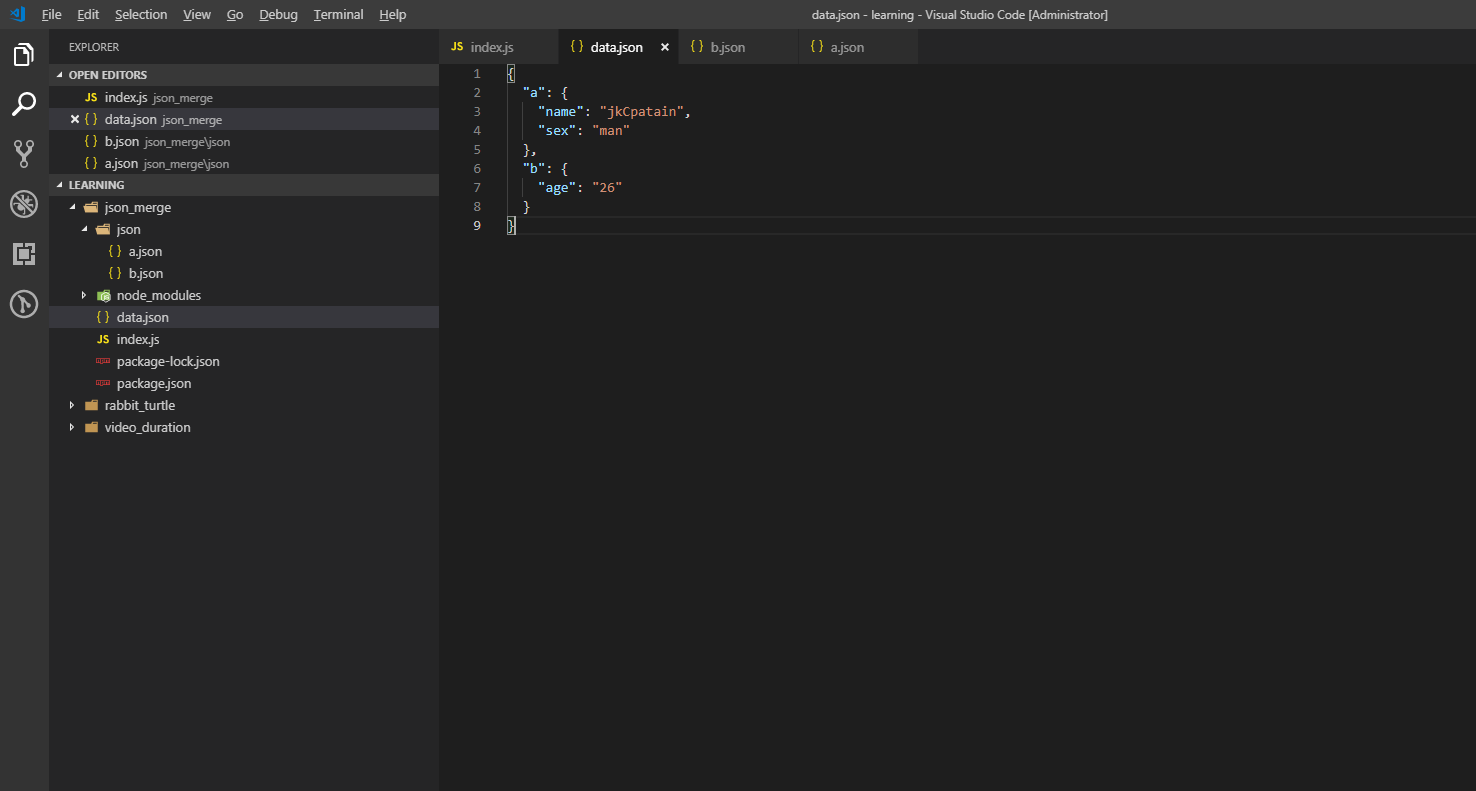
就可以看到代码被合并到新文件中了。
效果如图:
参考

