

How I used Python to help me chose an organisation for Google Summer of Code ‘19


In this tutorial, I’ll be using python to scrape data from the Google Summer of Code (GSoC) archive about the participating organizations from the year 2009.
My Motivation Behind This Project
While I was scrolling through the huge list of organisations that participated in GSoC’18, I realised that exploring an organisation is a repetitive task - choose one, explore its projects, check that if it has participated in previous years or not. But, there are 200+ organizations, and going through them all would take a whole lot of time. So, being a lazy person, I decided to use python to ease my work
Requirements
- Python (I’ll be using python3.6, because f-strings are awesome 🔥)
- Pipenv (for virtual environment)
- requests (for fetching the web page)
- Beautiful Soup 4 (for extracting data from the web pages)
Building Our Script
These are the web pages which we are going to scrape:
Coding Part

Step 1: Setting up the virtual environment and installing the dependencies
virtualenv can be used to create a virtual environment, but I would recommend using Pipenv because it minimizes the work and supports Pipfile and Pipfile.lock.
Make a new folder and enter the following series of commands in the terminal:
pip install pipenvThen create a virtual environment and install all the dependencies with just a single command (Pipenv rocks 🎉):
pipenv install requests beautifulsoup4 --threeThe above command will perform the following tasks:
- Create a virtual environment (for python3).
- Install requests and beautifulsoup4.
- Create
PipfileandPipfile.lockin the same folder.
Now, activate the virtual environment:
pipenv shellNotice the name of the folder before $ upon activation like this:
(gsoc19) $Step 2: Scraping data for the years 2009–2015
Open any code editor and make a new python file (I will name it 2009–2015.py). The webpage contains the links for the list of organizations of each year. First, write a utility function in a separate file utils.py which will GET any webpage for us and will raise an Exception if there’s a connection error.
Now, get the link of the web page which contains the list of organizations for each year.
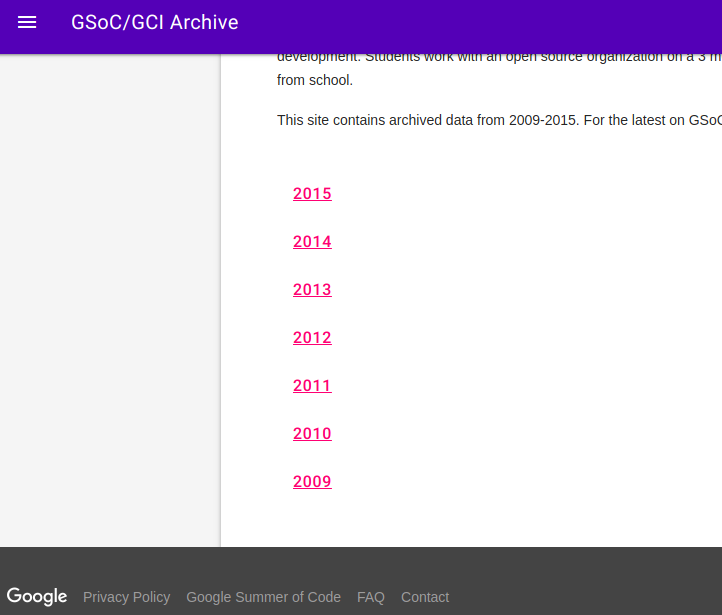
For that, create a function get_year_with_link. Before writing the function, we need to inspect this webpage a little. Right-click on any year and click on Inspect.
