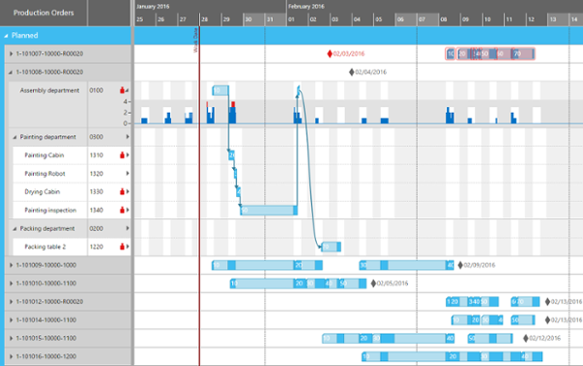
VARCHART XGantt是一款功能强大的甘特图控件,其模块化的设计让您可以创建满足需要的应用程序。XGantt可用于.NET,ActiveX和ASP.NET应用程序,可以快速、简单地集成到您的应用程序中,帮助您识别性能瓶颈、避免延迟以及高效利用资源,使复杂数据变得更加容易理解。
大多数人习惯于使用舒适的排序选项,例如在Windows资源管理器中单击表中向上或向下指示的剪头,列的表头将按升序或降序对文件进行排序。本文主要向您展示在很少编程工作下为甘特图分组添加舒适排序选项的三个步骤,有任何建议或提示请在下方评论留言,方便大家学习交流。
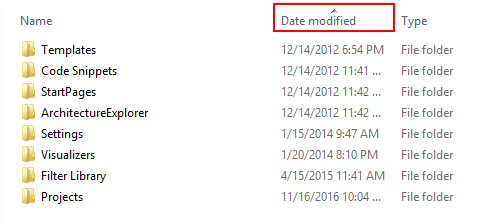
下图显示了Windows资源管理器中Date modified列按升序排序的文件,该文件由向上指向的小箭头指示:
按下文提示的步骤可以很容易地在您的甘特图中实现舒适排列:
一、创建箭头
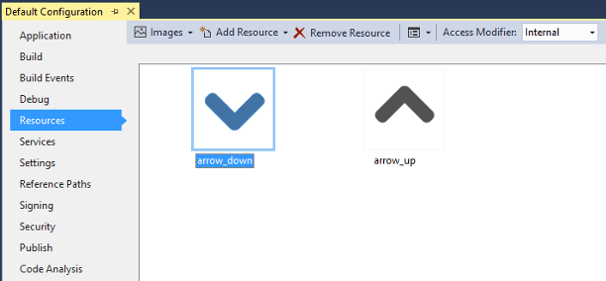
您需要两个用于显示箭头的图形文件,以下称为arrow-down.png和arrow-up.png, 它们必须作为Resources添加到Visual Studio解决方案中。
二、自定义表格格式
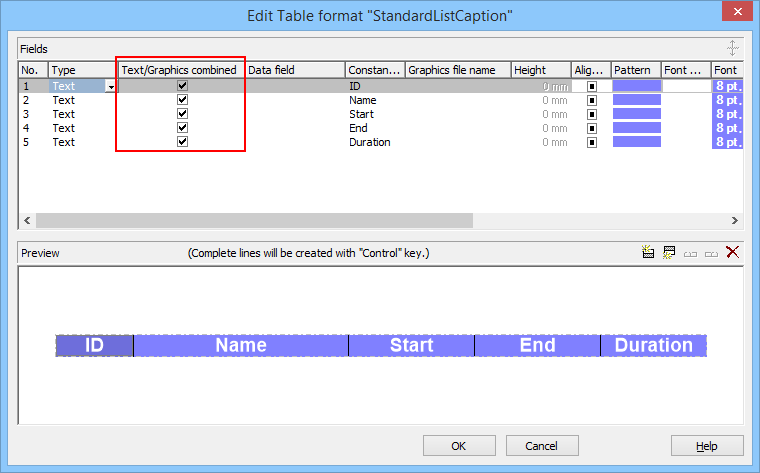
在XGantt表格StandardListCaption中,勾选所有字段的Text/Graphics combiined复选框。
三、添加代码
执行上述步骤后,向Gantt控件添加一些代码:
int _sortedByColumn = 3;

private void Form1_Load(object sender, EventArgs e)

{
   //Make the resources available for XGantt:
   //In the following 2 lines the namespace has be be adjusted as necessary.
  vcGantt1.SetImageResource("*ArrowDown",Default_Configuration.Properties.Resources.arrow_down);
   vcGantt1.SetImageResource("*ArrowUp", Default_Configuration.Properties.Resources.arrow_up);

    //Set the arrow in the table column by which your nodes are initially sorted:

   VcTable activeTable = vcGantt1.TableCollection.Active;
   VcTableFormat standardListCaptionTF = activeTable.TableFormatCollection.FormatByName("StandardListCaption");
   //Select the table format field by which your nodes are initially sorted:
   VcTableFormatField tff = standardListCaptionTF.get_FormatField(2);
   tff.GraphicsFileName = "*ArrowUp";

    //...
}


private void vcGantt1_VcTableCaptionLeftClicking(object sender, VcTableClickingEventArgs e)
{
   VcNodeLevelLayout nodeLevelLayout = vcGantt1.NodeLevelLayout;
   VcTableFormat standardListCaptionTF = e.Table.TableFormatCollection.FormatByName("StandardListCaption");

   VcTableFormatField tff = standardListCaptionTF.get_FormatField((short)(e.ColumnNumber - 1));

    if (e.ColumnNumber == _sortedByColumn)
   //Clicked again on the same column: Just reverse the sort order!
   {
      if (nodeLevelLayout.get_SortOrder(0) == VcNodeSortingOrder.vcAscending)
      {
         nodeLevelLayout.set_SortOrder(0, VcNodeSortingOrder.vcDescending);
         tff.GraphicsFileName = "*ArrowDown";
      }
      else
      {
         nodeLevelLayout.set_SortOrder(0, VcNodeSortingOrder.vcAscending);
         tff.GraphicsFileName = "*ArrowUp";
      }
   }
   else

   //Clicked on another column: Sort by this column. Sort order: ascending
   {
      nodeLevelLayout.set_SortDataFieldIndex(0, tff.Index);
      nodeLevelLayout.set_SortOrder(0, VcNodeSortingOrder.vcAscending);

       tff.GraphicsFileName = "*ArrowUp";

       tff = standardListCaptionTF.get_FormatField((short)(_sortedByColumn - 1));
      tff.GraphicsFileName = string.Empty;
   }

    vcGantt1.SortNodes();

    _sortedByColumn = e.ColumnNumber;
}
四、结果展示
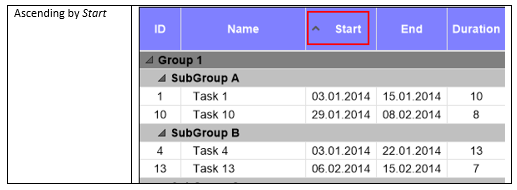
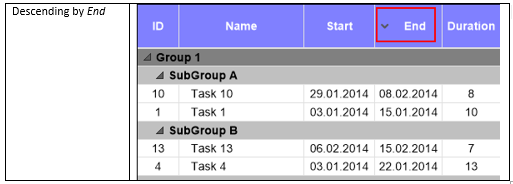
如果一切都按计划进行,甘特图中的表格标题现在应该显示排序箭头,如下图所示: