text-overflow:ellipsis是我们用来设置文本溢出的一个常用属性。
但是究竟什么情况才会触发文本溢出,大部分人肯定没有探究过。 我以前也没有注意,反正这样的css样式一把梭,溢出了就点点点
width: 100px;
overflow: hidden;
text-overflow: ellipsis;
本来是没啥问题的,直到测试给我提了一个bug:表格内的文字超长隐藏后鼠标hover没有悬浮提示
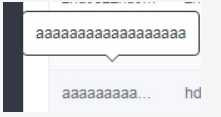
我一个开始不信,我用的element-UI还会出问题? 不过看完源码以后果然翻车了
const cellChild = event.target.querySelector('.cell');
if (hasClass(cellChild, 'el-tooltip') && cellChild.scrollWidth > cellChild.offsetWidth && this.$refs.tooltip) {
//执行悬浮窗显示操作
}
问题就出在了cellChild.scrollWidth > cellChild.offsetWidth
为了方便控制元素宽度,设置了box-sizing: border-box;
按照理解scrollWidth是内容的宽度,offsetWidth是容器的宽度。
也不会出问题,但是谁也没想到当scrollWidth===offsetWidth时,
text-overflow:ellipsis居然生效了。
重现效果:
jsfiddle.net/f0dmkkh8/1/
我天真的以为cellChild.scrollWidth >= cellChild.offsetWidth不就完事了。
知道我看了element-UI最新的代码才发现自己错了,原来scrollWidth超出offsetWidth并不是text-overflow:ellipsis触发的条件。
const range = document.createRange();
      range.setStart(cellChild, 0);
      range.setEnd(cellChild, cellChild.childNodes.length);
      const rangeWidth = range.getBoundingClientRect().width;
      const padding = (parseInt(getStyle(cellChild, 'paddingLeft'), 10) || 0) +
        (parseInt(getStyle(cellChild, 'paddingRight'), 10) || 0);
使用range对象截取dom片段后获取到的DOMRect对象的width才是内容的真正宽度。(scrollWidth并不是内容区域的真正宽度)
也就是说当
//加padding是应为box-sizing:border-box;
rangeWidth + padding > cellChild.offsetWidth
成立时才是触发text-overflow:ellipsis真正的条件。