开发前期准备
1. 进入注册小程序账号
https://mp.weixin.qq.com/wxopen/waregister?action=step1
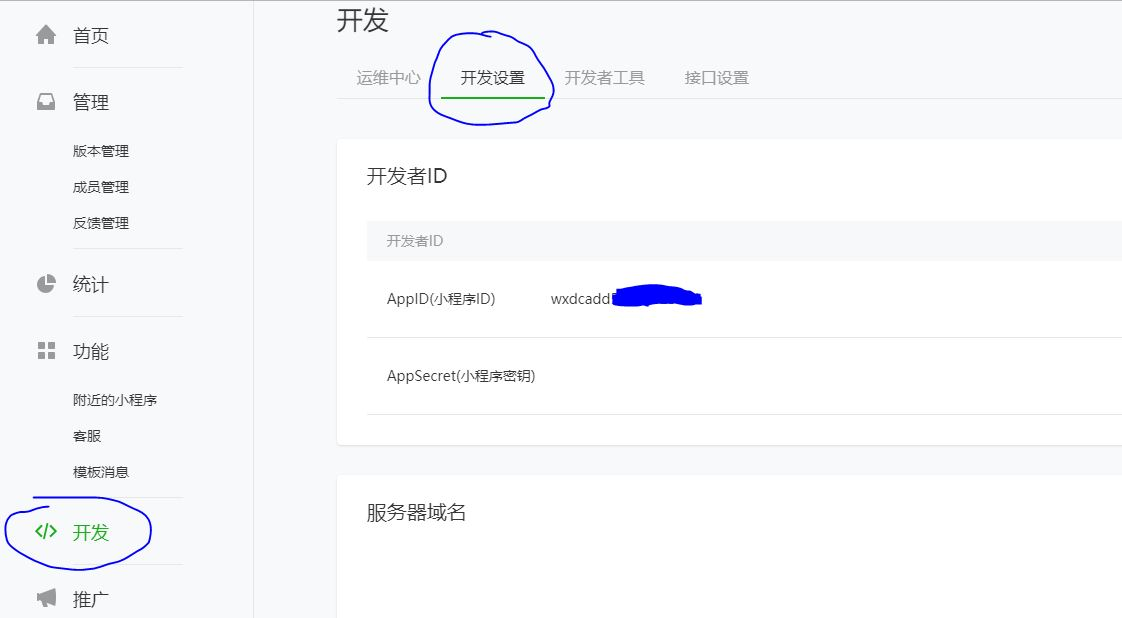
2. 可在此处获取appid
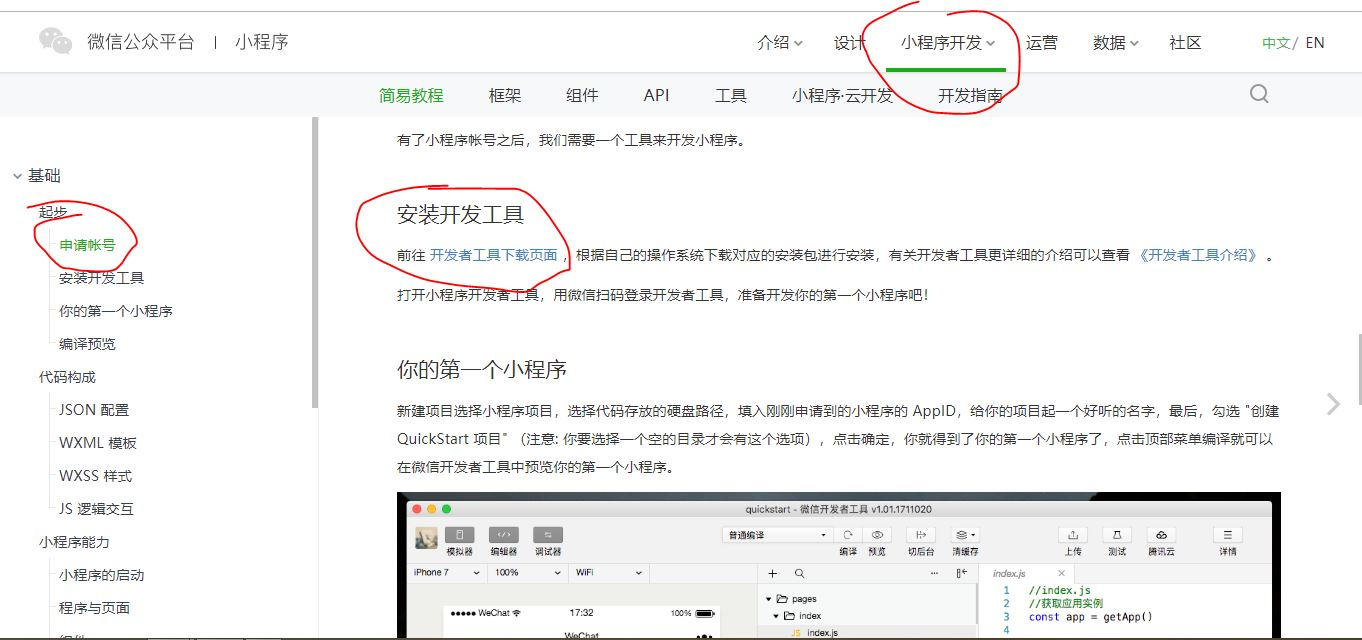
3.在此处下载开发工具
小程序配置 app.json文件
pages里放页面路径列表,最上面的打开默认显示;
window里配置窗口样式;
tabBar:底部 tab 栏的表现;
{
  "pages": ["pages/index/index", "pages/logs/index"],
  "window": {
    "navigationBarTitleText": "Demo"
  },
  "tabBar": {
    "list": [
      {
        "pagePath": "pages/index/index",
        "text": "首页"
      },
      {
        "pagePath": "pages/logs/logs",
        "text": "日志"
      }
    ]
  },
  "networkTimeout": {
    "request": 10000,
    "downloadFile": 10000
  },
}
window属性:
| 属性 | 类型 | 默认值 | 描述 | 最低版本 |
|---|---|---|---|---|
| navigationBarBackgroundColor | HexColor | #000000 | 导航栏背景颜色,如 #000000 | |
| navigationBarTextStyle | String | white | 导航栏标题颜色,仅支持 black / white | |
| navigationBarTitleText | String | 导航栏标题文字内容 | ||
| navigationStyle | String | default | 导航栏样式,仅支持以下值:default 默认样式custom 自定义导航栏,只保留右上角胶囊按钮。参见注2。 | 微信客户端 6.6.0 |
| backgroundColor | HexColor | #ffffff | 窗口的背景色 | |
| backgroundTextStyle | String | dark | 下拉 loading 的样式,仅支持 dark / light |
快速建页面级文件夹
补全路径即可:
]}
会生成一个这样的页面级文件夹
ps:如果自己建文件,那么这四个文件名必须一致
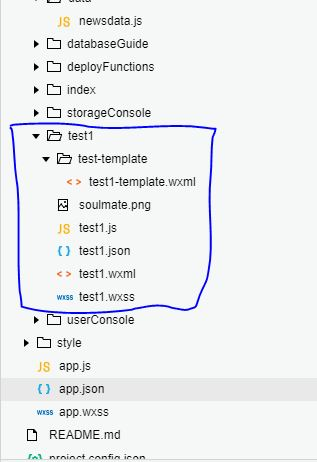
【.js】处理逻辑层
【.wxml】处理视图层
【.wxss】处理样式层
视图标签
视图容器(View Container):
| 组件名 | 说明 |
|---|---|
| view | 视图容器 |
| scroll-view | 可滚动视图容器 |
| swiper | 滑块视图容器 |
基础内容(Basic Content):
| 组件名 | 说明 |
|---|---|
| icon | 图标 |
| text | 文字 |
| rich-text | 富文本 |
| progress | 进度条 |
表单(Form):
| 标签名 | 说明 |
|---|---|
| button | 按钮 |
| checkbox | 多项选择器 |
| form | 表单 |
| input | 输入框 |
| label | 标签 |
| picker | 列表选择器 |
| picker-view | 内嵌列表选择器 |
| radio | 单项选择器 |
| slider | 滚动选择器 |
| switch | 开关选择器 |
| textarea | 多行输入框 |
导航(Navigation):
| 组件名 | 说明 |
|---|---|
| navigator | 页面链接 |
| functional-page-navigator | 跳转到插件功能页 |
多媒体(Media):
| 组件名 | 说明 |
|---|---|
| audio | 音频 |
| image | 图片 |
| video | 视频 |
地图(Map):
| 组件名 | 说明 |
|---|---|
| map | 地图 |
轮播图用法示例:
1.创建一个class为idol-community的view容器
2.创建swiper标签
3.一个swiper-item标签里面放一个image标签
4.为swiper设置属性即可
5.在当前js文件中设置:
Page({
视图:
swiper
滑块视图容器。
| 属性名 | 类型 | 默认值 | 说明 | 最低版本 |
|---|---|---|---|---|
| indicator-dots | Boolean | false | 是否显示面板指示点 | |
| indicator-color | Color | rgba(0, 0, 0, .3) | 指示点颜色 | 1.1.0 |
| indicator-active-color | Color | #000000 | 当前选中的指示点颜色 | 1.1.0 |
| autoplay | Boolean | false | 是否自动切换 | |
| current | Number | 0 | 当前所在滑块的 index |
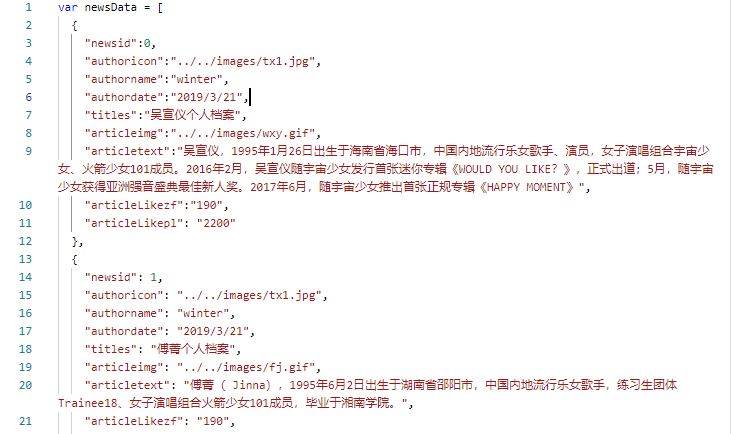
动态将其他文件中的数据遍历展示在视图中:
例:页面同级文件夹的兄弟文件夹data,中的newsdata.js数据文件
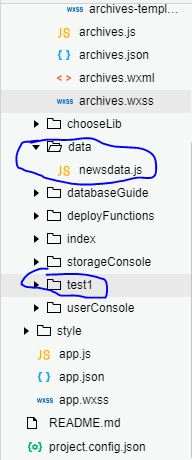
newsdata.js中的内容:一条条的数组
在newsdata.js页面将数组导出:
在要接收的js页面将数据接收:
1.用block标签将要遍历的视图板块包裹:
2.wx:for="{{newsData}}" for循环newsData这个数组 wx:for-item="item" 起名为item
3.可直接这样使用 <text>{{item.authorname}}</text>
<text>{{item.authorname}}</text>
将页面视图板块 提取为组件:
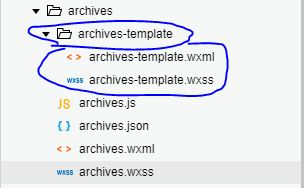
例 1.在页面级文件夹archives下创建文件夹archives-template作为页面组件文件夹
2.文件夹下创建wxml和wxss视图和样式文件
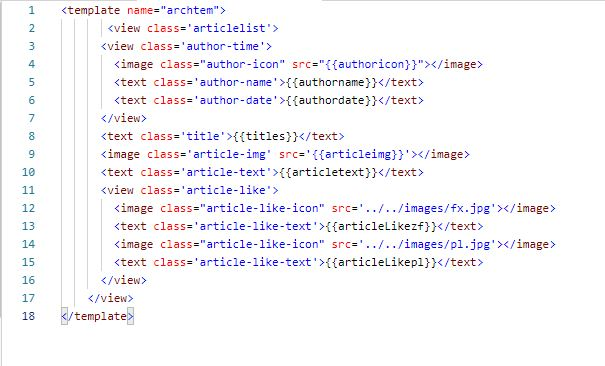
3.在wxml视图文件下创建template模板标签,存放原视图
给模板标签起一个name
4.原视图区域则存放:
用is:name名引进模板 动态获取的data文件则用...item表示

5.模板内的数据展示也不用再用
<text>{{item.authorname}}</text>
而是直接
<text>{{uthorname}}</text>
6.在页面级wxml页面开头引入模板页面:
第一个archives-template是文件夹名
7.在页面级wxss页面开头引入模板样式:
页面跳转:
使用 :bindtap='goarc'
在本页面js文件里:goarc函数