效果如下:
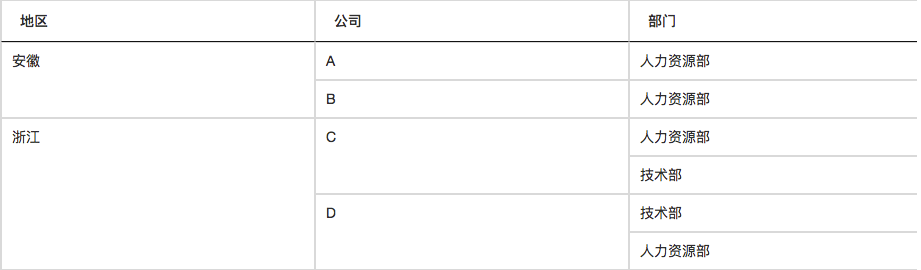
使用createdCell函数进行单元格合并,具体参考:www.datatables.club/reference/o…
"columnDefs":[{
    "targets": 0,
    "orderable" : false,
    "data":null,
    "createdCell": function(td, cellData, rowData, row, col) {
        if(rowData.columnNum > 1){
        	$(td).remove();
        }
        if(rowData.columnNum == 1){
        	$(td).attr("rowspan", rowData.columnCount);
        }
    }
}]
rowData为每一行的数据内容,判断当前行在分组内的columnNum,等于1的添加属性rowspan,并设置其值为columnCount;大于1的将td单元格删除。 PS:在使用createdCell函数时总是报错如下:
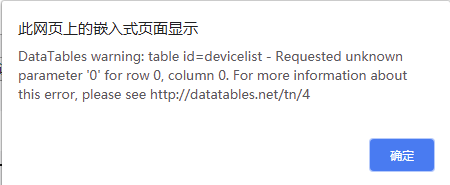
Add: data: null to your first column to tell DataTables not to try and source the data from anywhere. Otherwise it will use the column index (0 in this case).
在第一列中添加:data:null,告诉数据表不要尝试从任何地方获取数据。否则,它将使用列索引(在本例中为0)。