

生命周期
- 生命周期是一个组件从创建到销毁的过程。
- 当组建实例被创建并且插入到DOM中,需要调用的函数,就是生命周期函数。
- 也就是说,组件加载完成前后、组件更新数据、组件销毁,所触发的一系列的方法。
1.第一阶段--初始化阶段
组件创建到首次渲染到页面
constructor()构造函数,在创建组件的时候调用一次componentWillMount()在组件即将被挂载的时候调用一次render()渲染componentDidMount()在组件被挂载完成的时候调用一次,可以在这里使用refs属性,因为组件已经被渲染出来了。- 代码
class App extends React.Component{
    constructor(props) {
        super(props);
        // 构造函数只执行一行
        // this.props.title 读取父组件的传递的数据
        // this.state = {} 初始化一个状态
        this.state = {
           a: props.title,
           b: this.props.title
        };
        console.log( '01-构造函数1 ' );
    }

    componentWillMount() {
        console.log('02-组件即将被挂载2');
        // 这时不能做dom操作,因为还没有渲染
        // 请求后端接口 真实测试的会出现白屏(页面一直没有图片 文字 html结构 )
        // this.setState() this.state this.props 都是异步的
        this.setState({
            c: '请求的数据'
        });
        console.log(this.state.c); //undefined
        setTimeout(()=>{
            console.log( this.state.c ); //请求的数据
        },2000);
    }

    render() {
        console.log( '03-开始渲染组件3' )
        // 可以在这一步对 state数据进行处理
        //console.log( this.state.c )
        return (
            <div>
                {this.state.a}
                <hr />
                {this.state.b}
                <button
                    ref={btn=>this._btn=btn}
                    onClick={this.handleClick}
                >点击 </button>
            </div>
        );
    }

    componentDidMount() {
        // 可以在网页上能够看到数据(图片 文字)
        // 真实的场景 会在此请求后端数据接口
        // 请求回来的数据 会挂载到state里面
        // 放在state里面的好处
        // 1. 当前组件是根据state的数据进行渲染
        // 2. state的数据是响应式数据 ,一但数据变化了,就会自动触发render函数
        console.log('04-组件挂载完成啦4');
        console.log( this._btn );
        this._btn.style.background = 'skyblue';
    }
};

ReactDOM.render(
    <App title={'传值给App组件'}></App>,
    document.querySelector('#app')
);
打印的顺序:
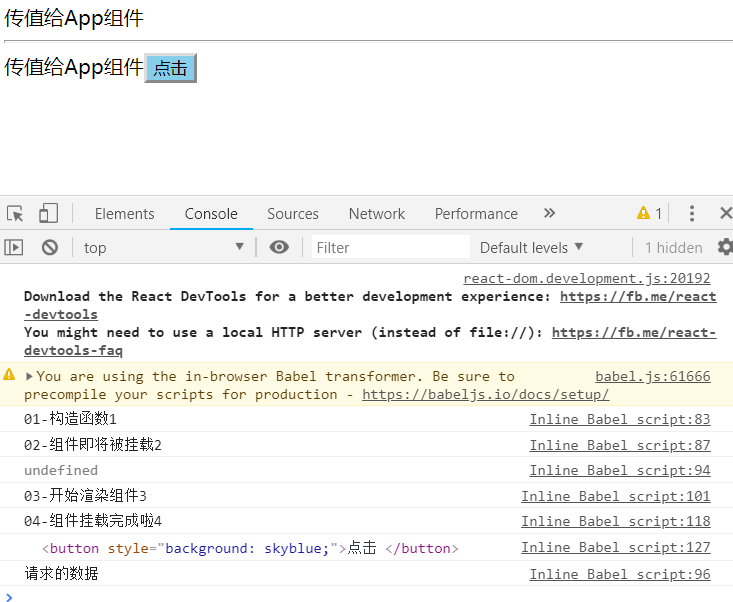
- undefined是在componentWillMount()中打印出来的,更新了setState却还是undefined,说明该方法是异步的,所以用了定时器,两秒后打印出来了传的值。
- componentDidMount()组件已经加载完毕,此时可以操作DOM节点,因此可以获取到button按钮
demo :点击当前组件的元素执行当前的事件函数更新当前的组件数据b,数据变化就是自动触发render数据
class App extends React.Component{
    constructor(props) {
        super(props);
        this.state = {
           a: props.title,
           b: this.props.title
        };
        console.log( '01-构造函数1 ' );
    }

    componentWillMount() {
        console.log('02-组件即将被挂载2');
        this.setState({
            c: '请求的数据'
        });
        console.log(this.state.c);
        setTimeout(()=>{
            console.log( this.state.c );
        },2000);
    }

    handleClick = ()=>{
        this.setState({
            b: '点击事件改变了b的数据'
        })
    }

    render() {
        console.log( '03-开始渲染组件3' )
        //console.log( this.state.c )
        return (
            <div>
                {this.state.a}
                <hr />
                {this.state.b}
                <button
                    ref={btn=>this._btn=btn}
                    onClick={this.handleClick}
                >点击 </button>
            </div>
        );
    }

    componentDidMount() {
        console.log('04-组件挂载完成啦4');
        this._btn.style.background = 'skyblue';
    }
};

ReactDOM.render(
    <App title={'传值给App组件'}></App>,
    document.querySelector('#app')
);
点击前:
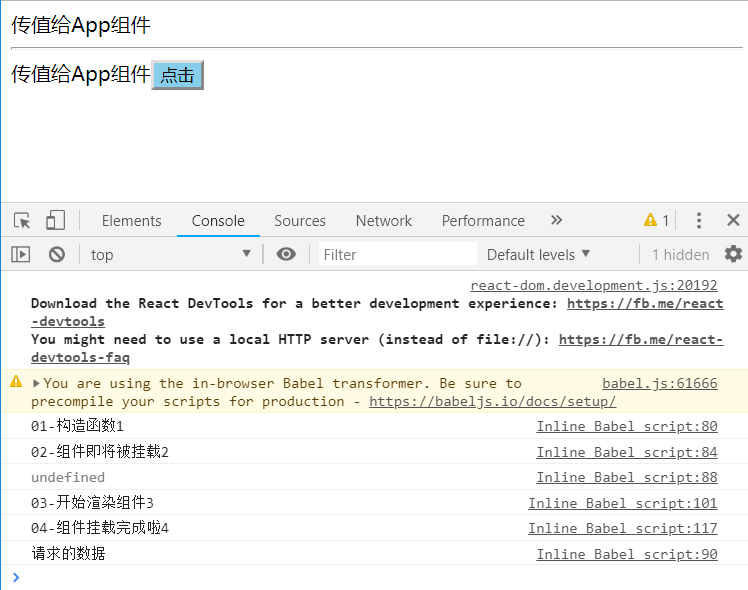
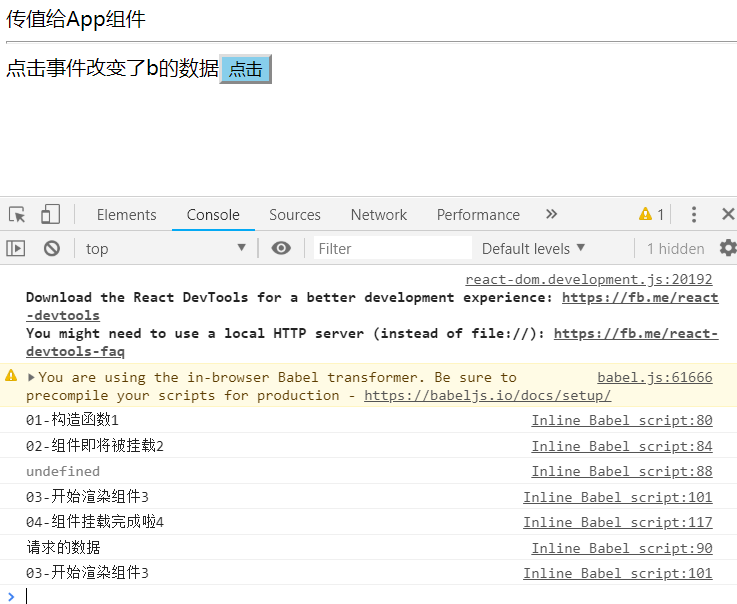
当更新state的时候,会重新触发render();
2.第二阶段--更新阶段
状态更新引起的变化
-
componentWillReceiveProps(nextProps)父组件的更新会触发子组件的这个函数 -
shouldComponentUpdate(nextProps, nextState) return false/true是否需要重新渲染,默认值为true,表示更新;false会阻止render调用 -
componentWillUpdate(nextProps, nextState)即将更新,不能修改属性与状态,用于日志打印和数据获取 -
render()渲染 -
componentDidUpdata()完成更新 -
参数:
1. nextProps:父组件更新的时候带来的数据 2. nextState:子组件当前的状态 -
代码
//子组件List
class List extends React.Component {
    constructor() {
        super();
        console.log( '02-构造函数01' );
    }

    componentWillReceiveProps(nextProps) {
        console.log('02-获取父组件更新的时候带来的数据02 ',nextProps);
    }

    shouldComponentUpdate(nextProps, nextState) {
        console.log('02-是否将来更新组件03');
        return true;
    }

    componentWillUpdate(nextProps, nextState) {
        console.log('02-组件即将被更新04', nextProps, nextState );
        // 看自己的需求
    }

    render() {
        console.log('02-渲染组件05');
        return (
            <div>
                <h2> 这是List组件 </h2>
            </div>
        );
    }
    componentDidUpdate(prevProps, prevState) {
        console.log( '02-组件更新完成啦06', prevProps,prevState )
    }

    componentWillUnmount() {
        console.log('03-List组件即将被销毁07')
    }
}

//父组件App
class App extends React.Component{
    constructor(props) {
        super(props);
        console.log( '01-构造函数1 ' );
        this.state = {
            p: 'App',
            onOff: true
        };
    }
    componentWillMount() {
        console.log('01-组件即将被挂载2');
    }
    componentDidMount() {
        console.log('01-组件挂载完成啦4');
    }
    render() {
        console.log( '01-开始渲染组件3' );
        return (
            <div>
                <h1>App</h1>
                <List title={this.state.p}></List>
            </div>
        );
    }
}
ReactDOM.render(
    <App></App>,
    document.querySelector('#app')
);
效果图:
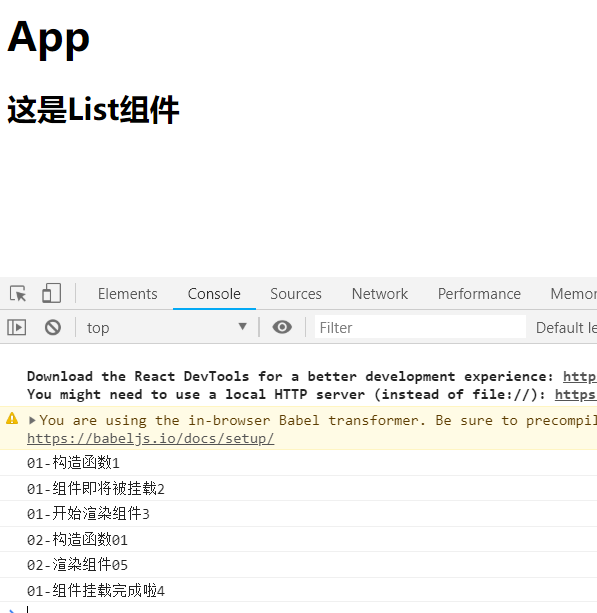
- 由于List是App的子组件,所以App执行render的时候,会将List也渲染了,所以会打印"02-构造函数01",而List中也会执行render,打印"02-渲染组件05",之后组件完成加载。
- componentWillReceiveProps()是在当父组件更新数据时 才会触发,下一个例子。
设置点击事件,修改父组件的数据,触发更新阶段的方法
class List extends React.Component {
    constructor(props) {
        super(props);
        //console.log( '02-构造函数01' );
        this.state = {
            list: '这是list数据',
            //接收父组件传来的值
            title : this.props.title
        };
        console.log(this.state.title);

    }

    componentWillReceiveProps(nextProps) {
        console.log('02-获取父组件更新的时候带来的数据02 ',nextProps);
    }

    shouldComponentUpdate(nextProps, nextState) {
        console.log('02-是否将来更新组件03',nextProps, nextState);
        return true;
    }

    componentWillUpdate(nextProps, nextState) {
        console.log('02-组件即将被更新04', nextProps, nextState );
        // 看自己的需求
    }

    render() {
        console.log('02-渲染组件05');
        return (
            <div>
                <h2> 这是List组件 </h2>
                {this.state.title}
            </div>
        );
    }
    componentDidUpdate(prevProps, prevState) {
        console.log( '02-组件更新完成啦06', prevProps,prevState )
    }
}

//父组件App
class App extends React.Component{
    constructor(props) {
        super(props);
        this.state = {
            p : "abc"
        };
    }

    handleClick = () =>{
        this.setState({
            p : "点击事件改变了App的数据"
        })
    }
    render() {

        return (
            <div>
                <h1>App</h1>
                <List title={this.state.p}></List>
                <button onClick={this.handleClick}>点击事件</button>
            </div>
        );
    }
}
ReactDOM.render(
    <App ></App>,
    document.querySelector('#app')
);
点击后的效果图;
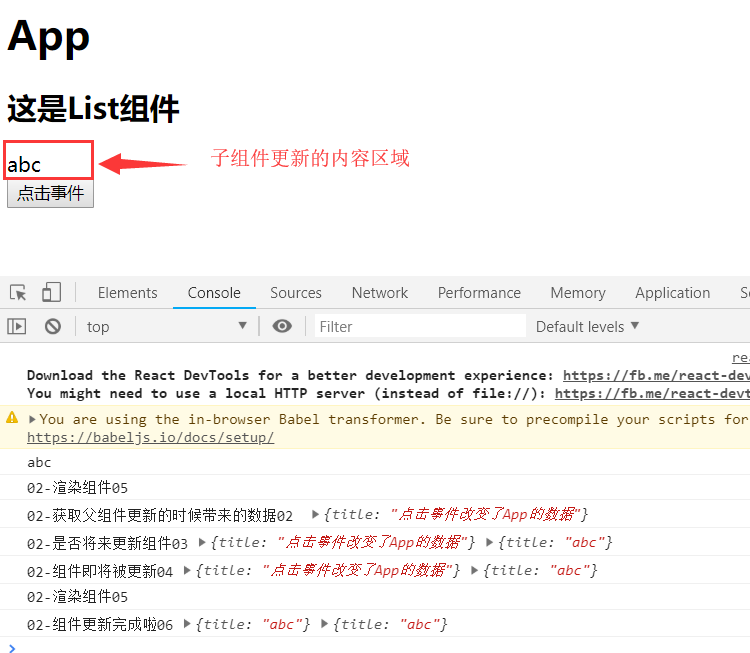
由打印的结果可知,componentWillReceiveProps()方法得到父组将更新的数据,可是页面上并没有改变,也就是说子组件的数据并没有更新,此时通过shouldComponentUpdate()方法更新。
代码分析:
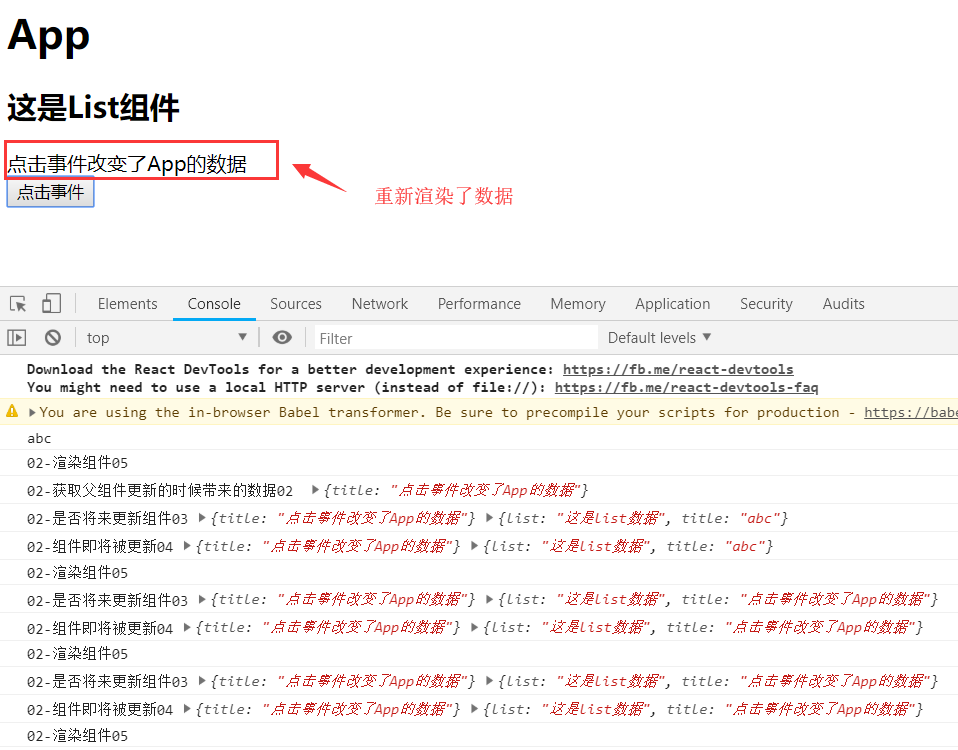
判断当前子组件的title属性是否与父组件传来的数组相同,如果不同,走if判断,更新数据,因为数据更新了,所以会再次触发render方法,更新页面
shouldComponentUpdate(nextProps, nextState) {
    if( this.state.title !== nextProps.title){
        this.setState({
            title : nextProps.title
        })
    };
    return true;
}
点击后的效果:
.第三阶段--销毁阶段
组件在销毁之前
componentWillUnmount()组件即将销毁
总结
初始化和销毁阶段在组件的整个生命周期中只会出现一次
更新阶段会在组件每次更新中都会执行
