一、先说一下 npm 的更新:
1、检查 npm 的当前版本,使用命令
npm -v

2、官网提供命令
npm install npm@latest -g
运行后会自动完成安装:

二、接着就是 node 的更新:
1、检查 node 的当前版本,使用命令
node -v

2、清除npm cache
sudo npm cache clean -f

3、安装 n 模块
sudo npm install -g n
4、安装最新的稳定版本
sudo n stable
你也可以定制一个自己喜欢的版本:
sudo n 8.1.2
5、查看 node 的版本,检查升级是否成功
node -v
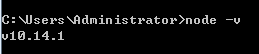
如果这个方法不行的话, 就只能暴力解决了(从官网上下载最新的稳定版然后覆盖安装...)
覆盖之前检查一下已经安装 node 的路径:
where node

安装过程:下一步...下一步..下一步;即可安装(注意覆盖安装)